NEW
Booking data, wherever you need it:

Office hoteling sounds straightforward until you run it. Employees reserve a desk in advance, check in on arrival, and release the space when they leave early. The concept is clean. What breaks it in practice: ghost reservations that never cleared from a project that wrapped last week, the same people grabbing the same desks before anyone else gets there on anchor days, and booking policies that only get enforced when someone sends an annoyed Slack message.
That gap is what separates a space reservation tool from actual hoteling software. The platforms that close it enforce booking policy automatically, give employees a floor plan they will use instead of ignore, and surface the occupancy data that answers the question leadership always asks: are we paying for space that nobody is actually using?
This guide evaluates 10 office hoteling software platforms on pricing model transparency, booking governance depth, floor plan quality, analytics, and integration fit. Jump to the comparison table to shortlist, or read through for the full evaluation.
Skedda publishes this guide. We build and operate office hoteling software for more than 8,000 organizations and 3 million users worldwide, with 72 million spaces booked on the platform. We see how facilities teams evaluate, shortlist, and implement hoteling software every day.
Because we publish this guide, we have positioned Skedda as a featured pick above the alphabetical list rather than ranking ourselves first. Every other platform is reviewed alphabetically. We have included honest, specific cons for Skedda alongside every other tool. If you want to weight the criteria differently, use the decision framework in the "How to Choose" section below.
We evaluated 10 platforms against six criteria: pricing model transparency, booking rules depth, analytics capability, integration breadth, implementation overhead, and G2 review evidence. Ratings and pricing were pulled from vendor documentation and G2 in April/May 2026.
Office hoteling software is a reservation-based workspace management system that lets employees book desks, rooms, and resources in advance for specific time windows. When they arrive, they check in to confirm occupancy. Desks not checked in within a configurable grace window auto-release back to the pool.
The name comes from the hotel model: you reserve a space, you check in, you occupy it for a defined period, you check out. The next guest books the same room. Office hoteling applies that logic to desks, meeting rooms, labs, and other shared resources.
The concept traces back to the 1990s, when large consulting firms and audit practices recognized that field-based employees only needed a physical desk for a fraction of each week. Paying for a permanently assigned workstation for an auditor who was on-site with a client four days out of five made no sense. The reservation model gave those employees a guaranteed workspace when they needed it without tying up real estate when they did not. Hybrid work has made the same logic relevant to nearly every organization running a sub-1.0 seat ratio.
Three components make office hoteling work in practice:
Hot desking is first-come, first-served. No reservations, no policies, no utilization data. Office hoteling layers advance booking, check-in confirmation, auto-release on no-show, and booking governance on top of unassigned seating.
The practical difference: on a busy Tuesday, hot desking means arriving early or going without. Office hoteling means you reserved your seat near your team on Monday, the system confirmed you arrived at 9:08, and when you left early, the desk auto-released and a colleague on the waitlist picked it up at 2 p.m. For a detailed comparison, see What Is Desk Hoteling? and our guide to hot desking vs. hoteling.
For hybrid teams averaging two to three in-office days per week, hoteling is the model that lets organizations reduce seat ratios to 0.65 to 0.80 seats per employee without creating daily access anxiety. According to JLL's Future of Work research, average office utilization in most markets sits between 50% and 65%. At those utilization levels, organizations maintaining a 1:1 seat ratio are paying for space that sits empty more than a third of the time.
Hoteling produces the clearest return for organizations where attendance is genuinely variable day-to-day. That typically means:
Hoteling trades the psychological comfort of a permanent desk for cost efficiency and flexibility. Software governs the logistics; the cultural adjustment requires its own plan. Employees accustomed to personalizing a workspace need alternatives: personal locker allocation, neighborhood booking so teams sit together consistently, and standard ergonomic equipment at every desk so there is no meaningful downside to rotating desks. Organizations that skip this communication typically see lower adoption in the first 90 days. That is a process problem, not a software problem, but the software can make it worse or better depending on how well it supports team-day coordination.
Before you evaluate platforms, establish which capabilities matter most for your organization. These features are the structural requirements for any platform serious about hoteling governance.
Booking rules engine: The ability to define who can book what, when, and under what conditions. At minimum: advance booking windows, per-user quotas, zone restrictions, and buffer times between reservations. Deeper implementations add approval flows, eligibility rules by user group or role, and recurring booking controls. This is the single most variable feature across platforms in this category. Evaluate it with a real scenario from your organization, not the vendor's scripted demo.
Interactive floor plans and wayfinding: Real-time visual availability on a floor map, with desk numbering, zone labels, and amenity tags. Employees should be able to see where teammates are sitting and filter by what they need. The best implementations let admins update floor plans without IT involvement within hours of a layout change.
Check-in and auto-release: Multiple check-in methods (QR code, mobile app, NFC tap, passive occupancy sensor) with configurable grace windows and automatic desk release on no-show. This mechanism is what keeps utilization data accurate and prevents ghost reservations from consuming capacity on peak days. See how occupancy tracking works in practice for a breakdown of the available check-in methods and when each is appropriate.
Buffer time between reservations: A configurable window between the end of one booking and the start of the next. In hoteling environments with high desk turnover, back-to-back bookings without buffer time create sanitation problems that become cultural complaints. A 15-minute cleaning buffer before the next occupant checks in is a hoteling-specific requirement that many generic desk booking tools handle as an afterthought. Confirm this is configurable per zone or per desk type, not just globally.
Analytics and utilization reporting: Occupancy by space, day, and zone. Peak-to-average ratios. No-show rates by team. Booking lead time trends. These are the metrics facilities leaders use to justify real estate decisions. Platforms without native analytics push you back to spreadsheets. Ask specifically which analytics are included in the base plan vs. locked behind a higher tier.
Calendar and communication integrations: Two-way calendar sync with Microsoft 365/Outlook and Google Workspace is table stakes. Booking confirmations should appear in the employee's existing calendar automatically. Slack and Microsoft Teams integration reduces the behavioral change required for employee adoption.
SSO, SCIM, and security: SAML 2.0 single sign-on and SCIM provisioning for automated user add and remove are non-negotiable for organizations with any IT security review process. Platforms that include SSO and SCIM only in enterprise tiers add cost and friction that is easy to underestimate during an initial demo.
Visitor management: Pre-registration, QR code check-in, and host notification for guests using hoteling spaces. Some platforms include visitor management in the base plan; others charge a separate per-location fee ranging from $99 to $329 per location per month. For facilities managers coordinating client visits alongside employee bookings, this gap has real budget implications.
AI features in office hoteling software: In 2026, most major platforms have added some form of AI-assisted booking. AI desk recommendations based on past booking history and team proximity are delivering genuine value in platforms that have invested in this capability over multiple release cycles. Natural-language booking via chat interfaces is newer and more variable in reliability. When evaluating AI features, ask the vendor to run a live demo against edge-case scenarios from your actual policies, not a scripted walkthrough.
Skedda is a space management platform that combines booking governance, utilization analytics, and self-serve adoption for mid-market organizations managing shared desks, meeting rooms, and other bookable resources. It is the platform we build and operate daily for more than 8,000 organizations.
Best for: Mid-market organizations (100 to 2,000 employees) that need deep booking rule governance, per-space pricing economics, and utilization data to support real estate decisions.
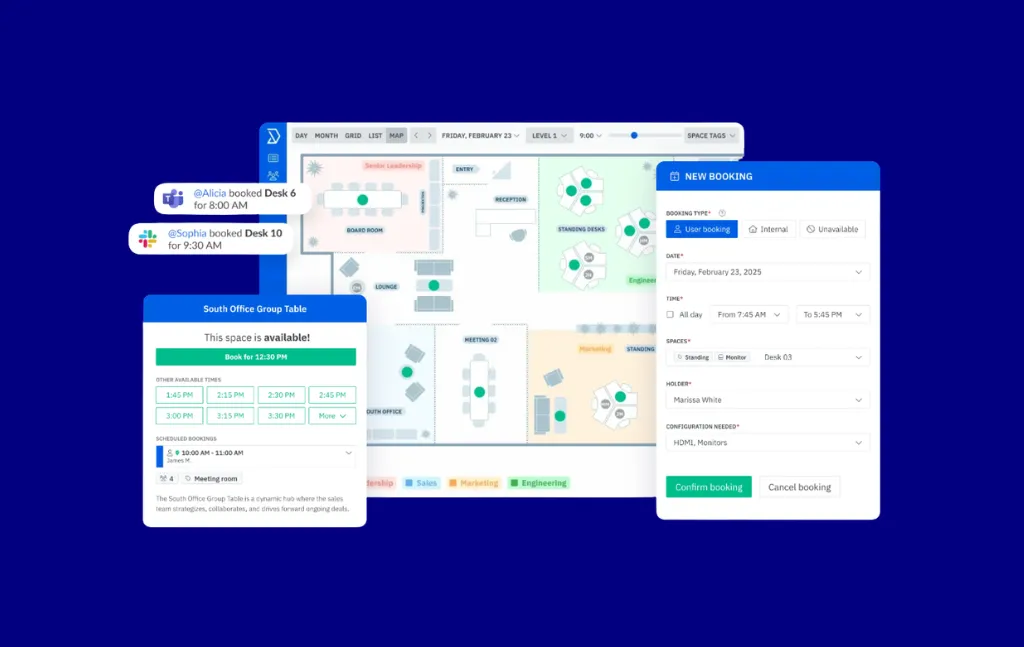
We are the publisher of this guide, but the reason Skedda belongs at the top of this comparison is specific: the booking rules engine is exceptionally deep for a platform at the mid-market price point. Quotas per user, eligibility rules by team or role, booking windows, buffer times between reservations, approval flows, and org-wide policy enforcement are all configurable without a professional services engagement. Most platforms at this price point offer a subset of these capabilities.
The per-space pricing model is the other differentiator that directly affects the math facilities managers run. At $249/month for up to 100 spaces with unlimited users, a 300-person hybrid organization running a 0.7 seat ratio pays for 210 spaces, not 300 people. The gap between per-space and per-user pricing widens as headcount grows while desk count stays fixed. At 500 employees and 350 desks, per-user pricing at $4/user/month costs $2,000/month. Skedda's Premier plan covers unlimited spaces at $349/month. That is $19,800 in savings over a three-year contract before a single feature is compared.
One customer captures the governance outcome well. The Events and Facilities team at Cornell College describes their experience using Skedda: "Skedda has restored order to the building. Even on our busiest days... not once did I have to worry about someone being in the wrong room at the wrong time."
Integrations: Microsoft 365, Outlook, Google Workspace, Google Calendar, Microsoft Teams, Slack, Okta, Azure AD, and SCIM-compatible identity providers. Webhooks and API for custom integrations.
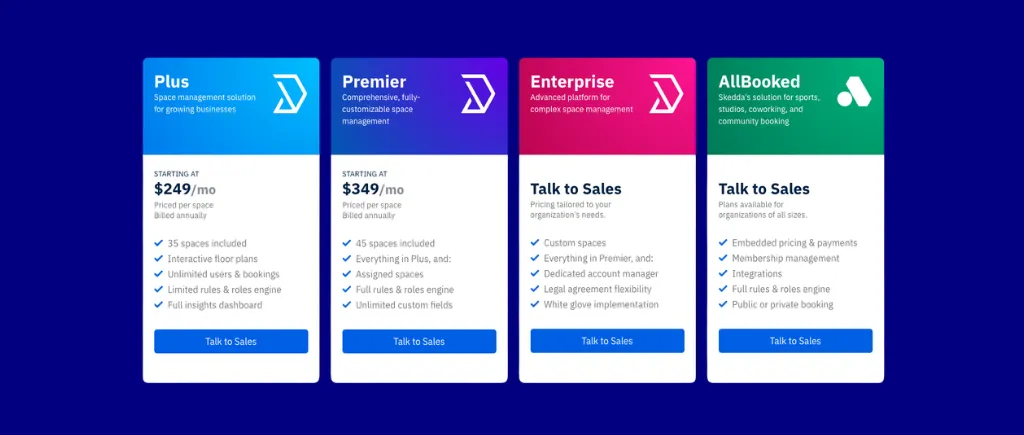
Per-space pricing means users are unlimited across all plans. See Skedda pricing for current space-count tiers and plan details.
Bottom line: Skedda is the right choice for mid-market facilities and workplace teams that need governance depth, per-space pricing economics, and reliable utilization data without a lengthy enterprise implementation. If visitor management is a core requirement rather than an add-on, or if you need full IWMS features like move management and maintenance ticketing, evaluate tools further down this list alongside Skedda.
See if Skedda fits your requirements. Book a demo.

Archie is a desk booking and space management platform built for modern hybrid offices and coworking operators, with per-resource pricing across all plans.
Best for: Small to mid-market organizations that want per-resource pricing with transparent, public pricing and need both desk booking and room booking managed in one platform.
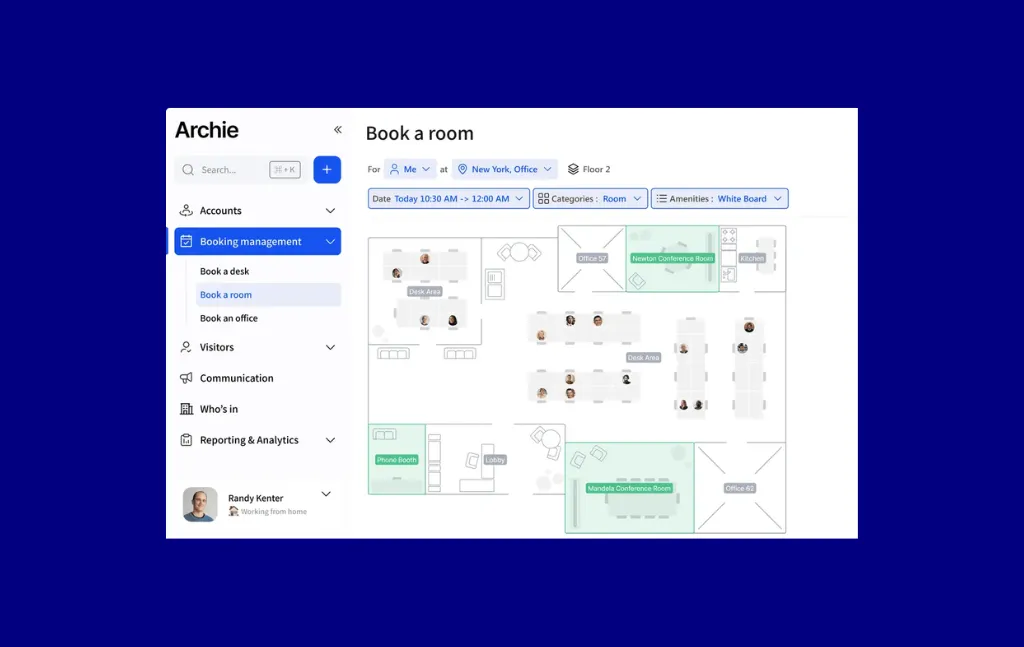
Archie earned a spot on this list for two reasons. First, per-resource pricing is rare in this category, and for organizations with high employee-to-desk ratios it has a genuine cost advantage over per-user tools. Second, Archie's G2 score reflects consistently positive feedback on setup speed and interface quality, which matters for hoteling rollouts where employee adoption in the first 30 days determines whether the program sticks. The platform serves both corporate hybrid offices and coworking operators, meaning its desk management features are tested against a broader range of booking scenarios than tools built exclusively for internal employees.
Integrations: Microsoft 365, Google Workspace, Outlook Calendar, Google Calendar, Slack.
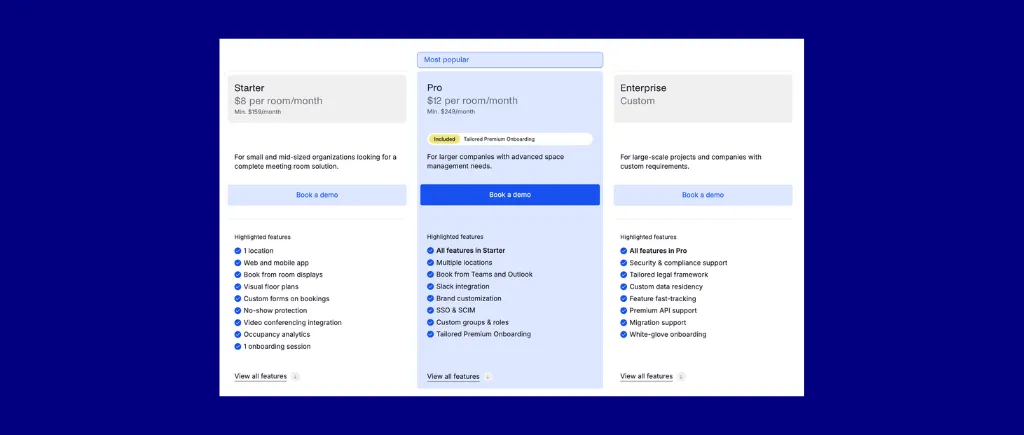
Add-ons: Visitor Management $185/location/month, Coworking module $257/month.
Archie's pricing is per-resource, comparable to Skedda. Verify current figures before purchasing.
Bottom line: Archie is a strong choice when per-resource pricing, transparent public pricing, and fast setup are all non-negotiable. For organizations needing deep policy automation across a large hybrid workforce, Skedda's governance layer is more capable.
deskbird is an employee-first desk booking and hybrid scheduling platform with direct HRIS connectivity and AI-powered desk recommendations.
Best for: Hybrid organizations under 500 employees that need direct HRIS integrations (14+ systems via Merge) and an employee-centric mobile booking experience.
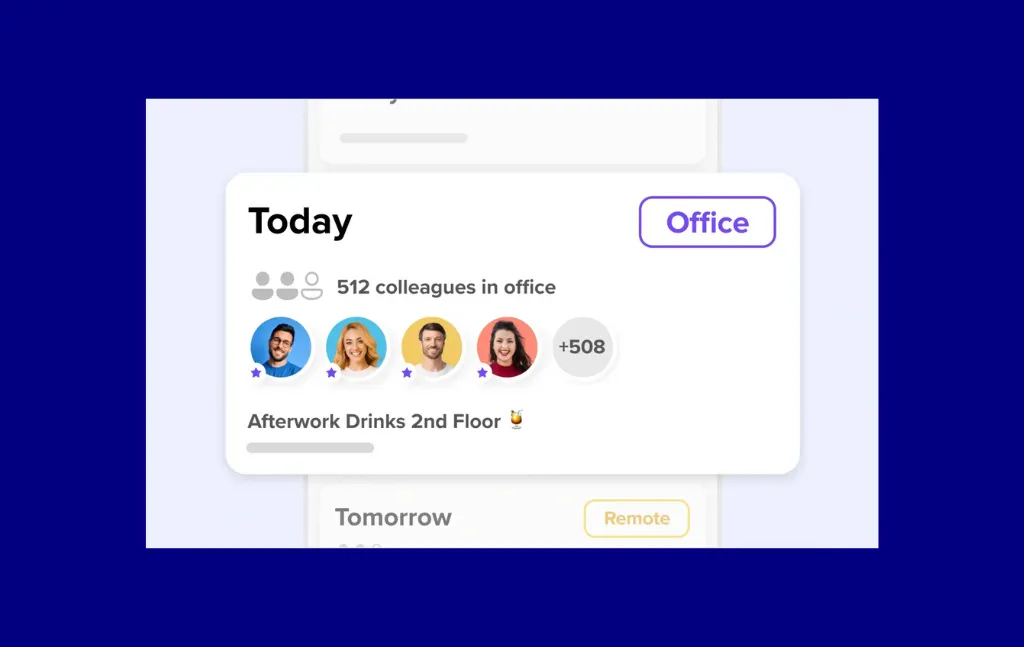
deskbird stands out for HRIS connectivity. Via Merge, it integrates with 14+ HR systems directly, which means user provisioning, department syncs, and offboarding can run through existing HR infrastructure automatically. For IT teams managing large-scale deployments, this reduces the manual overhead that SCIM-only setups require. The mobile experience is consistently rated as one of the more intuitive in the category by G2 reviewers.
Integrations: Microsoft 365, Google Workspace, Slack, Microsoft Teams, 14+ HRIS systems via Merge including BambooHR, Workday, and HiBob.
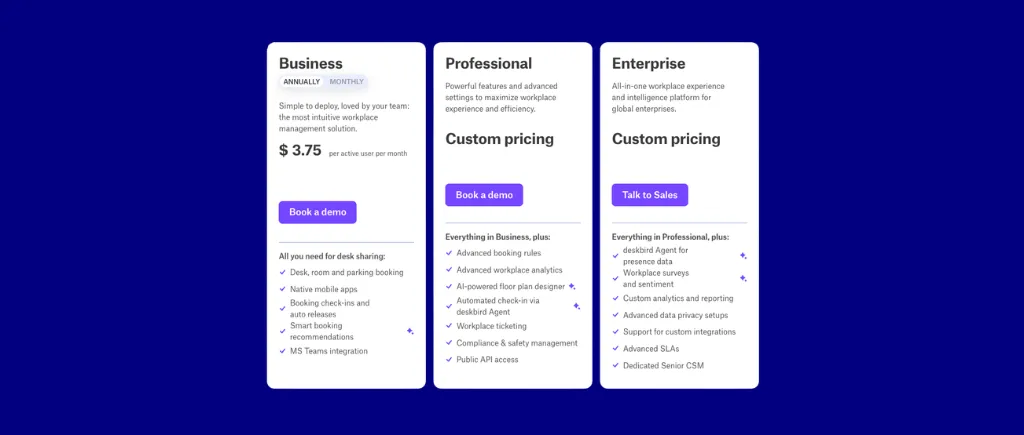
Bottom line: deskbird is the right pick when HRIS connectivity is a priority. For North American organizations or those needing deep booking rule governance, Skedda or Robin are stronger fits.
Engage, formerly Condeco and now part of Eptura's workplace management platform, is an enterprise desk and room booking solution with the deepest Microsoft 365 and Exchange integration in this category.
Best for: Enterprise organizations (2,000+ employees) with complex Exchange and Teams environments, strict RTO compliance mandates, and existing Eptura infrastructure.
%20platform.webp)
No platform in this list integrates with Microsoft Exchange more deeply than Engage. For global enterprise organizations where the room booking calendar IS the Exchange calendar and decoupling them is not technically viable, Engage's native Exchange sync removes the integration risk that lighter tools carry. Eptura's broader platform also includes facilities management modules for organizations that need space planning, maintenance, and asset tracking from one vendor.
Integrations: Microsoft 365 and Exchange (native), Microsoft Teams, Google Workspace (limited), Workday, SAP SuccessFactors, enterprise HRIS platforms.
%20pricing.webp)
Bottom line: Engage is the right choice for large enterprises with deep Microsoft commitments and the IT resources to manage a complex deployment. Mid-market organizations should evaluate Skedda or Robin before committing to Engage's implementation overhead and pricing model.
Envoy is a workplace platform built on visitor management, with a desk and room booking product integrated into the same platform.
Best for: Organizations where visitor management and desk booking genuinely need to live in the same system, and the per-location pricing model is manageable at your scale.
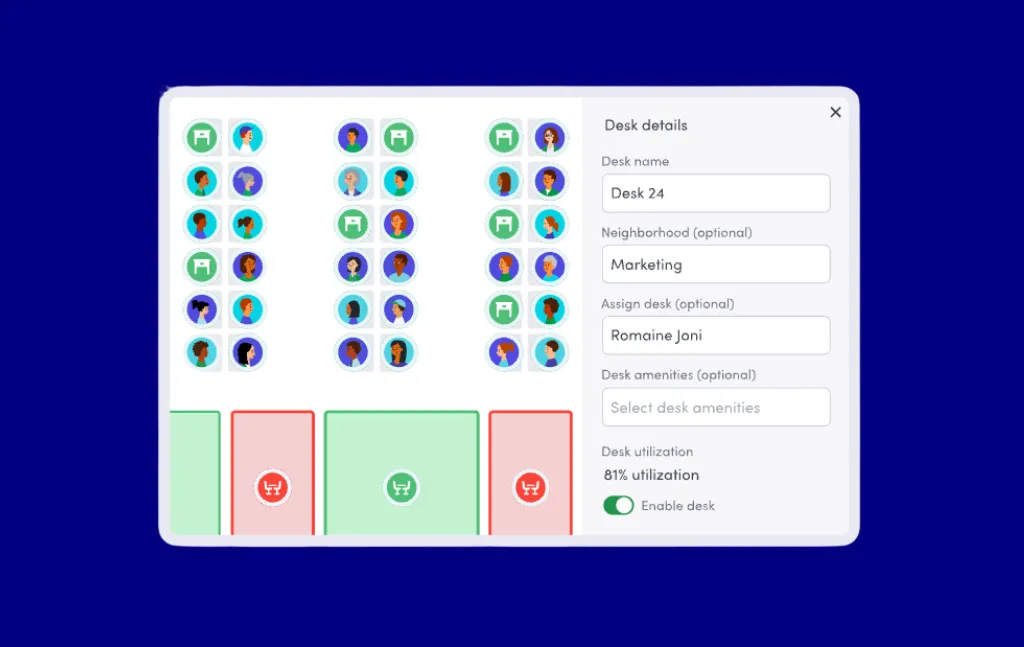
Envoy built its market position on visitor management, and the product shows that investment. Check-in flows for guests, host notifications, badge printing, and NDA capture are more polished in Envoy than in most platforms that offer visitor management as a secondary add-on. For workplace experience managers coordinating high-traffic lobbies alongside hybrid desk programs, having both in one system reduces coordination overhead. The 100+ integrations also give Envoy strong connectivity across a typical enterprise tech stack.
Integrations: Google Workspace, Microsoft 365, Slack, Microsoft Teams, 100+ integrations via native connectors, physical access control systems including HID and Lenel.
Envoy pricing is not published. G2 reviewers note a mandatory platform fee on top of per-resource pricing. Request a fully loaded quote.
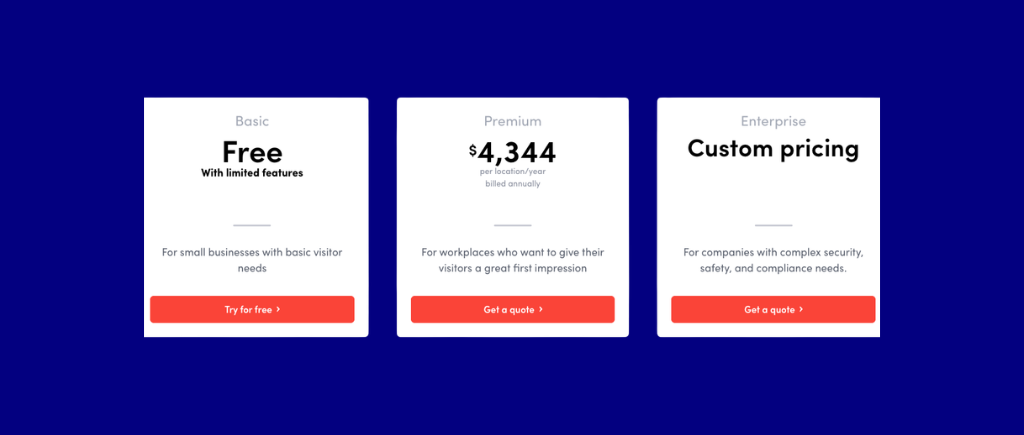
Bottom line: Envoy is the right platform when visitor management and desk booking need to live together. For organizations where booking governance complexity is the priority, Skedda covers the rules depth while offering visitor management as a configurable $99/month add-on.
Kadence is a hybrid scheduling platform with AI-powered chat-to-book functionality, deep Slack and Microsoft Teams integration, and team-day coordination features.
Best for: SMB and mid-market organizations where getting hybrid teams to coordinate in-office days voluntarily is the primary challenge, particularly for Slack and Teams-native workplaces.
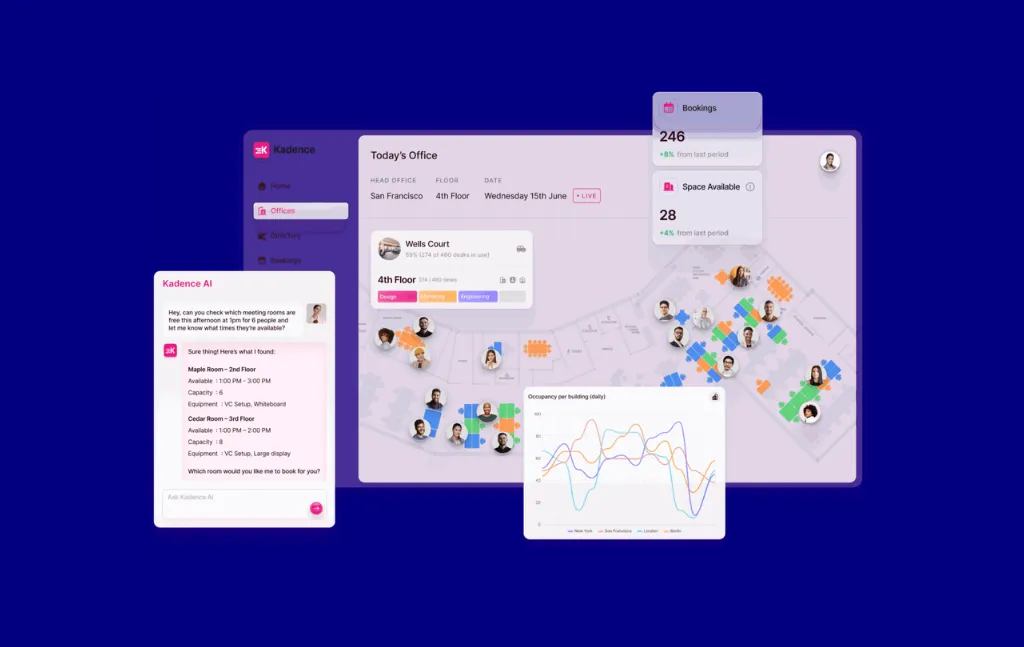
Kadence does something no other platform on this list does as well: it helps employees coordinate in-office days as a social act, not a booking transaction. The AI assistant inside Slack or Teams lets employees ask "who's in on Thursday?" or "book me a desk near the product team" in natural language. For workplace experience managers focused on driving voluntary in-office attendance rather than enforcing mandates, this framing has practical value. Active-user billing also means you only pay for employees who actually book.
Integrations: Microsoft 365, Outlook, Google Workspace, Microsoft Teams (native), Slack (native), HRIS integrations.
Verify current pricing from Kadence
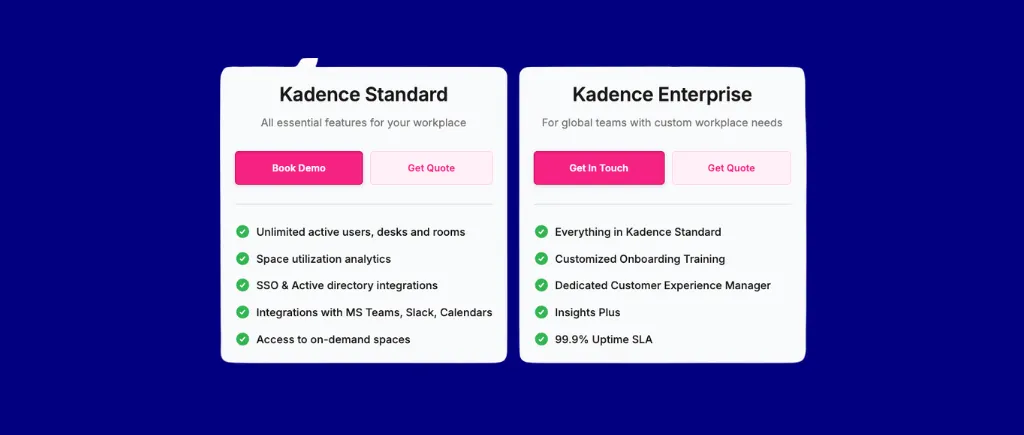
Note: Kadence charges $250 per floor plan for floor plan setup. Skedda builds floor plans at no additional cost.
Bottom line: Kadence is the right choice when driving voluntary in-office coordination is the business problem and you want to solve it without asking employees to open another tool. For organizations whose primary requirement is governance, Skedda's rules engine is the better fit.
OfficeSpace, now part of FM:Systems, is a full-suite facilities management platform covering desk booking, space planning, move management, and asset tracking.
Best for: Mid-market to enterprise facilities teams that need a full-suite IWMS alongside hoteling, particularly for complex space planning, department moves, and asset management.
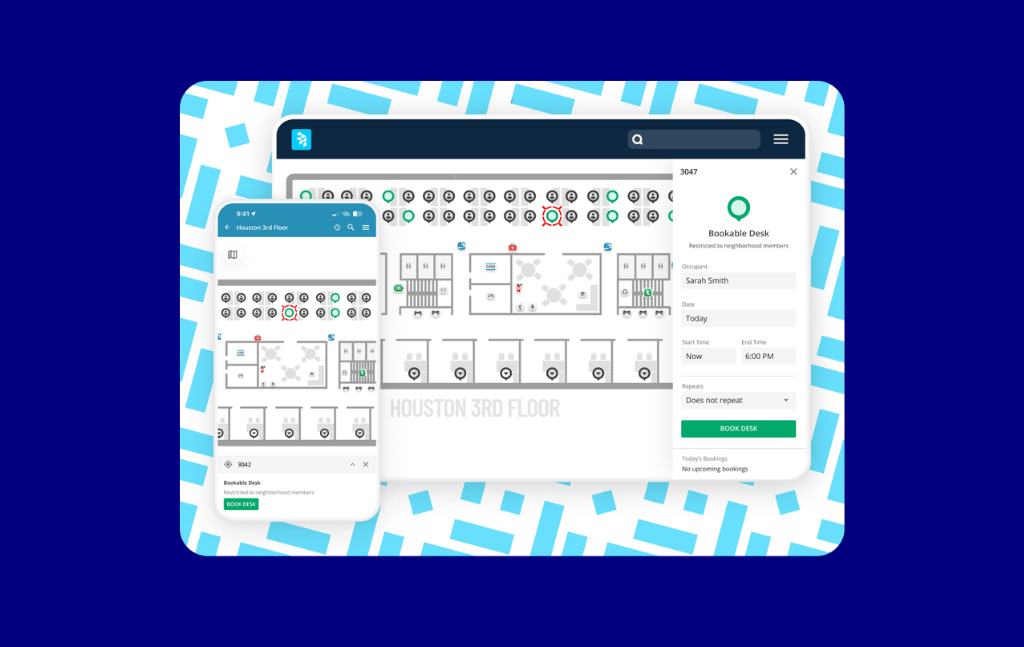
OfficeSpace belongs on this list when hoteling is one component of a larger facilities management requirement. The platform handles space planning, move management, asset tracking, and maintenance alongside desk and room booking. For a facilities manager responsible for a building's entire operational footprint, this reduces vendor fragmentation significantly.
Integrations: Microsoft 365, Google Workspace, Slack, Microsoft Teams, major HRIS systems, access control systems.
Pricing
OfficeSpace does not publish pricing publicly. Expect enterprise procurement timelines.
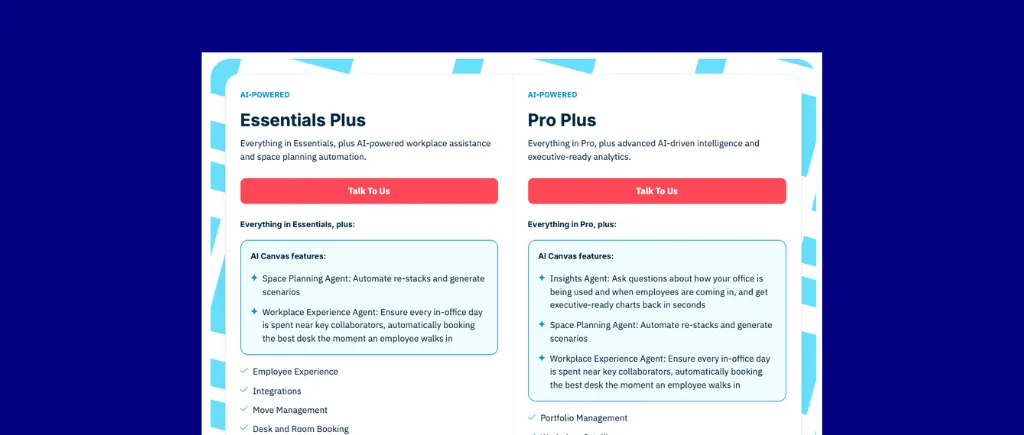
Bottom line: OfficeSpace earns its place if you need space planning, move management, and asset tracking alongside desk booking from a single vendor. If desk and room hoteling is the core use case, Skedda deploys faster, costs less, and drives higher employee adoption.
Officely is a desk booking tool built originally for Slack, with Microsoft Teams support added later. Employees book desks without leaving whichever platform their organization runs on.
Best for: Small to mid-size organizations whose primary workflow already lives in Slack, or those committed to Microsoft Teams, that want to add desk hoteling with zero behavioral change for employees.
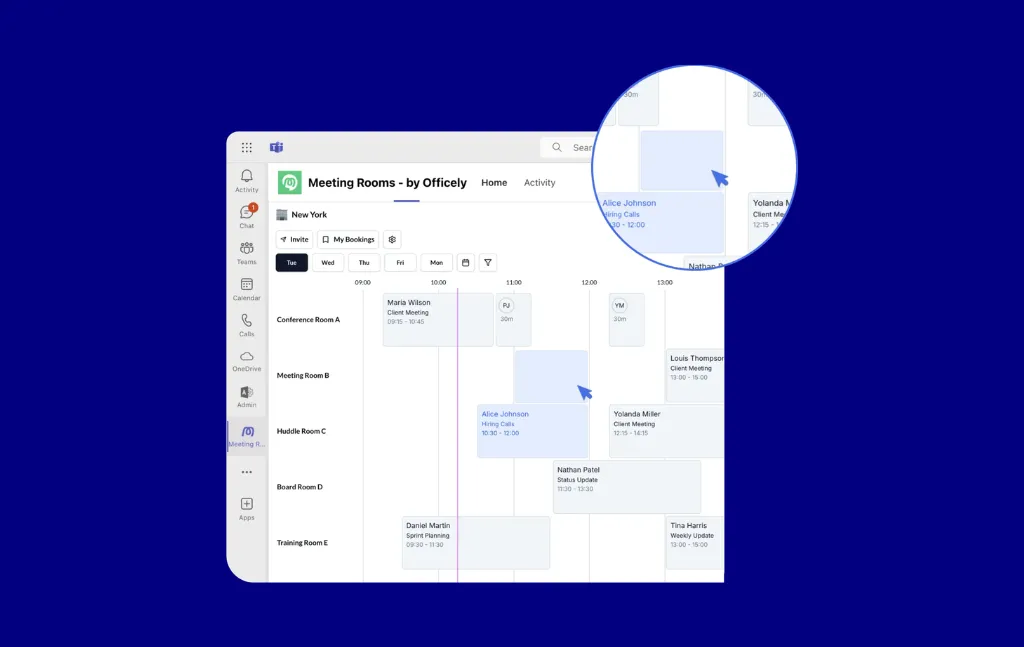
Officely's positioning is simple: if your organization already lives in Slack or Teams, you should not ask employees to log into another tool to book a desk. The platform is built as a native app inside those chat tools, so the booking experience, reminders, and team visibility all happen inside a familiar interface. The free tier for small teams makes it accessible for pilots without a budget approval process.
Integrations: Slack (native), Microsoft Teams, Microsoft 365, Outlook, Google Workspace.
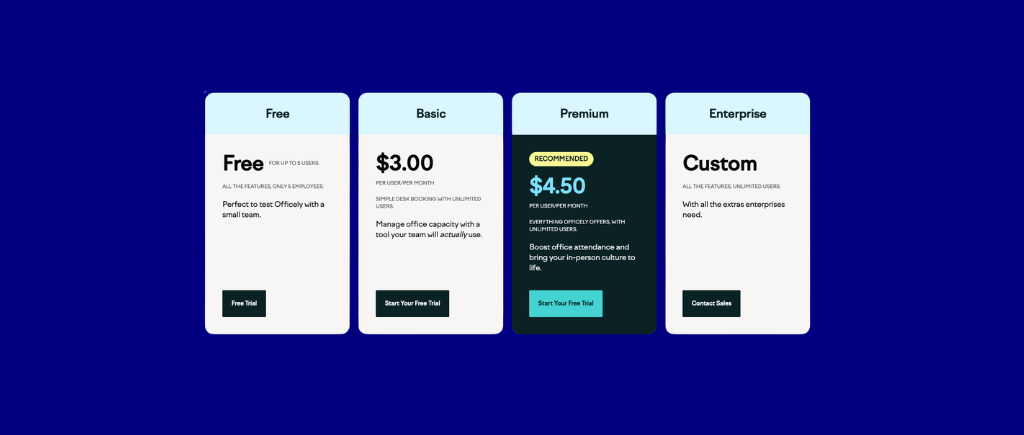
Officely has a functional free tier, worth testing before committing to a paid plan.
Bottom line: Officely is the right choice for small organizations that want desk booking with zero friction inside Slack or Teams. For organizations that need governance depth, analytics, or multi-location support, it runs into limitations quickly.
Robin is a workplace management platform built around AI-powered scheduling, in-office coordination, and deep workplace analytics, trusted by some of the largest organizations in this category.
Best for: Enterprise and scaling mid-market organizations that prioritize AI-driven scheduling recommendations, detailed workplace analytics, and in-office coordination at scale.
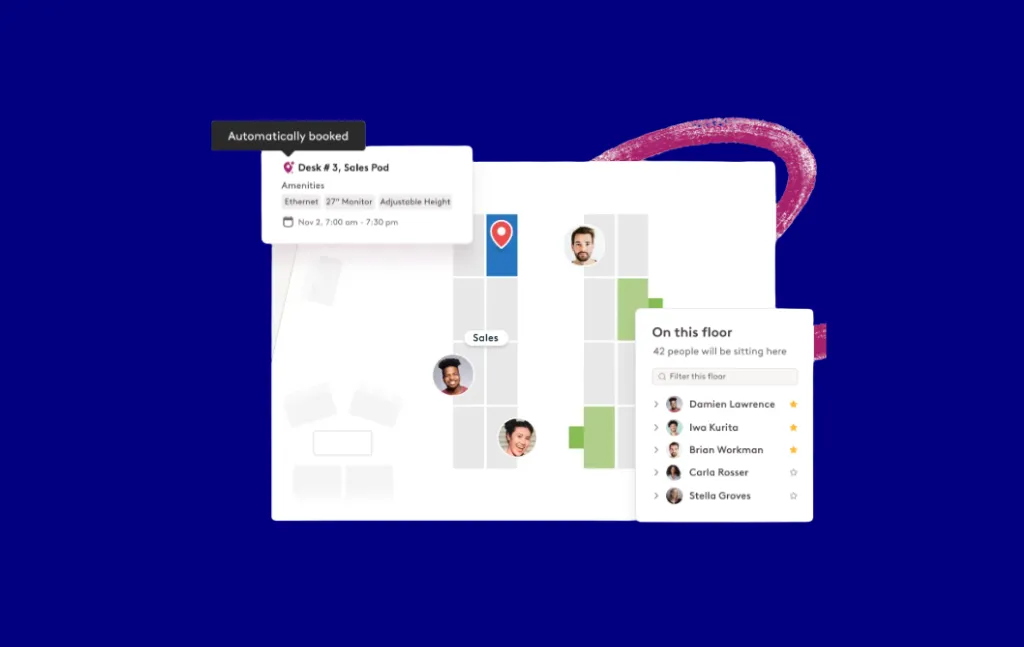
Robin has processed more than 200 million bookings and has more enterprise workplace analytics depth than any other platform on this list. For workplace experience managers who need to present utilization data to a CFO or real estate committee, Robin's analytics layer is genuinely strong. The AI scheduling recommendations have matured to the point where they surface useful patterns across team attendance and space usage, not just single-booking suggestions.
Integrations: Microsoft 365, Google Workspace, Slack, Microsoft Teams, Okta, Azure AD, 50+ integrations.
Robin does not publish pricing publicly. Budget at least $5–8/user/month for mid-tier plans based on market data. Verify with Robin directly.
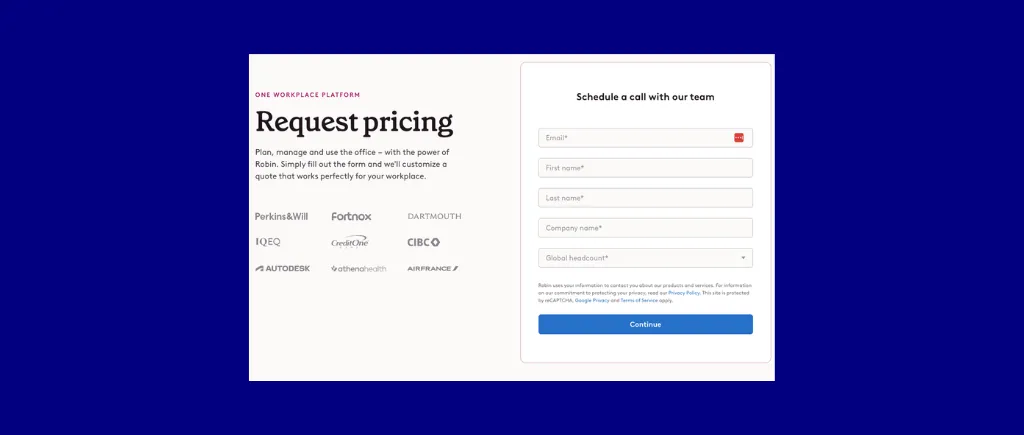
Bottom line: Robin is the right choice for enterprise organizations where analytics depth and AI scheduling maturity are worth the per-user pricing premium. Mid-market organizations with cost-efficiency as a primary requirement should run the per-space vs. per-user pricing comparison against Skedda before committing.
Tactic is a desk and room booking platform built for Microsoft-centric organizations, offering straightforward hoteling within familiar Office 365 workflows.
Best for: Small to mid-size Microsoft 365 organizations that need affordable desk hoteling with fast setup and do not require deep booking governance or advanced analytics.
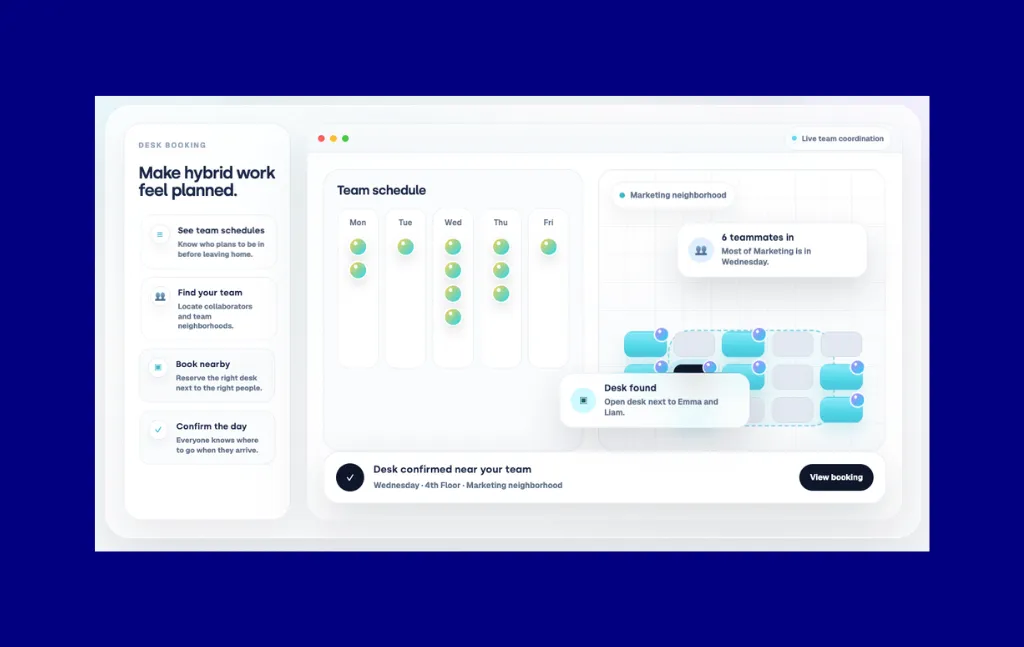
Tactic does what it promises: straightforward desk booking for teams that already use Microsoft 365, at an accessible price point, without an enterprise sales cycle. For small workplace teams that need basic hoteling with a visual floor plan and calendar integration, it is a reasonable starting point.
Integrations: Microsoft 365, Outlook, Microsoft Teams, Google Workspace.
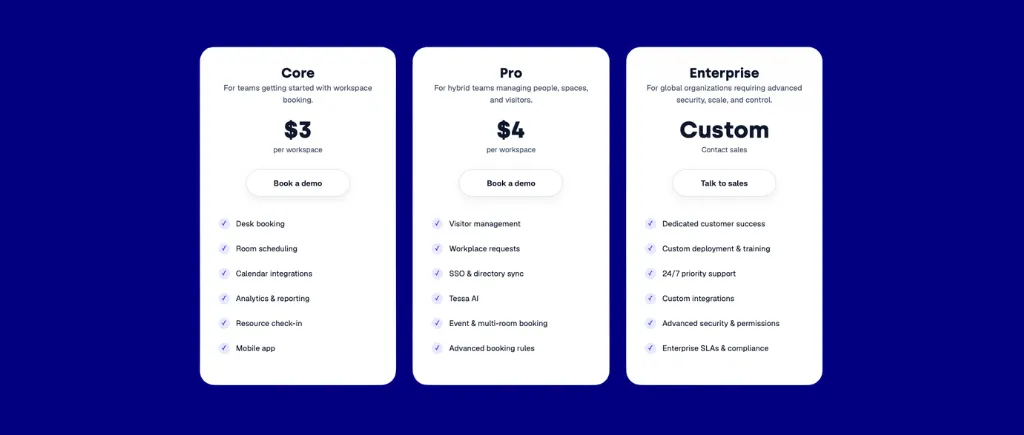
Bottom line: Tactic works for small teams that need basic desk hoteling without complexity. Organizations with real governance or analytics requirements should shortlist Skedda or Robin instead.
Yarooms is a meeting room and desk booking platform with multi-location support, digital signage integration, and hybrid schedule visibility across sites.
Best for: Multi-location organizations that need unified room and desk booking with consistent policy management across offices and solid hybrid schedule visibility.
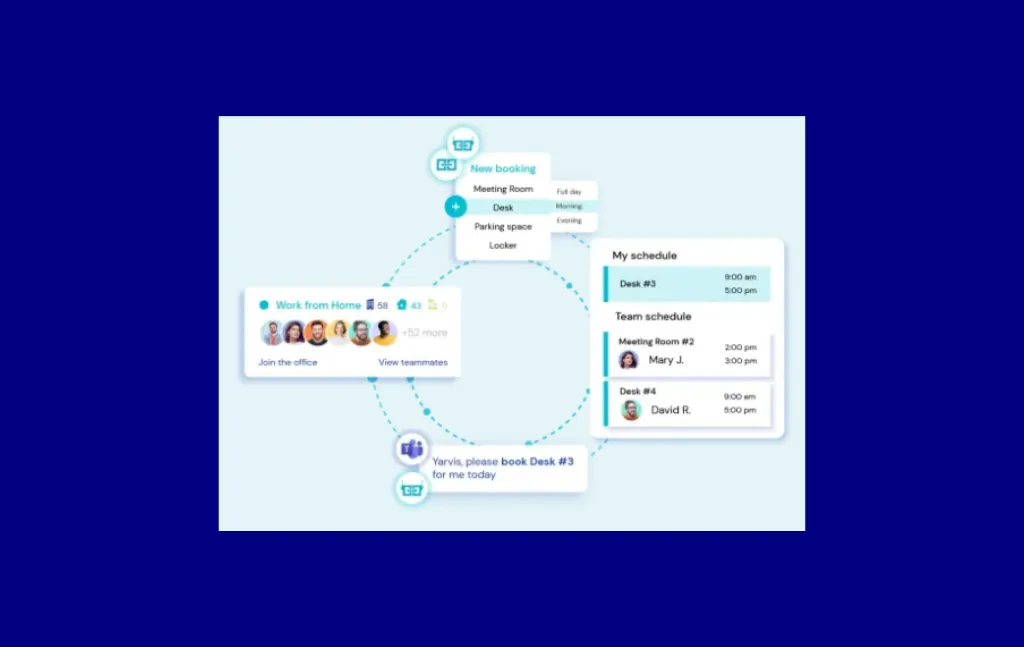
Yarooms is designed from the ground up to work across multiple locations. The platform handles desk booking, meeting room reservations, and digital signage from a single admin view, with policies configurable per location. For workplace experience managers responsible for a portfolio of offices across regions, this multi-location architecture reduces the fragmentation that single-site tools create when deployed at scale.
Integrations: Microsoft 365, Google Workspace, Slack, Microsoft Teams, digital signage systems.
Yarooms pricing is flat-rate tiered. Verify current figures with the vendor before purchasing.
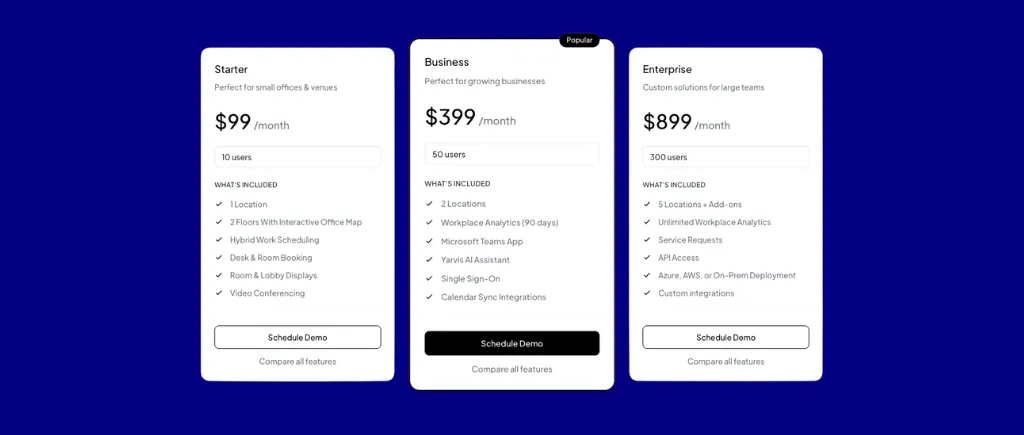
Bottom line: Yarooms is the right choice for multi-location organizations that need unified management across sites alongside solid digital signage integration. Single-site organizations with complex governance requirements will find better fit in Skedda or Robin.
These platforms did not make the main list but address specific use cases or organizational contexts:
Most platforms in this category will demo well. The differences that matter show up after signing. Use this framework to structure your evaluation before you book the first demo.
Before you shortlist anything, run the cost calculation for each pricing model against your specific organization. The math is straightforward.
Per-user pricing: You pay for every employee eligible to book. 400 employees at $4/user/month equals $1,600/month regardless of how many desks you have.
Per-space pricing: You pay for bookable desks, not people. 280 desks at $3.50/space/month equals $980/month regardless of headcount.
The crossover point: If your organization has more employees than desks (the norm in hybrid environments targeting a 0.65 to 0.80 seat ratio), per-space pricing saves money. At 400 employees and 280 desks, per-space pricing is roughly 40% cheaper before factoring in headcount growth. Skedda's Premier plan at $349/month covers unlimited spaces and unlimited users, making the math even more favorable at mid-market scale.
Get specific before you talk to vendors. Your organization runs a primary productivity suite (Microsoft 365 or Google Workspace), a primary communication tool (Slack or Teams), and an identity provider (Azure AD, Okta, Google). Every platform on this list claims to integrate with all of them. What matters is the depth.
Key questions to ask: Is calendar sync two-way or one-way? Can employees book from inside Teams or Slack without leaving the app? Is SSO included in the base plan or a paid add-on? Does SCIM provisioning run in real time or on a schedule?
If your organization runs Microsoft Exchange with strict calendar policies, Engage (Eptura/Condeco) is the only platform on this list with native Exchange depth. Every other platform integrates with M365 but not with Exchange natively.
Do not evaluate booking rules from a feature checklist. Write down the three most complex policies your organization needs to enforce, then ask each vendor to walk through how the platform handles them.
Example scenarios to use in vendor demos:
Platforms that cannot configure all three scenarios without workarounds will create administrative overhead the moment your policies need to be enforced at scale.
Ask one question: "Who reads the reports, and what decisions do they make?"
If the answer is a facilities coordinator adjusting zone configurations week to week, basic utilization dashboards available in most platforms are sufficient.
If the answer is a CFO deciding whether to renew a floor lease or a CRE team right-sizing a portfolio, you need peak-to-average ratios, no-show tracking by team, booking lead time trends, and multi-location comparison. That level of analytics is available in Skedda Premier and Robin's enterprise tier, with data export for BI tools. Most other platforms in this list require CSV exports for this level of analysis.
Two rollout paths exist: self-serve (configure it yourself, run a pilot in two weeks) or vendor-assisted (implementation team, floor plan digitization, policy configuration support).
Self-serve platforms well-suited to independent deployment: Skedda, Archie, Officely, Tactic, Kadence.
Vendor-assisted platforms that require a managed implementation: OfficeSpace, Engage. Budget for a multi-month timeline and corresponding services cost.
For most mid-market organizations, a self-serve platform deployed against a structured 30/60/90-day rollout plan produces faster time-to-value than a vendor-assisted implementation that takes six months to complete.
Compare Skedda against your requirements. Book a demo.
The three pricing models:
The math that matters for hybrid offices:
In a hybrid office where employees share desks at a 0.7 seat ratio, per-space pricing is materially cheaper. Consider a 300-person organization with 210 desks:
The gap grows as headcount increases while desk count stays fixed. This is the calculation to run before any demo.
Pricing reference points from this guide:
All pricing is approximate as of April/May 2026. Verify directly with vendors before purchasing.
Hidden costs to check before signing:
See Skedda pricing for current per-space tiers and plan inclusions.
AI-assisted booking is maturing, but unevenly. Natural-language booking via chat interfaces (Kadence) and AI desk recommendations (deskbird) are delivering genuine value in platforms that have invested in them over multiple release cycles. AI features added in the last six months of most platforms are surface-level. Ask vendors to demonstrate AI recommendations running against your specific booking patterns, not a scripted demo scenario.
Analytics is becoming a standalone buying criterion. In 2024, analytics was a checkbox during evaluation. In 2026, facilities and workplace teams are being asked to justify real estate spend with data rather than intuition. Platforms with export-ready utilization dashboards that connect directly to BI tools (Power BI, Tableau, Looker) are gaining ground with enterprise buyers.
Per-space pricing is gaining market awareness. As organizations grow their hybrid workforce without growing their physical footprint, the cost difference between per-user and per-space pricing is becoming harder to ignore in vendor evaluations. Skedda and Archie are all seeing increased evaluation requests from organizations that ran the math on their existing per-user contracts.
Passive occupancy tracking is replacing active check-in for some segments. WiFi-based presence detection and badge-tap confirmation are replacing QR-code check-in for organizations that find active check-in creates friction at the desk level. Platforms that support multiple check-in modalities, including passive detection, give facilities teams more flexibility to match the check-in method to their organizational culture.
Microsoft Copilot integration is in progress across the category. Several vendors are building Copilot-native booking flows. The depth of these integrations varies significantly. If Copilot integration is a firm requirement, ask vendors for a live demo in your own tenant rather than accepting a roadmap commitment.
Return-to-office compliance is driving attendance management features. Organizations with hybrid mandates are increasingly looking for software that enforces and reports on compliance, not just enables booking. Platforms with built-in attendance tracking and manager reporting are seeing stronger demand from HR and compliance-driven buyers.
What is office hoteling software?
Office hoteling software is a reservation-based workspace management platform that lets employees book desks, rooms, and resources in advance, check in on arrival, and return spaces to the pool when not in use. It replaces permanently assigned seating with a governed booking system that uses occupancy data to match space supply to variable hybrid attendance.
What is the difference between office hoteling and hot desking?
Hot desking is first-come, first-served with no reservations and no policies. Office hoteling adds advance booking, check-in confirmation, auto-release on no-show, and booking governance rules. Hoteling produces utilization data you can act on; hot desking produces anecdotes. For hybrid teams with peak occupancy above 60% on busy days, hoteling governance is the only way to prevent daily desk conflicts without returning to assigned seating. For a full comparison, see What Is Desk Hoteling? and hot desking vs. hoteling.
What pricing model is most cost-effective for hybrid offices?
Per-space pricing is generally cheaper when employees outnumber desks, which is the norm in hybrid environments targeting 0.65 to 0.80 seat ratios. At 300 employees and 210 desks, a $4/user/month per-user tool costs $1,200/month. Skedda Premier at $349/month covers unlimited users and unlimited spaces. Run the calculation for your specific headcount and desk count before demoing per-user tools.
Do I need separate software for room booking and desk booking?
No, most platforms in this guide handle both. The real question is whether room booking is included in the base plan or a paid add-on. Confirm this specifically during vendor conversations. Skedda handles desks, meeting rooms, parking spaces, labs, and other bookable resources from a single platform at a single price.
Which office hoteling tools have free plans for piloting?
Officely has a free tier for up to 5 users inside Slack or Teams with all features included. Envoy offers a free tier for basic visitor check-in with limited desk booking. Most other platforms offer a 14-day free trial rather than a permanent free tier. Skedda offers a 14-day free trial with full access to floor plans, booking rules, and analytics, so you can test against your actual organization's scenarios before purchasing.
How do I prevent ghost bookings and desk hoarding?
Three mechanisms together: auto-release after a 15 to 30 minute grace window when there is no check-in, a cap on the number of future desk days any single user can hold at once (typically two to three), and escalating consequences for repeat no-shows (temporary booking restrictions after three to five misses). Most platforms in this list support the first two. Platforms with deeper booking rules engines support all three with configurable thresholds.
What analytics should office hoteling software provide?
Minimum: daily and weekly utilization rates by space and zone, peak occupancy by day of week, and no-show rate by team. Advanced: booking lead time trends, department-level occupancy breakdowns, neighborhood performance comparisons, and data export for integration with BI tools. If your organization uses utilization data to make real estate decisions, verify that the analytics included in the tier you are purchasing covers these metrics before signing.
How do I handle employee resistance to switching from assigned desks to hoteling?
The resistance is almost always about three things: uncertainty about finding a desk on busy days, loss of personal space, and disruption to team proximity. Address all three before launch, not after. Implement booking quotas to guarantee access on peak days. Provide personal locker allocation for belongings. Use neighborhood booking features to let teams reserve near each other on coordinated in-office days. Communicate the policy, the software, and the change simultaneously rather than rolling them out separately. Organizations that run a 60-day pilot with one department before company-wide rollout consistently report better adoption.
How do I evaluate a vendor that does not publish pricing?
Establish a fully loaded cost model from transparent vendors first. Then approach opaque vendors with a scoped request: desk count, room count, number of locations, headcount, required integrations, and the feature list you verified matters during your evaluation. Ask for a fully loaded quote that includes setup, SSO, floor plan builds, analytics access, and support tier. Compare total year-one and year-three costs, not headline per-user rates.
What is a realistic seat-to-employee ratio for hoteling?
Most hybrid organizations target 0.65 to 0.80 seats per employee. A team of 300 people would typically run 195 to 240 desks. The right ratio depends on your peak attendance days and the no-show rate your governance policies can achieve. Start with measured attendance data (badge, WiFi, or booking check-in), set a ratio that covers peak days with a 5 to 10 percent buffer, and revisit quarterly as patterns evolve.
What is a realistic grace window for check-in?
Most organizations start at 20 to 30 minutes and adjust based on real behavior. Field-based employees who travel to the office and may face commute delays often need a 30-minute window. Employees with predictable, office-anchored schedules can run on 15 minutes. Set it slightly generous in the first 60 days while employees learn the system, then tighten it once check-in behavior is established. Platforms like Skedda let you configure this per zone rather than globally, which matters if check-in friction differs across departments or floors.
Our team is ready and waiting to talk through your specific desk scheduling requirements and see how Skedda could work for you.

.svg)