Meeting room booking software has matured from lightweight schedulers into a fragmented market spanning per-user, per-space, per-resource, and per-appointment pricing. The pricing model you pick matters more than the feature sheet.
For mid-market hybrid offices (100–2,000 employees, two to four locations), Skedda is the strongest overall fit: published per-space pricing from $249/month, custom Interactive Floor Plans delivered in under 48 hours, a full booking-rules engine, and two-way sync with Microsoft 365, Google, Teams, Slack, and Zoom.
Twenty-four competitors serve real but narrower needs: Envoy for visitor compliance, Accruent EMS for higher-ed scheduling depth, Officely for Slack-native teams, Joan for room display hardware, Eptura Engage for large enterprise portfolios, Spacewell for sensor-grade IWMS data, YAROOMS for carbon reporting, and so on.
Published pricing is the exception, not the rule. Eight of the 25 tools here require a sales conversation before you see a number. The cheapest published per-space price belongs to Zoom at $1.25/space/month, though you need Zoom Workplace licenses underneath it.
If you run Microsoft 365, check what you already own before you buy anything. Meeting rooms are already bookable through Microsoft Places at no extra cost. There’s a section below on exactly where that stops being enough.
“Hey, are you almost done with this room?” Raise your hand if you’ve ever asked this question (or thought it) as you scoured your office for an open conference room. First-come-first-served seemed like a workable idea until you have an urgent call you cannot miss.
Coordinating meeting rooms, desks, parking, and other shared spaces across a hybrid workforce has become one of the more operationally demanding problems in workplace management. Employees need to find and reserve a space without friction. Workplace teams need policy controls, utilization data, and calendar integrations that keep the system running without manual intervention.
The category that solves this goes by a lot of names. You’ll see it called meeting room booking software, conference room booking software, room scheduling software, room booking systems, meeting room management software, and space booking software. They describe the same category, and it has split into several distinct product shapes:
Per-space platforms (Skedda, Clearooms, OfficeRnD Workplace, Whatspot, Awaio, Joan, Tribeloo) price against the inventory of bookable spaces, not users
Per-resource platforms (Archie, Envoy, Smartway2, Tactic) price rooms and desks separately, sometimes with module-level minimums
Bundled user bands (YAROOMS) price in blocks of users rather than per head
Appointment-based schedulers (SuperSaaS) price against concurrent upcoming bookings
Enterprise platforms (Accruent EMS, HubStar, Spacewell) are custom quote only
Bundled into a suite you may already pay for (Microsoft Places, Zoom) prices rooms at zero or near-zero and charges for the licenses underneath
In this guide, I compare 25 popular meeting room booking software platforms for the mid-market hybrid workplace buyer: a 100-2,000 person organization running two to four office locations, and without a dedicated workplace technology team to run a six-month implementation.
Shortlist of the Best Meeting Room Booking Software
The 25 strongest options for mid-market hybrid workplace booking, ranked by market fit, workflow coverage, and pricing clarity:
Skedda — Best meeting room booking software overall
Envoy Workplace — Best for enterprise visitor management
Tactic — Best for team-zone planning across locations
deskbird — Best for mobile-first hybrid coordination
Robin — Best for AI-assisted scheduling
OfficeRnD Workplace — Best published per-resource pricing
Clearooms — Best for meeting room services
Archie — Best for streamlined booking
Dibsido — Best for small offices
OfficeSpace — Best for full-suite facilities operations
Zoom Workspace Reservation — Best price per space
Accruent EMS — Best for multi-department event scheduling
Eptura Engage (formerly Condeco) — Best for large enterprise portfolios
WorkInSync — Best for global employee services
Officely — Best for small teams
YAROOMS — Best for carbon reporting
Awaio — Best for facilities-heavy environments
Spacewell Workplace — Best for sensor-grade occupancy data
Joan — Best for room display hardware
Smartway2 — Best for deep Outlook integration
Tribeloo — Best low-cost per-resource option
SuperSaaS — Best for low, variable booking volume
Whatspot — Best for fast setup
MOFFI — Best budget Teams-native option
HubStar — Best for unified badge and Wi-Fi data
Plus one option that isn’t a purchase: if you run Microsoft 365, Microsoft Places already books your rooms. See the dedicated section after the reviews.
Methodology: How We Chose
We prioritized direct-fit workplace booking tools—platforms that cover meeting room and desk reservation as a core function, not as a tangential feature of a broader scheduler or appointment tool.
Admin policy and permissions depth (rules, roles, approvals)
20%
Calendar and workplace tool integrations (Google, M365, Zoom)
20%
Floor plan visualization and real-time availability
15%
Utilization analytics and reporting
10%
Rollout simplicity
10%
Evidence came from three sources: official product and pricing pages, structured competitor editorial pages for positioning context, and third-party review signals from G2 and Capterra. Ratings and review counts were checked in September 2026 and are noted per tool. Ratings move, so treat them as a snapshot rather than a fixed score.
Skedda publishes this guide, and Skedda appears first in it. We’ve tried to earn that placement by being specific about where Skedda is the wrong choice, and by naming each competitor’s genuine strengths before its limitations.
Comparison Table
Use this table to evaluate room booking software options side by side. Higher space counts scale differently across models, and published-tier tools move into custom Enterprise quotes at higher volumes.
Tool
Best for
Pricing model
Verified rating
Skedda
Mid-market hybrid offices; per-space value
Per bookable space
4.8/5 on G2 (283); #1 Space Management 2026
Envoy Workplace
Enterprise visitor compliance
Per resource/yr + platform fee
4.4/5 on G2 (163)
Tactic
Multi-location; neighborhood planning
Per desk, rooms separate (now custom quote)
4.6/5 on G2 (555) — largest base here
deskbird
Mobile-first EMEA hybrid teams
Per active user; rooms are an add-on
4.5/5 on G2 (308)
Robin
AI-assisted scheduling and conflict resolution
Per user/month (unpublished)
4.4/5 on G2 (~220)
OfficeRnD Workplace
Published per-resource pricing
$2.70–4/resource + $11–13/room
4.6/5 on G2 (158)
Clearooms
Meeting room services and approvals
Per space; £10/room
4.7/5 on Capterra (~218); only 3 on G2
Archie
Coworking; SCIM; Slack bot
Per desk + per room, module minimums
4.9/5 on G2 (~227)
Dibsido
M365 small offices; fixed-desk release
Per user/month
4.9/5 on G2 (~21)
OfficeSpace
Full-suite facilities, space planning, assets
Per user/month (unpublished)
4.7/5 on G2 (~141)
Zoom Workspace Reservation
Zoom-native orgs; lowest price per space
$1.25/space/month + Workplace licenses
4.5/5 on G2 (56,607) for Zoom Workplace in Video Conferencing, not booking
Accruent EMS
Enterprise and higher-ed scheduling
Custom quote
4.0/5 on G2 (~223)
Eptura Engage
Large enterprise, multi-venue portfolios
Per user/month (unpublished)
4.3/5 on G2 (~175)
WorkInSync
Global employee services incl. transport
$2.50–6/user/month
4.5/5 on G2
Officely
Slack-native teams under 300 employees
Per user + room add-on
4.6/5 on G2 (~155)
YAROOMS
Carbon and ESG reporting
Bundled user bands (figures conflict)
4.3/5 on G2 (95)
Awaio
Facilities-heavy; lockers, EV chargers
Per room + per desk block
No verified public reviews as of Aug 2026
Spacewell Workplace
Sensor-grade occupancy inside an IWMS
Concurrent-user, custom quote
4.7/5 on G2 (19)
Joan
Room display hardware and signage
Per device + per user
Published pricing; G2 volume unverified
Smartway2
Microsoft-first; room display panels
Per room + per desk (unpublished)
Thin record (~9 on Capterra)
Tribeloo
Low-cost per-resource; colleague proximity
From €2.50/resource/month
4.7/5 on G2 (40); profile unclaimed
SuperSaaS
Budget; variable booking volumes
Per concurrent appointment
4.6/5 on G2 (~82)
Whatspot
Offices under 100; approval workflows
Per bookable spot
4.7/5 on Capterra/GetApp (~53)
MOFFI
Budget Teams-native, Europe
€30/user/year
No verified rating found
HubStar
Enterprise; Wi-Fi + sensor + booking analytics
Custom quote
No verified star rating
Microsoft Places
Simple needs inside M365
Rooms free; $8/licence for desks
Minimal review presence
Ratings verified against G2 and Capterra in August 2026. Where a vendor maintains multiple review listings, the row cites the workplace or room-booking product specifically rather than an aggregate across all of that vendor’s products.
The 25 Best Meeting Room Booking Software, Reviewed
1. Skedda – Best Meeting Room Booking Software Overall
Skedda is a space management platform built around booking and governing desks, meeting rooms, parking, and other shared spaces, with unlimited users at every tier. It is the default recommendation for mid-market hybrid offices that want fast self-serve deployment, transparent per-space pricing, and a floor-plan-first experience employees adopt without training.
Per-space pricing with unlimited users means a 500-person organization pays the same as a 50-person organization for the same space count. Most competitors charge per user, so cost scales with headcount even when half your workforce is remote three days a week.
Skedda reports 8,000 customers across 28 countries and roughly 3 million active users, including Harvard, MIT, Deloitte, JP Morgan, Lufthansa, and Samsung. It is SOC 2 Type II certified and GDPR compliant.
Best for: mid-market organizations (100–2,000 employees) needing Interactive Floor Plans plus a customizable rules engine, across two to four locations.
Source: Skedda
Core meeting room booking features
Organization Hub sits above individual office dashboards for multi-location organizations. Utilization, bookings, and space data combine automatically across every office with no manual exports, admins switch between single-office and organization-wide views from a dropdown, and Owner plus admin access is assigned once at the organization level and applies everywhere.
Companion App is a Mac and Windows desktop app that runs from the menu bar or system tray, detects when a work computer joins the office network, marks the user as seen on-site, and triggers automatic check-ins for eligible bookings. No hardware, no browser tab, no manual step.
Issue Reporting lets employees flag and route space problems from inside the booking flow, so a broken display or a missing chair reaches the right team without a side channel.
Booking Request and Approval rules give admins direct control over the booking schedule for high-demand shared spaces.
SCIM provisioning and Custom Admin Roles close historical gaps for larger IT-governed deployments.
Custom notification rules route catering requests, equipment needs, and room setup details to whichever team fulfills them.
Interactive Floor Plans, custom-converted by Skedda’s design team from your static files and delivered in under 48 hours, with unlimited floor plans and complimentary redesigns
Rules and roles engine covering time-of-day and day-of-week restrictions, advance booking windows, user-tag-based access, per-user quotas, buffer times, and no-show auto-release, all configurable without IT
Two-way Google Calendar and Microsoft 365/Outlook sync, plus Microsoft Teams, Slack, Zoom, Logitech Tap Scheduler, Kisi, Google Sheets, Zapier, webhooks, SCIM, and ServiceNow
Six check-in methods: QR code, Wi-Fi Automatic Check-In, email confirmation, mobile app (iOS and Android), iPad/Android tablet display, and Logitech Tap Scheduler
Workplace Intelligence utilization reporting, with Organization Hub aggregating data across every office
Pricing overview
Tier
Price
Spaces
Plus
$249/month
Up to 35
Premier
$349/month
Up to 45
Enterprise
Custom
Custom
Priced per bookable space, billed annually, unlimited users at every tier. Setup fee is $0 and onboarding is included. Visitor Management and Additional Administrators are $99/month add-ons each.
Source: Skedda
Pros
Published per-space pricing with unlimited users, which is rare in a category where six of fifteen tools hide pricing behind sales
Deepest booking-rules engine at this price point: quotas, eligibility, buffers, booking windows, and approvals
G2 #1 in Space Management 2026, Leader 2023–2026, and Best Support 2026, rated 4.8/5 across 283 reviews
Custom floor plans built for you in under 48 hours, with redesigns included rather than billed per upload
Onboarding included at no charge
Source: G2
Cons
Visitor Management is a $99/month add-on rather than a base-plan feature
Built-in analytics cover the common reports well, but deeper slicing still means a CSV export; there is no self-serve custom report builder
Zapier support is outbound-only, so you can trigger external workflows from Skedda but cannot push external data in
No native HRIS aggregator; user provisioning relies on SCIM and SAML
Natural-language “book me a room” AI booking is not a current feature
Source: G2
Bottom line: Skedda is the right choice for a 100–2,000 person hybrid organization that wants transparent pricing, real booking governance, and a rollout measured in days. Look elsewhere if you need a full IWMS with lease administration and maintenance ticketing, or if natural-language AI booking is a hard requirement.
2. Envoy Workplace – Best for Enterprise Visitor Management
Envoy Workplace is a modular workplace platform bundling visitor management, room reservations, digital signage, mailroom management, and emergency notifications into a single admin dashboard. It targets mid-market to enterprise organizations with hybrid policies across multiple locations.
Visitor management depth is unmatched in this comparison. Customizable sign-in flows, pre-registration with DocuSign NDA signing, ID scanning via Veriff, badge printing, blocklist enforcement, and Wi-Fi credential provisioning are all included.
Best for: Enterprise organizations where visitor compliance, meaning audit logs, NDA signing, and ID scanning, is a hard requirement alongside meeting room booking.
Source: Envoy
Core meeting room booking features
Room booking from Google Calendar or Microsoft Outlook with auto-release on no-check-in
Room rescheduler that auto-reassigns to an alternate room if the original becomes unavailable
Color-coded iPad room display with green, yellow, and red availability states
Real-time occupancy dashboard, attendance trends, zone heat maps, and scenario planning
100+ named out-of-the-box integrations spanning access control, communications, identity/SSO/SCIM, and sensors
Pricing overview
Modular per resource. Reservations Standard runs $60 per bookable resource per year, roughly $350/month at 45 resources. A required platform fee applies on top of every module at a flat annual rate that is not publicly listed. Visitors Premium is $329/location/month. Emergency Notifications is $24/user/year.
Source: Envoy
Pros
Host notifications via Slack, Teams, and SMS
Visitor log exports built for audit purposes
Strong multi-site management
Cons
The mandatory platform fee is unpublished, so true all-in cost is not calculable from public sources
Advanced features are locked behind higher tiers
Intermittent iPad and badge printer disconnects reported by reviewers
Duplicate account creation is a documented recurring issue
Source: G2
Bottom line: Choose Envoy Workplace when enterprise-grade visitor compliance is a hard requirement alongside room booking. At mid-market scale, Reservations Standard plus Visitors Premium plus the platform fee across three locations will materially exceed Skedda’s per-space equivalent.
3. Tactic – Best for Team-Zone Planning Across Locations
Tactic is a workspace management platform covering desk booking, room scheduling, and visitor management in one system, with real-time occupancy data. It counts Red Bull, HPE, and the United Nations among its customers.
Tactic has by far the most number of customer reviews, scoring 4.6/5 across 555 G2 reviews in the Space Management category, which is the largest verified review base of any tool in this guide.
Best for: Multi-location hybrid organizations that want neighborhood and team-zone planning alongside room booking, with the largest verified review base in the category.
Source: Tactic
Core meeting room booking features
Desk reservation and meeting room booking with real-time availability
Interactive floor plans and maps for finding both spaces and teammates
Self check-in with availability status, plus automated no-show handling
Neighborhood and team-zone planning for coordinating in-office days
Visitor management with digital check-in, badge printing, and visitor logging
16 verified integrations including Azure, Auth0, Avigilon Alta, Dayforce, and HiBob
Pricing overview
Tactic no longer publishes pricing. Room booking and visitor management are separate products within the suite and are not separately priced in public. Final pricing depends on products, resources, locations, integrations, floor plans, onboarding, and support.
Source: Tactic
Pros
Largest verified review base in this comparison at 555 G2 reviews, rated 4.6/5
Neighborhood and team-zone planning is more developed than most tools here
Recognizable enterprise logos, including Red Bull, HPE, and the United Nations
Visitor management and contact tracing included in the suite
Cons
Room booking is a separate product from desk booking, so a room-first buyer is purchasing an add-on to a desk tool
Public pricing has been withdrawn in favor of custom quotes, making self-qualification harder than it was
Reviewers report occasional login issues and slow loading times
Bottom line: Choose Tactic if you want the most peer-validated platform here with strong neighborhood planning across multiple locations. Look elsewhere if meeting rooms are your primary requirement rather than desks, or if you need a published price to build a business case.
4. deskbird – Best for Mobile-First Hybrid Coordination
deskbird is a Swiss workplace platform founded in 2020, targeting small and mid-sized hybrid businesses primarily across EMEA. Its positioning leans toward employee experience and office socialization rather than administrative control, and its mobile app is the primary product surface rather than an afterthought.
The mobile app is genuinely the product, not a companion to a web tool, and reviewers consistently reward that. With 308 G2 reviews it has the second-largest verified review base of any tool in this comparison.
Best for: EMEA mid-market teams that want a mobile-first employee experience and week-planning coordination more than deep policy governance.
Source: deskbird
Core meeting room booking features
Room booking through the Room Plus add-on, which bundles room signage, catering requests, and service requests
Week Planning view showing which colleagues are coming in, so people can book around each other
Auto-Booking, where users set weekly preferences and their favorite space books itself
Assigned space auto-release when the owner doesn’t check in for the day
Hybrid office policy definition with employee compliance tracking
HRIS integrations with BambooHR and Personio, plus catering attached to events
Pricing overview
Per active user. Business is $3.75/active user/month billed annually; Professional and Enterprise are custom. Add-ons: Room Plus (rooms, signage, catering), Visitor Plus at $150/location/month, and User & Data Management Plus at $0.50/user/month for SCIM, SAML, and HRIS sync. Onboarding is a one-time fee starting at $800 for 0–50 users and scaling to $22,500 for 10,000+ users.
Source: deskbird
Pros
Best-in-class mobile experience, with 4.5/5 across 308 G2 reviews
Week Planning and colleague visibility make team-day coordination genuinely easy
Assigned space auto-release recovers desks that would otherwise sit idle
Native HRIS sync with BambooHR and Personio
Cons
Meeting rooms are an add-on, not a base-plan feature, so this is a desk-booking tool that sells rooms as an extension
SCIM and SAML are paywalled behind a $0.50/user/month add-on rather than included in any base plan
Onboarding fees are significant at scale, up to $22,500
Analytics granularity is limited and is not a differentiator
No way to close the office to block bookings on specific days, per reviewers
Recurring bookings are difficult to configure for a reliable hybrid schedule
No UCAN or APAC sales team, so time-zone support gaps are a documented issue
Bottom line: Choose deskbird if employee adoption and mobile experience are the priority and your room needs are light enough to sit in an add-on. Look elsewhere if meeting rooms are the core requirement, if you need SCIM and SAML included, or if you want booking policy enforcement rather than coordination.
5. Robin – Best for AI-Assisted Scheduling
Robin is a Boston-based workplace platform positioning itself around AI-driven workplace operations, covering desk booking, room management, visitor management, and analytics. Founded in 2014, it serves mid-market and enterprise customers including Hootsuite, Politico, and TripAdvisor.
The AI Scheduling Agent is the most developed conflict-resolution layer in this comparison. When a meeting gets displaced, Robin proposes alternatives rather than simply preventing you from booking, which is useful in offices where room contention is the core problem.
Best for: Mid-market and enterprise teams that want AI-assisted scheduling, meeting services tracking, and badge-data occupancy in one platform.
Source: Robin
Core meeting room booking features
AI Scheduling Agent that resolves meeting conflicts, handles reschedules, and offers alternatives for displaced meetings, plus predictive booking based on history
Workplace Dashboard as a central admin hub for attendance, upcoming visits, deliveries, and service requests
Meeting Services for tracking catering and AV requests tied to specific meetings
Access control integrations that use badge swipe data to measure real occupancy and speed up check-ins
Tablet app for booking and checking into rooms, plus scenario planning with shareable draft floor plans
Pricing overview
Per user, not published. Plans are Starter and Enterprise, both contact sales. Visitor Management, advanced analytics, VIP support, and floor plan updates are separately priced add-ons. Reduced pricing is available for educational institutions.
Source: Robin
Pros
Strongest AI scheduling and conflict-resolution feature set here
Badge-swipe occupancy data gives a real presence signal rather than an inferred one
Meeting Services handles catering and AV as first-class booking attributes
Reviewers consistently praise ease of use and the team schedule views
Cons
Floor plan updates carry an additional cost beyond the base subscription, and turnaround is slow
Premium support is paywalled, and G2 reviewers frequently flag slow standard support response times
Advanced analytics sit behind paid add-ons rather than the base plan
Booking rules are limited: no buffer times between bookings, no booking conditions, no user quotas
Auto check-in can lag up to 45 minutes, which undermines real-time occupancy accuracy
Two-way sync does not pull video conferencing links across calendar integrations
Bottom line: Choose Robin if AI-assisted scheduling and badge-based occupancy are the features that will actually get used. Look elsewhere if you need buffer times, user quotas, or org-wide booking policy enforcement, or if paying separately for floor plan edits and analytics is a dealbreaker.
6. OfficeRnD Workplace – Best Published Per-Resource Pricing
OfficeRnD Workplace is the corporate hybrid product from OfficeRnD, covering desk reservation, meeting room booking, resource management, and visitors. OfficeRnD sells two different platforms: OfficeRnD Workplace and OfficeRnD Flex, the coworking and flex-space operator software aimed at space monetization and member billing.
Meeting rooms are priced explicitly and separately from desks, at $11/room/month on Start and $13/room/month on Professional, with users bounded by tier rather than metered individually. That gives you per-resource cost control with predictable user scaling, which helps you more accurately control costs.
Best for: Mid-market hybrid offices that want published per-resource pricing with bounded user counts, and the closest pricing structure to Skedda’s in this comparison.
Source: OfficeRnD
Core meeting room booking features
Desk bookings and meeting room bookings included at every tier, not gated to higher plans
Desk amenities and team neighborhoods for structured seating
Utilization analytics from the entry tier
QR code bookings, single sign-on, and automated user provisioning at Professional
Multi-location management at Professional and above
Customizable admin roles, audit trails, door access integrations, and API access at Enterprise
Visitor Hub available as an add-on across all plans
Pricing overview
Plan
Price
Users
Per resource
Per meeting room
Start
$137/month
Up to 150
$2.70/month
$11/month
Professional
$532/month
Up to 1,000
$4/month
$13/month
Enterprise
Custom
Unlimited
Volume
Volume
Annual billing saves around 25%.
Source: OfficeRnD
Pros
Published per-resource and per-room pricing, rare in this category
Meeting rooms included at every tier rather than sold as a module
Utilization analytics from the entry plan, not paywalled upward
Audit trails and customizable admin roles available at Enterprise
Cons
User counts are capped per tier, so crossing 150 users forces a jump from $137 to $532/month
Brand confusion with OfficeRnD Flex makes research harder and support paths less obvious
SSO and automated provisioning require Professional, putting them out of reach at the entry price
Bottom line: Choose OfficeRnD Workplace if you want per-resource pricing with published numbers and you fit cleanly inside a user band. Watch the 150-user cliff, which nearly quadruples the monthly cost, and make sure you are evaluating Workplace rather than Flex.
7. Clearooms – Best for Meeting Room Services
Clearooms is a UK-built desk and meeting room booking platform for hybrid workplaces, covering desks, rooms, visitors, and car parking in one portal and mobile app, with per-space pricing.
The meeting room services module is the most developed treatment of catering, equipment, and room setup in this comparison. Most tools let you attach a note to a booking; Clearooms routes each request to a named owner with its own approval dashboard, which is what a facilities team actually needs when a board meeting requires coffee and a specific table layout.
Best for: Mid-market offices that want per-space pricing plus genuine meeting room service management, including catering, equipment, and room configuration requests.
Source: Clearooms
Core meeting room booking features
Meeting room booking with capacity limits that prevent overbooking beyond a room’s set capacity
Meeting room services: a dedicated module for catering, equipment, and room configuration, where each service carries images, pricing, descriptions, and availability, and named service managers approve, reject, and track requests from their own dashboard
Roll Call, which logs who attended a meeting remotely or in person, whether they were on time, and any attendance notes, exportable as a report
Event management for town halls and workshops, with invitations, space reservation, and attendance tracking
Self-service floor plan upload, or custom design by Clearooms
AI Smart Booking that recommends desks from preferences and past behavior
Tablet displays through ProDVX hardware
Pricing overview
Per space, with no modules. Desks scale by band from £60/month for 1–19 desks up to £1,050/month for 400–499 desks. Meeting rooms are priced separately at £11 per room/month up to 9 rooms. Room prices decrease as you scale more rooms. Enterprise is custom. Save with annual billing.
Source: Clearooms
Pros
Published per-space pricing with meeting rooms at a transparent £10/room
Meeting room services with per-service approval routing is genuinely differentiated
Roll Call attendance logging is unique among the tools here
Strong tablet display options via ProDVX
Cons
No automatic occupancy tracking via Wi-Fi, geolocation, or motion sensors
Quotas limit by booking count per week or month, not by total time used, so you cannot cap someone at six hours per week across focus rooms
Spaces must be desks or rooms, with no clear option for bookable equipment or other resources
No public or external booking link for guests, clients, or contractors
No time-stamped booking audit trail for troubleshooting changes and cancellations
Admin roles cannot be scoped to specific spaces or teams
Some reviewers report that booking meeting rooms can be slow or awkward
Bottom line: Choose Clearooms if per-space pricing plus real meeting room service management is the requirement. Look elsewhere if you need occupancy tracking, external booking links, or time-based quotas.
8. Archie – Best for Streamlined Booking
Archie is a workspace and coworking management platform serving offices and coworking spaces with meeting room scheduling, visitor management, and billing and membership operations. Full meeting room booking embedded in Microsoft Teams plus a native one-click Slack bot, with SCIM-based provisioning and deprovisioning via Entra ID.
Best for: Coworking operators and offices that need SCIM-based automated user provisioning via Entra ID and a native one-click Slack booking bot.
Source: Archie
Core meeting room booking features
Meeting room booking via web, mobile app, room display tablets, Google Calendar, Outlook, and Teams
Interactive floor plans with real-time room presence and colleague locations
QR-code check-in for rooms with auto-release of unclaimed spaces
Workweek schedule view for planning in-office days around room availability
Integrations: Google Calendar and Outlook (both two-way), Teams, Entra ID/Azure AD with SCIM, and Slack
Pricing overview
Per resource with module minimums. Room booking is $8/room/month on Starter and $12/room/month on Pro. Visitor Management is $109/location/month on Starter and $185/location/month on Pro. A 14-day trial environment is available after a demo.
Source: Archie
Pros
Live room tablets and QR-code auto-release praised by reviewers
Ease of use and the Slack bot are reported highlights
Door access integrations allow permanent resource access based on entitlement
Cons
Slack integration and multi-location support are locked to Pro, at a $249/month minimum
Analytics dashboard requires manual data digging
No Wi-Fi-based occupancy tracking or automatic booking check-in
No native repeat-booking option for recurring room reservations
Source: G2
Bottom line: Choose Archie when coworking billing, hybrid schedule coordination, and a native one-click Slack booking bot are operational requirements alongside meeting room scheduling.
9. Dibsido – Best for Small Offices
Dibsido is a workplace booking platform for hybrid offices that want fast self-setup with no IT implementation overhead, with a €1.7/user/month entry price and a five-minute self-onboarding flow. A sub-€2/user/month entry price with a native Microsoft Teams app and two-way calendar sync makes this the lowest all-in per-user entry point for meeting room access in this comparison.
Best for: Microsoft 365-centric small offices under roughly 150 users that want the lowest per-user entry price with meeting room booking included.
Source: Dibsido
Core meeting room booking features
Meeting room booking included in the All-in-One plan, available as an add-on at the Desk Booking tier
Auto-cancellation and auto-release on no-show for meeting rooms
Two-way Google Calendar and Outlook/M365 sync
Microsoft Teams native app via AppSource
SSO via Microsoft Entra ID, Google, and SAML 2.0
Pricing overview
Per user. Free tier covers 1 room and 20 users. Business tier starts at €5.5 per room with unlimited users. All-in-One is €2.5/user/month billed annually, with meeting rooms as an add-on. Enterprise starts at €125/location/month. Annual billing saves 20%. 14-day free trial.
Source: Dibsido
Pros
Frictionless SSO setup
Responsive support during multi-office setup
Fast self-onboarding, roughly five minutes
Cons
Per-user pricing becomes roughly 4× more expensive than per-space tools at 500+ employees
No Zapier, Zoom, SCIM, or HRIS integrations listed
Incomplete Slack notifications and a buggy custom time-entry field reported by reviewers
Source: G2
Bottom line: Choose Dibsido for Microsoft 365-centric small offices under roughly 150 users that need the lowest possible entry price. Avoid it for price-sensitive organizations above 200 employees.
10. OfficeSpace – Best for Full-Suite Facilities Operations
OfficeSpace is a full-suite workplace and space management platform founded in 2006, covering desk and room booking, space planning, moves, visitor management, asset management, and workplace intelligence. Clients include Peloton, SiriusXM, and Harry’s.
This is the closest thing here to a true IWMS. If your requirements include move management, stack planning, and asset depreciation alongside booking, OfficeSpace covers ground that pure booking platforms do not have.
Best for: Facilities-led mid-market and enterprise organizations that need space planning, move management, and asset tracking alongside room booking.
Source: OfficeSpace
Core meeting room booking features
Desk and room booking with an AI assistant, Ossie, offering natural-language booking, insights, and colleague lookup
Desk Lending, which opens an assigned space for booking when its owner is out
Visitor Desk Booking to reserve a desk specifically for a visitor
Presence Indicator for sharing in-office status publicly or privately
Space planning with scenario forecasting, move coordination, and stack planning
Asset Management with depreciation tracking and scheduled maintenance checks, plus facility request submission
Multi-venue navigation via a zoomed-out world map view, and wayfinding search for coworkers and amenities
Pricing overview
Per user, not published. Plans are Essentials Plus and Pro Plus, both contact sales. A one-time onboarding fee applies to each plan, with additional fees for on-site training. Additional employees beyond the plan’s included count are add-on charges.
Source: OfficeSpace
Pros
Genuine enterprise-grade space planning and asset management
Ossie AI assistant handles natural-language booking and colleague lookup
Multi-venue world map view is effective for large portfolios
Cons
Desk bookings synced to Google Calendar block the entire day, forcing users to manually adjust
Pricing is opaque and generally at the higher end, with an implementation fee on top of subscription
Even the entry plan bundles space management features that are overkill for smaller offices
Utilization reports, Wi-Fi occupancy tracking, and attendance metrics have historically been gated to higher tiers
Bottom line: Choose OfficeSpace when facilities operations, not just booking, is the actual requirement and you have budget for a full-suite platform. Look elsewhere if you are Google-native, given the calendar sync behavior, or if you only need room and desk booking and would rather not pay for space planning you won’t use.
11. Zoom Workspace Reservation – Best Price Per Space
Zoom Workspace Reservation is the space booking layer inside Zoom Workplace, covering desks, meeting rooms, and custom space types. It earns a place on this list for the best price per space. At $1.25 per space per month, it is the cheapest published per-space price in this comparison by a wide margin, and you can buy it self-serve without talking to anyone.
Best for: Organizations already standardized on Zoom that want cheap, low-friction space reservation and can live without a real booking policy engine.
Source: Zoom
Core meeting room booking features
Reserve a space remotely, check in with a QR code, and release the workspace when you're done
Book directly from Google Calendar or Outlook, with reminders and check-in alerts
Access reservations through the Zoom Workplace app, desktop, or browser, plus booking from a Zoom Rooms kiosk
AI-powered desk recommendations, with AI Companion suggesting desks and rooms and flagging double bookings
Custom reservable space types beyond desks and rooms, including parking, phone booths, and wellness rooms
Wi-Fi-based automatic check-in and no-show tracking with automatic space release
Built-in wayfinding, with filtering by starred colleagues so you can sit near specific teammates
Visitor management with badge printing and kiosk check-in, and hosts can pre-reserve a space for a guest
Hardware support including Logitech Logi Dock Flex for desk-side booking panels
Pricing overview
$1.25 per space per month, billed annually ($1.50 per space per month for monthly billing). Zoom bills the full year as a single upfront charge; the monthly figure is the annual total divided by twelve. Prices exclude taxes and fees, and annual billing saves up to 16%.
Important to note: Workspace Reservation is a layer on Zoom Workplace, so you also need user licences: Basic is free, Pro is $14.16/user/month and Business is $18.33/user/month, both billed annually, with Enterprise custom. Zoom Rooms is a separate line. The honest all-in comparison is per-user licences plus $1.25 per space, not $1.25 alone.
Source: Zoom
Pros
Cheapest published per-space price in this comparison, by a wide margin
Self-serve purchase with no sales conversation required
Zero adoption friction for organizations already living in Zoom
QR check-in, Wi-Fi auto check-in, and automatic no-show release all included
Custom space types cover parking, phone booths, and wellness rooms without workarounds
Booking works from Google Calendar and Outlook, not just inside Zoom
Cons
The rules engine is thin. Limited or no check-in windows, buffer times, or booking quotas, which is the core gap for anyone managing contested rooms
You supply your own floor plan. There is no design service, so quality is inconsistent and time-to-value depends on your own drafting
Two-way calendar sync for workspaces is not documented. Booking from Outlook and Google Calendar is supported, but Zoom does not publish whether changes propagate back to the calendar the way meeting invites do
Wi-Fi auto check-in depends on the mobile app reaching the office IP and is susceptible to phone OS de-prioritization, with no reliable desktop agent as a fallback
Microsoft Teams integration is one-way. You can receive booking reminders in Teams chat, but you cannot make a reservation or view a floor plan there
No clear reporting for who has actually been seen on site, beyond bookings and check-ins
Reviewers report reliability problems: spaces showing as unavailable with no bookings, “workspace not configured” errors, UI bugs, and intermittent downtime
Space booking is easy to lose inside a product built for meetings, phone, and chat; reviewers describe it as feeling like a second-class feature
Contract practices draw repeated criticism, including 30-day auto-renewal windows, surprise enterprise tier upgrades, and inflexible post-purchase terms
Bottom line: Choose Zoom Workspace Reservation if you are already a Zoom organization, your room contention is mild, and price plus zero rollout friction outrank governance. Look elsewhere the moment you need booking rules, approvals, buffer times, or quotas, a professionally drawn floor plan, or confident two-way calendar sync, because those are the places where a booking layer on a videoconferencing platform stops keeping up with a purpose-built one.
12. Accruent EMS – Best for Multi-Department Event Scheduling
Accruent EMS is an enterprise-grade room and resource scheduling platform serving corporate workplaces and higher-education campuses. It powers scheduling for leading North American universities and is the deepest scheduling platform here by feature breadth.
Native one-click Zoom, Teams, and WebEx meeting creation from any booking endpoint, plus 100+ built-in standard reports with a custom query builder, make this the deepest scheduling platform in the comparison.
Best for: Large enterprises and higher-education campuses requiring multi-department event scheduling, complex approval workflows, and native video conferencing hardware integration.
Source: Accruent EMS
Core meeting room booking features
Booking via EMS Web App, Outlook add-in, Direct Spaces mobile app, room sign, and kiosk
Recurring bookings with automatically linked reservation updates across a series
Native one-click video conferencing: create and join Zoom, Microsoft Teams, and Cisco WebEx from any booking endpoint
EMS Self-Serve Video Conferencing coordinates with Microsoft Teams Rooms and Zoom Rooms hardware
EMS Room Sign App and EMS Kiosk App with badge-swipe and floor-map icon support
Highly configurable rules and approval engine covering automated booking rules, custom approval workflows, and health protocols
Pricing overview
No public pricing. All quotes are custom based on organization size, complexity, and deployment model, cloud or on-premises. Implementation, consulting, and technical services are billed separately. No free plan and no free trial.
Source: Accruent EMS
Pros
Deepest multi-department scheduling feature set here
Strong Outlook and Cisco WebEx integration
100+ built-in reports plus a custom query builder
Cons
No public pricing, so every evaluation requires a sales conversation
Windows-only desktop client
Too many steps for simple room reservations, noted repeatedly by reviewers
Complex implementation, with time-to-value measured in weeks to months
Persistent recurrence-change glitch and degraded post-acquisition support quality reported
Source: G2
Bottom line: Choose Accruent EMS for large enterprises or higher-education campuses requiring multi-department event management, complex approval workflows, and deep video conferencing hardware integration. It is not a self-serve, fast-deployment option.
13. Eptura Engage (formerly Condeco) – Best for Large Enterprise Portfolios
Eptura Engage is the desk and room booking product inside Eptura, the platform formed from the merger of iOffice, SpaceIQ, and Condeco. Condeco was rebranded as Engage in 2025, so if you are searching for a Condeco alternative or a Condeco replacement, this is the current product. Eptura serves 2,000+ clients including 18 Fortune 500 companies.
Room display hardware and multi-venue reporting depth built for genuinely large portfolios. The badge-integrated room screens and the country-to-zone filtering hierarchy are enterprise features that mid-market tools usually don’t have.
Best for: Large enterprises (5,000+ employees) managing multi-venue portfolios with return-to-office policy enforcement requirements.
Source: Eptura
Core meeting room booking features
Room booking screens integrated with access badges, showing meeting status and the availability schedule
Working status mandates: admins set required in-office days, and users cannot book a space when their status is remote
Multi-venue insights filterable by country, region, office, floor, zone, team, and date range
Swap meeting spaces between two open rooms via drag and drop
Service Booking for catering, IT, and other event-related resources
Colleague finder, Key Worker Roles for tagging fire marshals and first aiders, and Wayfinder, a browser-based TV display showing room lists and directions
Pricing overview
Per user, not published. Plans are Advanced and Power, both contact sales. Annual subscription discounts are available. Optional add-ons cost extra. Enterprise pricing is entirely custom.
Source: Eptura
Pros
Deep multi-venue utilization and attendance reporting
Mature room display and badge hardware ecosystem
Working status mandates give real teeth to RTO policy
Backed by a 1,000+ employee vendor with enterprise support infrastructure
Cons
No native Google Workspace integration, which is a hard blocker for Google-native organizations
No Slack app
UX is described as clunky and non-intuitive, and reviewers report difficulty amending existing bookings
Employee adoption problems tied to that UX friction come up repeatedly in reviews
The rules engine has quotas and windows but lacks genuinely configurable booking governance
Outside sensors and check-ins there is no true “seen on site” signal
Per-user pricing is opaque and tends to run more expensive than alternatives at comparable tiers
Bottom line: Choose Eptura Engage if you are a large enterprise on Microsoft with a multi-venue portfolio and RTO mandates to enforce. Look elsewhere if you run Google Workspace, need Slack, or are below roughly 1,000 employees, where the complexity and cost are hard to justify.
14. WorkInSync – Best for Global Employee Services
WorkInSync is a global enterprise hybrid workplace platform covering desks, meeting rooms, visitor management, and a broader set of employee services including cafeteria and shuttle transport.
The scope of what the platform covers is impressive. No other tool in this comparison manages meeting rooms, shuttle transport, and cafeteria service in one platform. For a large employer running campus-style operations in multiple countries, that consolidation is a real value prop.
Best for: Global enterprises that need meeting room booking as part of a wider employee services stack spanning transport and food service.
Source: WorkInSync
Core meeting room booking features
Meeting room booking alongside desk booking and hot desking
Office attendance visibility for planning in-office days
Visitor management
Employee transport and shuttle management, plus cafeteria management
Published per-user tiers, which is uncommon among enterprise-focused tools here
Pricing overview
Per user, billed annually: Standard $2.50/user/month, Professional $4.00/user/month, Enterprise $6.00/user/month.
Source: WorkInSync
Pros
Published per-user pricing at three clear tiers, unusual for an enterprise-focused platform
Broadest employee services scope here, including shuttle and cafeteria
Per-user pricing compounds with headcount: 500 employees on Professional is $2,000/month regardless of how often anyone comes in
Feature breadth across transport and cafeteria means room booking depth is not the primary investment area
Shallow booking governance means you cannot enforce specific meeting room policies across different roles and departments
Bottom line: Choose WorkInSync if your requirements genuinely span transport and food service alongside room booking at global scale. Look elsewhere if meeting rooms and desks are the actual scope, where you are paying per user for breadth you won’t use.
15. Officely – Best for Small Teams
Officely is a meeting room and workspace booking platform that lives entirely inside Slack or Microsoft Teams. Employees book, check in, and manage spaces without opening a separate app.
Best for: Slack-native hybrid teams under 300 employees that want zero-friction meeting room booking without leaving their existing workspace.
Source: Officely
Core meeting room booking features
Meeting room booking via a paid add-on at $15/meeting space/month, with bidirectional calendar sync
Slash-command booking and check-ins entirely inside Slack or Teams, with no separate app
Interactive floor plans showing room availability, on Premium and above
Real-time attendance visibility for coordinating in-office days around room usage
Pricing overview
Free forever up to 5 users. Basic is $2.50/user/month and Premium is $3.50/user/month, both billed annually. The Meeting Room add-on is $15/meeting space/month.
Source: Officely
Pros
Seamless Slack integration, praised consistently by reviewers
Named support staff and responsive customer service
Real-time attendance visibility for office day coordination
Cons
Meeting rooms require a paid add-on even on the Premium plan
The Microsoft Teams version is significantly less functional than the Slack version
Per-user pricing compounds quickly: 500 users on Premium is $1,750/month before meeting room add-ons
No standalone web app access
Source: G2
Bottom line: Choose Officely for Slack-native hybrid teams under 300 employees that want zero-friction booking without a new app. Avoid it if your organization is primarily Teams-based or needs standalone web access.
16. YAROOMS – Best for Carbon Reporting
YAROOMS is a room and desk booking platform for hybrid workplaces, with visitor management, a mobile app, and a carbon reporting module that no other tool in this comparison offers. If your workplace program reports into an ESG commitment, YAROOMS treats emissions as a first-class output rather than something you derive from a utilization CSV.
Best for: Mid-market hybrid teams with an ESG or carbon reporting mandate attached to their workplace program.
Source: YAROOMS
Core meeting room booking features
Room booking and desk booking with map views
Outlook integration, which reviewers single out as streamlining the booking process
Visitor management included from the entry tier
Mobile app for booking on the move
Workplace scheduler for hybrid work policy
Carbon and ESG reporting module, unique here
Pricing overview
Tiered by bundled user bands rather than pure per-user. Multiple tiers: Starter at $99/month for 10 users, Business at $399/month for 50 users, and Enterprise at $899/month for 300 users. Annual billing saves 20%.
Source: YAROOMS
Pros
Carbon and ESG reporting is genuinely differentiated
Bundled user bands make small-team costs predictable
Outlook integration and map views praised by reviewers
Visitor management included rather than an add-on
Cons
Reviewers consistently complain that pricing jumps significantly between plans as organizations grow
4.3/5 is the lowest rating among the published-price tools here
95 reviews is a modest base relative to Tactic, deskbird, or Skedda
Bottom line: Choose YAROOMS if carbon reporting is a requirement your other candidates can’t meet. Otherwise, model the tier jumps carefully, because the step from one user band to the next is where reviewers report the cost surprises.
17. Awaio – Best for Facilities-Heavy Environments
Awaio is a fully hardware-free workplace booking platform, with no sensors, displays, cables, or beacons. QR-code check-in and mobile-first workflows cover meeting rooms alongside a broad set of physical resources from meeting rooms to EV chargers, smart lockers, and pool cars, all on one platform.
Best for: Facilities-heavy environments that need meeting room booking alongside lockers, EV chargers, e-bike lockers, pool cars, or shuttle services, with zero hardware install.
Source: Awaio
Core meeting room booking features
Real-time meeting room availability map, imported from PDF or DWG
QR-code Grab & Go: scan the sign on a room to check availability and book instantly
Find & Book, which surfaces the best available room by filters and teammate proximity
Native two-way calendar sync covering Microsoft 365, Microsoft Room Booking, Microsoft Teams Meetings, Google Workspace, Google Room Booking, and Google Calendar
Roughly 11 admin roles with granular role-based access control
Pricing overview
Modular per resource with no named tiers. Starts at $11.50 per room/month with unlimited users. Parking and locker pricing require contact. Google and Microsoft Room Booking integrations are paid add-ons. No free plan and no free trial.
Source: Awaio
Pros
Genuinely hardware-free, with no physical installation required
Unlimited users at all pricing tiers
Comprehensive calendar sync across both Microsoft and Google ecosystems
Cons
No verified public reviews on any major platform
No free trial and no free plan, so self-serve evaluation is limited
Google and Microsoft Room Booking integrations cost extra
No digital room display hardware, which rules it out if you want panels at the door
Source: G2
Bottom line: Choose Awaio for facilities-heavy environments that need meeting room booking plus locker management, EV charging, and mobility resources with zero hardware installation. The absence of a free trial and public reviews requires more due diligence than other tools here.
18. Spacewell Workplace – Best for Sensor-Grade Occupancy Data
Spacewell Workplace, part of the Nemetschek Group and formerly known as Axxerion, is an integrated workplace management system covering room and desk booking alongside full building operations. It is frequently sold together with Spacewell Asset, and both are available separately.
The platform boasts sensor-driven occupancy inside a genuine IWMS. Where most tools in this guide infer utilization from bookings, Spacewell measures it with hardware and then feeds it into space planning, maintenance, and energy management. For a corporate real estate team making portfolio decisions, this is a game changer.
Best for: Corporate real estate and facilities teams managing multi-site portfolios who need booking inside a full IWMS with sensor-driven occupancy data.
Source: Spacewell
Core meeting room booking features
Centralized room and desk booking with real-time availability across devices
Two-way Outlook and Google Calendar sync
Smart no-show handling with automated alerts
IoT occupancy sensors with motion detection and real-time data on web or mobile
Automated service request tracking tied to spaces
Space planning and portfolio analytics as part of the wider IWMS
Cloud and on-premises deployment options
Pricing overview
No public pricing. Licensing is concurrent-user based, so you pay for simultaneous access rather than total headcount. Implementation services and advanced modules are billed separately, and deployment can be cloud or on-premises.
Source: Spacewell
Pros
IoT sensor occupancy data feeding space planning and energy management
Concurrent-user licensing can be cheaper than per-seat for large, partially remote workforces
Two-way Outlook and Google Calendar sync, which not every enterprise platform here manages
Backed by Nemetschek, with 24/7 emergency support and on-premises deployment available
Cons
No public pricing at any tier, and implementation is billed separately
Only 19 G2 reviews, so independent peer validation is thin for a platform of this scale
Full IWMS scope means significant complexity and implementation time for a team that only needs booking
Enterprise cost structure puts it out of reach for most mid-market buyers
Bottom line: Choose Spacewell Workplace if you are a corporate real estate team that needs sensor-grade occupancy data inside a full IWMS and has the budget and implementation capacity to match. It is the wrong tool if what you need is meeting room booking.
19. Joan – Best for Room Display Hardware
Joan is a room booking platform built around its own line of ePaper room display tablets, with anti-screen-burn e-ink screens and a native CMS for customizing the signage interface. It also integrates with third-party LCD displays.
Every plan includes every feature. Joan does not gate modules behind pricing tiers, which makes cost modeling genuinely simple. It is also one of only a handful of tools here with a published base price.
Best for: Offices whose primary requirement is physical room signage at the door, with booking software attached.
Source: Joan
Core meeting room booking features
Proprietary ePaper display tablets with anti-screen-burn e-ink screens, plus third-party LCD integration
Native CMS for customizing the display interface
Meeting analytics with automated reports tailored to specific teams, covering total time spent in meetings and unattended meetings
Location hierarchy that segments floor plans by building
Geolocation auto check-in via the Joan app when a user is within a 200m radius of the office
Pricing overview
Base subscription from $51/month with included users and devices. Additional users are $1.09/user/month and additional devices are $10.99/device/month, up to plan limits. The Team plan covers 20 users and 5 devices; the Organization plan covers 50 users and 5 devices.
Source: Joan
Pros
Purpose-built e-ink room displays with long refresh life and no screen burn
All features included at every tier, with no module gating
Published pricing, including transparent per-device costs
Geolocation auto check-in works without any in-room hardware beyond the display
Cons
Floor plans are manually uploaded images, so the interface is variable, clunky, and hard to read or edit
Limited space customization: no images or descriptions on spaces, and no custom room amenities
Basic rules engine with no buffer times, quotas, tag-based windows, or booking approvals
No custom fields for gathering additional booking information
Hardware-first by design, so software-only desk booking deployments lack depth
Bottom line: Choose Joan when door-mounted room displays are the point and booking software is the supporting act. Look elsewhere if floor-plan-based booking or policy governance matters, because both are thin here.
20. Smartway2 (HubStar Connect) – Best for Deep Outlook Integration
Smartway2, now sold under the HubStar umbrella as HubStar Connect, is a workspace management platform for booking meeting rooms and other office resources. It has the most robust Outlook bidirectional sync in this comparison, combined with physical room display panels with at-a-glance LED status. HubStar Connect is the booking module; PresenceIQ is HubStar’s separate analytics product.
Best for: Microsoft-first organizations that need deep Outlook bidirectional sync and physical room display panels with LED indicators.
Source: HubStar Connect
Core meeting room booking features
Meeting room booking with interactive floor plans and colleague-finder
AI-driven room suggestions based on employee criteria
Room display panels with colored LED availability indicators
Badge check-in on room display panels
Multi-resource booking in one workflow: meeting rooms, catering, AV equipment
Automatic no-show release for unclaimed rooms
Integrations: Microsoft Outlook (bidirectional), M365, Teams, Google Calendar, Azure AD SSO
Core meeting room booking features
Meeting room booking with interactive floor plans and colleague finder
AI-driven room suggestions based on employee criteria
Room display panels with colored LED availability indicators and badge check-in
Multi-resource booking in one workflow covering rooms, catering, and AV equipment
Automatic no-show release for unclaimed rooms
Integrations: Microsoft Outlook (bidirectional), M365, Teams, Google Calendar, Azure AD SSO
Pricing overview
No current public pricing page. A free trial is available.
Source: HubStar Connect
Pros
Fast Outlook integration, described by reviewers as implementation within days
Room display panels with LED indicators
Badge-based check-in supported natively
Cons
Outlook add-in loses sync frequently, a documented recurring issue
No current public pricing, so all quotes require a sales conversation
UI described as dated by reviewers
Source: G2
Bottom line: Choose Smartway2 for Microsoft-first organizations that need deep Outlook bidirectional sync and room display panels with LED indicators. Evaluate with caution given the thin public review record.
21. Tribeloo – Best Low-Cost Per-Resource Option
Tribeloo is a desk booking platform for hybrid workplaces, built around making it easy for agile teams to come together at the office. It supports meeting rooms and parking alongside desks, priced per resource. Starting at €2.50/month, G2 reviewers specifically call that out as better value than per-user models. Reviewers describe the setup as genuinely easy and the support team as responsive and solution-oriented.
Best for: Small and mid-sized hybrid teams that want per-resource pricing and colleague-proximity seating, with room booking as a secondary need.
Source: Tribeloo
Core meeting room booking features
Desk, meeting room, and parking space booking in one tool
Colleague-proximity features so people can find and sit near specific teammates
Real-time meeting room availability, which reviewers cite as solving their transparency problem
Team coordination and space utilization analytics
Easy self-serve setup, consistently praised in reviews
Pricing overview
Per resource, starting at €2.50 per month per resource.
Source: Tribeloo
Pros
Per-resource pricing, structurally friendlier than per-user for hybrid workforces
4.7/5 on G2 with strong, consistent praise for ease of use and support
Rooms, desks, and parking in one tool at a low entry price
Colleague-proximity seating is well executed
Cons
This is a desk booking tool first. Tribeloo describes itself as “the easy-to-use desk booking solution,” and meeting rooms are a supporting capability rather than the core product
Booking governance depth is not comparable to the rules engines in Skedda or Accruent EMS
No published room-specific pricing separate from the general per-resource rate
Bottom line: Choose Tribeloo if you want cheap per-resource pricing and your priority is getting teams to sit together, with room booking as a bonus. Look elsewhere if meeting rooms are the primary workflow or if you need policy governance at scale.
22. SuperSaaS – Best for Low, Variable Booking Volume
SuperSaaS is a cloud-based reservation platform that supports meeting room booking with a unique pricing model: plans are based on the number of concurrent upcoming appointments rather than per user, per seat, or per room.
Pricing for unlimited users, rooms, and schedules start at $9/month. This is the cheapest meeting room scheduler here by a wide margin, and room splitting is a genuinely uncommon feature.
Best for: Budget-constrained organizations with low, variable meeting room booking volumes that don’t need a dedicated workplace platform.
Source: SuperSaaS
Core meeting room booking features
Meeting room booking with capacity and availability configuration per room
Room splitting, dividing one room into two independently bookable sections
QR-code check-in and on-the-spot booking via QR codes at room entrances
Digital signage display on a tablet at the room entrance
Recurring appointments with complex recurrence patterns
User group access control to restrict specific rooms to specific teams
Integrations: Google Calendar (two-way), M365/Outlook (read and publish), Zoom, Google Meet, Zapier, Make
Pricing overview
Free up to 50 upcoming appointments. Plan 1 is $9/month for 100 appointments, Plan 2 roughly $13/month for 300, and Plan 3 roughly $18/month for a higher limit.
Source: SuperSaaS
Pros
Responsive email support
Lowest-cost option in this comparison by a wide margin
Two-way Google Calendar sync plus Zoom and Google Meet auto-linking on all paid plans
Cons
No interactive floor plan visualization
No native utilization analytics dashboard
No SAML or SCIM SSO
Sharp pricing jumps between tiers
Android interface has UX issues, and the calendar displays company time zone rather than local time zone
Source: G2
Bottom line: Choose SuperSaaS for budget-constrained organizations with moderate, variable booking volumes, primarily for conference room scheduling rather than full hybrid workplace management.
23. Whatspot – Best for Fast Setup
Whatspot is a meeting room and resource booking platform with per-spot pricing, unlimited users, and simple self-serve setup, plus a two-tap QR code booking confirmation. It is one of the most affordable meeting room options for small offices, with a full admin approval loop built in.
Best for: Offices under 100 employees that want per-spot pricing, admin approval workflows, and fast self-serve setup without IT overhead.
Source: Whatspot
Core meeting room booking features
Meeting room booking with real-time availability search, instant conflict detection, and smart filters
Interactive floor plan: upload any floor plan image, define spaces visually, and employees see live availability
QR-code check-in with no-show auto-release
Recurring meeting room bookings
Admin approval workflow to approve, reject, or modify bookings
Visitor and guest booking via shareable link with admin approval required
Integrations: Microsoft Outlook (one-way), Google Calendar (one-way), Microsoft Teams
Pricing overview
Freemium, free up to 3 spots and 10 users. Premium is $25/month for the first 10 spots plus $9.50 per additional 5 spots, with unlimited users. 14-day free trial, no credit card required.
Source: Whatspot
Pros
Responsive support and strong reviewer satisfaction
Fast self-serve setup with no IT involvement
Approval workflow covers the full loop
Cons
Calendar sync is one-way only; Whatspot pushes to Outlook and Google Calendar, but calendar-side changes don’t sync back
No Microsoft Entra SSO, Google Workspace SSO, or API access
Recurring bookings cap at roughly 10 weeks
No native Zoom integration
Source: G2
Bottom line: Choose Whatspot for offices under 100 employees that want per-spot pricing, approval-workflow flexibility, and fast self-serve setup. For 500-person organizations, the missing two-way calendar sync and enterprise SSO gaps will require a more mature platform.
24. MOFFI – Best Budget Teams-Native Option
MOFFI is a French flex-office platform covering desk booking, meeting rooms, and parking, built primarily around the Microsoft 365 stack. The Teams-native AI assistant is well pitched at a very low price point, and the PowerBI connector is a pragmatic answer to reporting: rather than building a report designer, MOFFI hands the data to a tool most Microsoft organizations already use.
Best for: European, Microsoft-centric organizations that want a low-cost per-user tool with AI-assisted desk booking inside Teams.
Source: MOFFI.io
Core meeting room booking features
Desk, meeting room, and parking booking with interactive floor plans
Waldo AI assistant in Teams: ask who will be in the office, and it books a desk and parking space based on your habits and preferences
Native integrations with Microsoft Teams, Outlook, Google Calendar, and Microsoft 365 Copilot
SSO via Google, Microsoft, and Okta
Check-in module
PowerBI connector for custom reporting
Pricing overview
Per user. The complete version is listed at €30 per year per user, roughly €2.50/user/month, with a free version available. That makes it among the cheapest per-user options in this comparison.
Source: MOFFI.io
Pros
Very low per-user price with a free tier
Waldo AI assistant works inside Teams, where Microsoft-centric employees already are
PowerBI connector avoids the limits of a built-in report builder
Covers desks, rooms, and parking rather than desks alone
Cons
Meeting rooms are not the pitch. MOFFI markets primarily as flex-office and desk booking, and its Microsoft marketplace listing is “Waldo Desk & Parking Booking.” Room booking is real but secondary
No verifiable independent rating
Predominantly European and French-language footprint, with limited UCAN presence
Booking governance depth is unproven at the price point, and there is no public documentation of quotas, buffers, or approval workflows
Bottom line: Consider MOFFI if you are a European Microsoft shop optimizing for the lowest per-user price and Teams-native AI is appealing. Shortlist it cautiously: the price is attractive, but the absence of verifiable independent reviews and the desk-and-parking positioning mean you should validate room booking depth in a trial before committing, rather than taking the feature list at face value.
25. HubStar – Best for Unified Badge and Wi-Fi Data
HubStar is an enterprise workplace platform combining meeting room booking via HubStar Connect, AI-driven space utilization analytics via PresenceIQ, and floor plan management into a modular suite. Its differentiator is unifying booking, badge, Wi-Fi, and sensor data to predict demand and right-size space.
Unifies booking data with Wi-Fi, badge, and sensor signals for predictive occupancy modeling. This is the deepest analytics layer here, particularly for enterprises already running Aruba, Cisco Spaces, or Extreme Networks infrastructure.
Best for: Enterprise organizations that need booking, badge, Wi-Fi, and sensor data unified in one analytics platform with deep Microsoft 365 integration.
Source: HubStar
Core meeting room booking features
Meeting room booking directly from Outlook and managed via Teams, with no separate app
Automated no-show management with three check-in methods: ID card swipe, mobile app, and Wi-Fi auto check-in
AI-powered day-to-come-in suggestions based on colleague attendance and office events
PresenceIQ: room-level utilization metrics, portfolio analytics, energy cost reporting, and predictive modeling
No public pricing. All modules sold via direct sales quote. Third-party aggregators reference $5,000/year for PresenceIQ and $19/month for Connect, but neither figure is vendor-confirmed. No free plan and no free trial.
Source: HubStar
Pros
Deepest occupancy analytics here, combining Wi-Fi, sensor, and booking data
Native Microsoft 365 depth, with room booking without leaving Outlook
Supports large enterprise multi-site deployments
Cons
No public pricing, so self-qualification is impossible without a sales conversation
No free plan and no free trial
No confirmed Google Workspace integration, a blocker for Google-native organizations
Enterprise-level complexity and a steep learning curve documented by reviewers
No verified star rating on any major review platform
Source: G2
Bottom line: Choose HubStar for enterprise organizations that need Wi-Fi, sensor, and booking data unified in one analytics platform with native Microsoft 365 depth. It is not appropriate for mid-market buyers who need transparent pricing or rapid self-serve onboarding.
Bonus: Microsoft Places
I’ve included Microsoft Places as an honorary mention in this comparison because for most organizations it isn’t a purchase decision. It’s the thing you may already own.
Places is Microsoft’s hybrid work layer, generally available since mid-2025. It isn’t a standalone product: it’s Microsoft’s position that hybrid coordination, desk booking, and space analytics belong inside the M365 stack rather than in a separate platform. Meeting rooms are already Exchange resources bookable from Outlook and Teams, discoverable through Places Explore and Finder. In practice, basic room booking is effectively free if you already pay for Microsoft 365.
Best for: Microsoft-committed organizations whose room booking needs are simple, and who want to exhaust what they already own before buying anything.
Source: Microsoft
Core meeting room booking features
Rooms as Exchange resources, bookable natively in Outlook and Teams
Places Explore and Finder for map-based building, room, and desk exploration with colleague locations
Workplace presence: users set a work location in Outlook, Places auto-detects office days via corporate Wi-Fi and cancels desk reservations when someone switches to remote
Copilot integration for intelligent booking, suggesting a desk based on where a user’s team historically sits
Analytics comparing declared work plans against actual attendance, with in-office cadence adherence
Pricing overview
Core functionality is included in any Microsoft licence with Outlook or Teams calendar access. Advanced features require a Shared Space licence at $8/licence/month, where one licence covers 4 individual desks or 1 Teams panel, and unlocks auto-release and occupancy reporting. Teams Rooms is free at basic tier or $40/room/month for Pro, plus hardware. Copilot is a separate $21–30/user/month add-on.
Source: Microsoft
Pros
Meeting room booking is essentially already paid for inside M365
No new app, no separate login, no adoption program
Copilot-assisted booking and Wi-Fi-based office day detection
Attendance-versus-plan analytics for RTO cadence measurement
Cons
The rules engine is thin. No buffer rules, booking conditions, quotas, tag-based permissions, or approvals. Policy enforcement is largely absent, which is the biggest gap for any organization with contested spaces
Floor plans are genuinely hard. Setup and changes require IT to work with PowerShell, Microsoft Graph, and the Places management portal, using the IMDF standard, and typically a Microsoft partner
Out of the box you get desk pooling, not specific desk booking. Individual desks, auto-release, and occupancy reports need Shared Space licences
Narrow space coverage: rooms, desk pools, and desks only. No parking, labs, lockers, or equipment
Bottom line: Start here if you are a Microsoft organization with simple needs, because you may already have enough. Move to a dedicated platform when you hit one of three walls: you need booking rules and approvals that Places doesn’t have, you need floor plans your IT team can edit without PowerShell and a partner, or you need to book something other than a desk or a room.
A door-mounted display is the difference between a room booking system employees trust and one they route around. When someone can see at a glance that a room is free, they don’t have to take that extra step opening the app to check. This also minimizes “ghost meetings” because you can use a meeting room that is physically free (even if the booking says otherwise). This is where hardware costs enter a decision that otherwise looks like pure software.
Display support splits a couple of ways across this comparison:
Purpose-built display hardware. Joan manufactures its own ePaper tablets with anti-screen-burn e-ink screens and a native CMS for customizing what appears on them. Eptura Engage ships room booking screens that integrate with access badges and show meeting status alongside the day’s schedule, plus Wayfinder, a browser-based TV display for room lists and directions. Smartway2 offers panels with colored LED availability indicators visible down a corridor. Clearooms supplies tablet displays through ProDVX hardware.
Bring-your-own-tablet. Skedda supports iPad and Android tablet displays plus Logitech Tap Scheduler, so you buy commodity hardware rather than proprietary panels. Envoy uses color-coded iPad displays with green, yellow, and red states. Archie supports room display tablets, and SuperSaaS can drive a tablet at the room entrance. Microsoft Places drives Teams panels, priced through the same Shared Space licence that covers desks.
Display as an add-on module. deskbird bundles room signage into its Room Plus add-on rather than the base plan, so budget it separately.
Booking from a kiosk rather than a door panel. Zoom supports walk-up booking from a Zoom Rooms kiosk and desk-side panels through Logitech Logi Dock Flex and other certified hardware, so the display story depends on hardware you may already have deployed for video.
No display option. Awaio is deliberately hardware-free, which is a feature if you want zero installation and a hard limitation if you want panels. Officely, Whatspot, Dibsido, and Tribeloo have no display hardware documentation.
Signage platforms that aren’t booking tools. A category worth naming, because buyers routinely conflate the two. Skykit and Cisco Meraki are digital signage and wayfinding platforms that integrate with your booking system to display real-time availability across a building. They don’t book anything themselves. If you already run one of them, the question isn’t which to choose but whether your booking platform can integrate with them.
Two practical notes. First, e-ink and LCD behave differently: e-ink sips power and never burns in, but refreshes slowly, while LCD is responsive and brighter but needs power at every door. Second, price the hardware separately from the subscription. Joan publishes device pricing at $10.99 per device per month on top of a base subscription from $51/month, which is the most transparent hardware cost in this comparison. Most vendors quote panels per unit on request.
Meeting Room Booking Apps: Mobile and Desktop
“Meeting room booking app” and “conference room app” are among the most common ways buyers describe this category, and what people mean by it varies. Three different things get called an app:
A mobile app for employees. Skedda has fully featured iOS and Android apps covering floor plan booking, multiple calendar views, and check-in. Archie, Accruent EMS via Direct Spaces, Dibsido, and Joan all ship mobile apps. SuperSaaS is mobile-web rather than native, and reviewers flag UX issues on Android plus a calendar that displays company time zone rather than local.
A chat-native app. Officely lives entirely inside Slack or Teams with slash-command booking, and its Slack version is meaningfully better than its Teams version. Archie has a native one-click Slack booking bot. Dibsido publishes a native Teams app through AppSource. Notably, Eptura Engage has no Slack app at all.
A desktop presence agent. This is the newest shape. Skedda’s Companion App runs quietly from the Mac menu bar or Windows system tray, detects when a work laptop joins the office network, marks the person as seen on-site, and fires automatic check-ins for eligible bookings. There is no app to open and no hardware to install. HubStar offers Wi-Fi auto check-in through a comparable mechanism, and Joan uses phone geolocation within a 200m radius instead.
If mobile is your primary booking surface, confirm two things early on: whether editing an existing booking works on mobile or bounces you to desktop, and whether check-in works offline or needs a live connection at the door.
Microsoft 365 and Outlook Integration
For most mid-market organizations, the real question isn’t which booking tool has the best interface. It’s whether the tool respects the calendar employees already use every day. A room booked in the platform but invisible in Outlook creates exactly the double-booking problem you bought the software to solve.
Sync direction is the thing to fully understand. Two-way sync means a change in either system propagates to the other. One-way sync means the booking tool pushes to the calendar and ignores anything that happens there afterwards.
Tool
Microsoft 365 / Outlook sync
Notable detail
Skedda
Two-way
Plus Teams, and Zoom links attach to bookings
Smartway2
Two-way, deepest in this comparison
Add-in reportedly loses sync periodically
HubStar
Two-way, book from inside Outlook
No confirmed Google Workspace support
Eptura Engage
Two-way
No native Google Workspace integration at all
Accruent EMS
Two-way via Outlook add-in
One-click Teams, Zoom, and WebEx creation
Archie
Two-way
Teams-embedded booking
Awaio
Two-way
Microsoft Room Booking integration is a paid add-on
Dibsido
Two-way
Native Teams app via AppSource
Robin
Two-way, with gaps
Does not pull video conferencing links across
Officely
Bidirectional on the room add-on
Teams version weaker than Slack
OfficeSpace
Two-way
Google Calendar desk bookings block the whole day
Tactic
Two-way
16 verified integrations including Azure and Auth0
deskbird
Two-way
Rooms sit in the Room Plus add-on
OfficeRnD Workplace
Two-way
SSO and provisioning require Professional
Clearooms
Two-way
Tablet displays via ProDVX
Joan
Two-way, including Exchange and iCal
Walk-up bookings on the door panel write straight back to the room calendar
Spacewell
Two-way
Also two-way Google, unusual for an IWMS
YAROOMS
Two-way
Outlook integration singled out by reviewers
WorkInSync
Two-way
Global multi-site deployments
Tribeloo
Two-way
Desk-first tool
MOFFI
Two-way
Teams-native AI assistant (Waldo); M365 Copilot support
Zoom
Book from Outlook and Google Calendar
Two-way sync for workspaces is not documented. Teams integration is reminders only
Microsoft Places
Native — rooms are Exchange resources
No sync layer to fail; booking happens in Outlook itself
SuperSaaS
Reads free/busy, publishes via webcal feed
Not true bidirectional sync, and it is a paid-tier feature. Google Calendar sync is two-way
Whatspot
One-way only
Calendar-side changes don’t sync back
If your organization runs Google Workspace rather than Microsoft, two tools here are effectively disqualified: Eptura Engage has no native Google integration, and HubStar has no confirmed one. That is worth establishing in the first vendor call before moving forward.
Meeting Room Utilization Analytics
Booking data answers “who reserved what.” Utilization data answers the question that gets budget approved: are we paying for space nobody uses? These are not the same, and the gap between them is where most reporting disappoints.
Three depths of analytics exist in this category.
Booking-derived reporting counts reservations, durations, and no-shows. Every tool here does some version of this. Skedda’s Workplace Intelligence covers utilization by weekday, usage trends, booking duration patterns, and top users and spaces. Joan reports total time in meetings and unattended meetings. Accruent EMS ships 100+ built-in reports with a custom query builder, the deepest report library here.
Multi-location aggregation answers portfolio questions rather than single-office ones. This is where Skedda’s Organization Hub matters for the multi-site buyer: utilization, bookings, and space data combine automatically across every office, so comparing three locations no longer means three logins and a spreadsheet. Two of its ten reports toggle between an aggregated view and a location-by-location comparison. Eptura Engage filters multi-venue insights by country, region, office, floor, zone, team, and date range.
Sensor and network fusion is the deepest tier, combining booking records with badge swipes, Wi-Fi association, and occupancy sensors to distinguish a booked room from an occupied one. Skedda’s Companion App automatically checks you in through your Wi-Fi network. Pair that with its Occupancy Insights and you can use presence data to track occupancy in the office. HubStar’s PresenceIQ is built for this and integrates with Aruba, Cisco Spaces, and Extreme Networks. Spacewell pairs IoT motion sensors with its IWMS so occupancy data flows into space planning, maintenance, and energy management rather than sitting in a reporting tab. Robin uses badge data for the same purpose. Envoy offers occupancy dashboards and zone heat maps. Ronspot partners with Connected Inventions for motion sensors that avoid personal data entirely.
Two things to check during a demo:
Ask whether analytics are included in your tier or gated: Robin puts advanced analytics behind a paid add-on, OfficeSpace has historically gated utilization and attendance metrics to higher tiers, Kadence charges extra for custom reporting through Insights Plus, and Ronspot sells occupancy data and the advanced dashboard as Ronspot Connect. OfficeRnD Workplace and Clearooms both include utilization reporting from their entry tiers, and MOFFI takes a different route entirely by shipping a PowerBI connector instead of a built-in report designer.
Ask how presence is actually detected, because a no-show release that depends on someone tapping a button will systematically overstate utilization.
How to Choose the Right Meeting Room Booking Software
Apply five sequential filters—pricing model, ecosystem dependency, floor plan and check-in requirements, admin policy depth, and visitor management needs—to narrow the shortlist from 25 options to the one or two that actually fit.
Filter 1: Match the pricing model to your workforce-to-space ratio
Divide headcount by bookable spaces. A 500-person office with 45 spaces has a ratio above 11:1, and per-user pricing punishes that design. A 60-person office with 40 bookable spaces has a ratio near 1.5:1, where per-space pricing is the expensive choice. This calculation eliminates roughly half the market before you look at a feature list.
Filter 2: Assess the depth of your Microsoft 365 or Google Workspace dependency
If your organization runs Google Workspace, rule out Eptura Engage and treat HubStar as unproven. If you are Microsoft-first and Outlook is where scheduling genuinely happens, Smartway2, HubStar, and Accruent EMS have the deepest add-in integration. Confirm sync direction in every case.
Filter 3: Evaluate floor plan and check-in requirements
If employees need to see where a room is rather than just that it exists, you need interactive floor plans with real-time availability, which narrows the field considerably. Then decide whether check-in should be hardware-free (QR code, Wi-Fi presence, geolocation) or panel-based, because that determines whether you are also running a hardware procurement project.
Filter 4: Determine admin policy and permissions depth
Ask whether you need buffer times, per-user quotas, tag-based eligibility, advance booking windows, and approval workflows. Tools built for coordination rather than governance, including Robin, Joan, and Kadence, have real gaps here. Tools built for governance, including Skedda and Accruent EMS, will feel heavier to set up and will hold up better at scale.
If visitor compliance means ID scanning, NDA signing, badge printing, and audit-grade blocklist enforcement, Envoy is purpose-built for it. If you need basic guest check-in, Skedda’s $99/month add-on and Archie’s per-location module cover it at a fraction of the cost. Decide which of these you actually need before jumping on a demo.
Key Features to Look For in Meeting Room Booking Software
Booking workflow coverage: rooms, desks, check-in, and release. The full loop matters more than any single step. A tool that books rooms but can’t release a no-show will quietly fill your calendar with phantom reservations. Look for reservation, check-in, and automatic release as one connected workflow rather than three separate features.
Admin policy and permissions engine. This is the widest quality gap in the category. Confirm support for time-of-day and day-of-week restrictions, advance booking windows, per-user quotas, buffer times between bookings, tag-based access control, and approval routing for high-demand spaces.
Calendar and workplace tool integrations. Two-way sync with Microsoft 365 and Google Calendar is table stakes. Beyond that, check for Teams and Slack booking, video conferencing link attachment, SCIM provisioning, and SSO via SAML or Entra ID.
Interactive floor plan with real-time availability. Employees adopt what they can see. Ask who builds the floor plan, how long it takes, and what a change costs: Skedda builds custom plans in under 48 hours with redesigns included, Kadence charges $250 per floor plan upload, and Robin bills for updates. Over three years of office changes, that difference is real money.
Utilization analytics and reporting. Confirm what is included in your tier rather than what exists in the product, and confirm how presence is detected. See the analytics section above.
Rollout simplicity and time-to-value. Self-serve platforms deploy in days. Enterprise platforms deploy in weeks to months with implementation fees, professional services, and data migration. Accruent EMS, HubStar, OfficeSpace, and Eptura Engage all sit in the second group. Be honest about which timeline your organization is willing to go through.
Pricing and Cost Considerations. Pricing model choice is a five-figure decision at mid-market scale. Add-ons are the most common total-cost surprise, and per-user models compound faster than they appear in demos.
Per bookable space or device (Skedda, Clearooms, Whatspot, Awaio, Joan, Tribeloo)
Many employees, few bookable spaces
Few employees, many spaces
Per resource with rooms priced separately (OfficeRnD Workplace, Tactic)
You want explicit room-level cost control
Crossing a bundled user cap, which can quadruple the bill
Per user (Dibsido, Officely, Robin, OfficeSpace, Eptura Engage, deskbird, WorkInSync, MOFFI)
Few employees, many spaces
Many employees, since costs scale with headcount
Per desk plus per room with minimums (Archie, Smartway2)
Granular per-resource cost control needed
High room-to-desk mix, where room rates add up
Bundled user bands (YAROOMS)
Small teams sitting comfortably inside a band
Growing past a band boundary, where costs step sharply
Per concurrent appointment (SuperSaaS)
Low, variable booking volume
Consistently high volume, where tier jumps get expensive
Concurrent-user licensing (Spacewell)
Large, partially remote workforces
Small teams where everyone logs in at once
Custom quote (Accruent EMS, HubStar, Envoy)
Complex enterprise or regulated environments
Mid-market buyers needing transparent pricing
Per space on top of a suite license (Zoom)
You already pay for the suite; spaces cost almost nothing
Needing rules, buffers, quotas, or a designed floor plan
Bundled into M365 (Microsoft Places)
Simple room booking you already pay for
Anything needing rules, approvals, or editable floor plans
Hidden cost drivers to model before signing
Platform fees, unpublished setup fees, add-ons, and more can add up quickly in addition to the price for your meeting room booking software. Here are commons ones to keep in mind:
Add-on stacking is the most common surprise. Envoy’s platform fee is a flat annual rate, unpublished, and required on top of every module price.
Floor plan fees. Kadence charges $250 per floor plan upload and Robin bills for floor plan updates. Any office that reconfigures annually should model this as recurring. Skedda includes unlimited floor plans and redesigns.
Room display hardware is a separate capital line from the subscription. Joan publishes $10.99 per device per month; most vendors quote panels per unit on request.
Per-user pricing at scale. Officely at $3.50/user/month across 500 users is $1,750/month before meeting room add-ons. Dibsido at €2.5/user/month across 500 users is roughly $1,375/month.
Gated analytics. Robin, OfficeSpace, Kadence, and Ronspot all charge extra for the reporting most buyers assume is included.
User-band cliffs. OfficeRnD Workplace jumps from $137/month at up to 150 users to $532/month at up to 1,000. YAROOMS reviewers report the same pattern between bands. If you are near a boundary, model the next tier, not the current one.
The license on top of the license. Zoom’s $1.25/space/month only works if you already hold Zoom Workplace seats at $14.16-18.33/user/month, and Zoom Rooms is a further line at roughly $41.58/room/month. A cheap per-space rate on top of an expensive per-user base is not a cheap platform, per se.
Modules sold as add-ons. deskbird puts meeting rooms in Room Plus and SCIM/SAML in a $0.50/user/month package; its onboarding fee runs from $800 to $22,500 by size. Tactic sells room booking as a product separate from desk booking.
Implementation and consulting. Accruent EMS, HubStar, OfficeSpace, and Eptura Engage all require data migration, user setup, and training as billable work. Skedda’s setup fee is $0 with onboarding included.
Best Meeting Room Booking Software by Company Type
The right answer changes with your shape more than your size. This table maps the most common buyer profiles to a starting shortlist.
Your situation
Start with
Why
Mid-market hybrid office, 2-4 locations
Skedda
Per-space pricing, booking governance, Organization Hub for cross-office reporting
Professional services or law firm, multiple offices
Skedda, then Eptura Engage
Room-heavy footprints with confidentiality rules need tag-based access and approval routing
Facilities-led organization needing moves and assets
OfficeSpace, then Skedda
Space planning, stack planning, and asset depreciation are outside pure booking tools
University or multi-department campus
Accruent EMS, then Skedda
Event scheduling depth and approval hierarchies; Skedda wins on per-space cost at high user counts
Startup or small office under 100 people
Whatspot or Dibsido
Lowest entry price, fast self-serve setup, free tiers that actually cover a small footprint
Slack-first team under 300
Officely
Booking inside the tool the team already has open
Google Workspace organization
Skedda, Archie, or Awaio
Eptura Engage has no native Google integration; HubStar has no confirmed one
Microsoft-first, Outlook is the scheduling surface
Smartway2 or HubStar
Deepest Outlook add-in integration, with room panels
Large enterprise, 5,000+ employees, multi-venue
Eptura Engage or HubStar
Multi-venue insight hierarchies and RTO mandate enforcement
Room signage is the main requirement
Joan
Purpose-built ePaper panels with all features included at every tier
Already paying for Microsoft 365, simple needs
Microsoft Places
Rooms are already bookable at no extra cost. See the Microsoft Places section.
Already standardized on Zoom, price is the priority
Zoom Workspace Reservation
$1.25/space/month, self-serve, no rollout friction. Thin on booking rules
You weight peer reviews heavily
Tactic
555 G2 reviews at 4.6/5, the largest verified base here
Mobile adoption is the main risk
deskbird
Mobile-first product with 308 G2 reviews; rooms included, with signage and catering in a Rooms Plus add-on
You want published per-room pricing
OfficeRnD Workplace or Clearooms
$11-13/room and £10/room respectively, both published
Catering and room setup requests matter
Clearooms, then Skedda
Per-service approval routing to named service managers
ESG or carbon reporting mandate
YAROOMS
The only tool here with a carbon reporting module
Corporate real estate needing sensor data
Spacewell
IoT occupancy feeding a full IWMS
Global employer with transport and canteen
WorkInSync
Rooms alongside shuttle and cafeteria management
Lowest per-user price, Europe, Teams-native
MOFFI or Tribeloo
€30/user/year and €2.50/resource/month; validate room depth in a trial
Facilities with lockers, EV chargers, or fleet
Awaio
Broadest physical resource coverage with zero hardware
Lowest possible cost, low booking volume
SuperSaaS
From $9/month, unlimited users and rooms, no floor plans
Also Worth Considering
Kadence — hybrid coordination platform with AI chat-to-book in Slack and Teams, an employee directory, and assigned space sharing with auto-release. Strong for team-day coordination and weak for governance: no user tags, fixed space types, no per-user room access restrictions, and $250 per floor plan upload. Pricing is sales-gated.
Ronspot — per-space pricing at €40/month per 5 spaces all-inclusive, or €80 with visitor management, plus per-room approvers and EU data hosting. Three caveats matter for a room-first buyer: Google Calendar two-way sync is limited and unreliable, there is no Slack or Zoom integration, and you cannot attach conferencing links to rooms booked inside Ronspot, only Teams links booked via Outlook. Room tablet displays and advanced analytics are Ronspot Connect add-ons. Strongest on parking, where it originated.
Tidaro — Microsoft Teams-integrated desk and parking booking, positioned at hybrid teams wanting flexible seating and attendance planning.
AskCody — Outlook-native meeting management with room booking, visitor registration, and meeting services, aimed at Microsoft-first organizations in professional services and higher education.
Roomzilla — room booking with a free tier for limited use and low per-room paid plans.
Othership — combines internal office booking with on-demand coworking access, plus room display tablets, ghost meeting prevention, Wi-Fi auto check-in, and two-way M365 and Google sync. Pricing via custom order form.
MeetingRoomApp — conference room booking with display support across a wide range of tablet hardware. Limited public product and pricing documentation; contact the vendor for current terms.
Two we deliberately left out.Teem appears in many older roundups but was absorbed into iOffice and then Eptura, and is effectively superseded by Eptura Engage, so evaluate that instead. Skykit and Cisco Meraki show up in room-booking searches but are digital signage and wayfinding platforms that integrate with a booking system rather than replacing one; see the room display section above.
Skedda vs Other Options
Head-to-head, using a normalized scenario of 500 employees, 3 offices, 25 meeting rooms and 20 hot desks.
Skedda vs Envoy Workplace. Skedda’s Premier tier covers 45 spaces at $349/month with unlimited users. Envoy’s Reservations Standard runs $60 per resource per year, roughly $350/month at 45 resources, plus a mandatory unpublished platform fee. Envoy is ahead on visitor management depth. Choose Skedda for a predictable all-inclusive price; choose Envoy when enterprise visitor compliance is a hard requirement.
Skedda vs Robin. Robin’s AI scheduling agent and badge-based occupancy are real differentiators Skedda doesn’t match. Skedda’s advantages are structural: per-space pricing instead of per-user, booking rules Robin lacks entirely (buffers, quotas, conditions), floor plan changes included rather than billed, and support included rather than tiered. Choose Robin for AI-assisted conflict resolution; choose Skedda for cost predictability and policy enforcement.
Skedda vs OfficeSpace. OfficeSpace is a broader product, with space planning, moves, and asset management Skedda doesn’t attempt. It’s also per-user with unpublished pricing, an implementation fee, historically gated utilization reporting, and a Google Calendar sync that blocks the full day on desk bookings. Choose OfficeSpace if facilities operations is the real scope; choose Skedda if booking and reporting is, especially on Google Workspace.
Skedda vs Eptura Engage (formerly Condeco). Engage has deeper multi-venue reporting hierarchies and a mature room panel ecosystem. It also has no native Google Workspace integration, no Slack app, documented UX and adoption friction, and fully custom per-user pricing. Choose Engage for a 5,000+ employee Microsoft enterprise; choose Skedda for mid-market speed, transparency, and adoption.
Skedda vs Dibsido. Dibsido’s All-in-One plan at €2.5/user/month reaches roughly $1,375/month for 500 users, about four times Skedda Premier, because Skedda charges per space. Dibsido’s differentiators are fixed-desk remote release and a native Teams app. Choose Skedda for large hybrid teams; choose Dibsido for M365-centric offices under 150 users.
Skedda vs Archie. Archie’s Pro tier for 20 desks and 25 rooms runs roughly $489/month against Skedda Premier at $349/month, and Slack plus multi-location are locked to Pro. Choose Skedda for lower absolute cost with unlimited users and deeper booking rules; choose Archie for coworking billing and hybrid schedule coordination for small offices.
Skedda vs Accruent EMS. Skedda publishes tiered pricing from $249/month with no setup fee; Accruent EMS publishes nothing. EMS wins on enterprise scheduling depth: 100+ reports, one-click VC creation, and complex approval hierarchies. Choose Skedda for mid-market hybrid offices; choose EMS for campuses and multi-department event scheduling.
Skedda vs Tactic. Tactic has the larger review base by a wide margin—555 G2 reviews to Skedda’s 283—and stronger neighborhood and team-zone planning. Skedda’s advantages are transparency and shape: published per-space pricing versus Tactic’s custom quotes, rooms in the base product versus rooms as a separate purchase, and a deeper rules engine. Choose Tactic for peer-validated desk and zone planning; choose Skedda when rooms are the core workflow and you need a published price.
Skedda vs deskbird. deskbird has the better mobile app and 308 G2 reviews behind it. But meeting rooms live in its Room Plus add-on and SCIM/SAML cost $0.50/user/month extra, while onboarding runs $800 to $22,500. Skedda includes rooms, SCIM, and onboarding in the base price and charges per space rather than per active user. Choose deskbird for mobile-first coordination; choose Skedda when rooms and governance are the requirement.
Skedda vs OfficeRnD Workplace. The closest pricing philosophy to Skedda’s here: $2.70 to $4 per resource plus $11 to $13 per room. The catch is the user cap—crossing 150 users moves you from $137/month to $532/month, and SSO plus automated provisioning are only available at that Professional tier. Skedda’s users are unlimited at every tier and SCIM is included. Choose OfficeRnD Workplace if you sit comfortably inside a band; choose Skedda if you are near a cap or expect headcount growth.
Skedda vs Clearooms. Clearooms is the better tool if catering, equipment, and room-setup requests need per-service approval routing. Skedda wins on occupancy tracking (which Clearooms lacks entirely), on time-based quotas rather than booking-count quotas, on external booking links, on audit trails, and on scoped admin roles.
Skedda vs Zoom Workspace Reservation. Zoom charges $1.25 per space per month against roughly $7.76 for Skedda Premier. However, the comparison changes once you count what additional fees you need to include. Zoom’s spaces ride on Workplace licences at $14.16–18.33/user/month, and it changes again on capability. Zoom has no meaningful rules engine (no buffer times, quotas, or check-in windows), expects you to supply your own floor plan, and does not document two-way calendar sync for workspaces. Skedda includes a full policy engine, a custom floor plan built by its design team, and documented two-way sync. Choose Zoom when you already run it and rooms are rarely contested; choose Skedda when the whole problem is that rooms are contested.
Skedda vs Joan. Joan is a hardware company with booking software attached, and its e-ink panels are better than anything Skedda ships. Skedda’s floor plans, rules engine, and custom fields are all substantially deeper. Choose Joan if door signage is the project; choose Skedda if the booking system is.
Meeting room booking software lets employees see which shared spaces are free and reserve them, while giving workplace teams control over the rules and visibility into how space actually gets used. It also goes by conference room booking software, room scheduling software, and meeting room management software. The core loop is the same across all of them: find an available space, reserve it, check in, and release it automatically if nobody shows up.
What is the difference between meeting room booking software and conference room booking software?
Nothing meaningful. The two terms describe the same category and the same products. “Conference room” is more common in North American usage and often implies larger rooms for formal meetings, while “meeting room” is the more common term internationally and covers rooms of any size. Every tool in this guide handles both.
What is the difference between hot desking and office hoteling in booking software?
Hot desking is first-come, first-served: employees arrive and claim any available desk. Office hoteling is advance reservation: employees book a specific desk before arriving. Most platforms support both simultaneously. Skedda, Archie, Envoy, and Awaio let admins configure specific desks as hot desks or hoteling desks and mix both in the same floor plan. For deeper background, see What is desk hoteling?
Does meeting room booking software integrate with Microsoft Teams and Google Calendar at the same time?
Yes, most tools support both simultaneously. Skedda, Archie, Dibsido, Awaio, Accruent EMS, Smartway2, and Officely all list both. The critical distinction is sync direction: two-way means changes propagate in both directions, one-way means the tool pushes to your calendar and ignores changes made there. Whatspot is one-way only. Eptura Engage has no native Google Workspace integration at all. Always confirm sync direction before signing.
Is there free meeting room booking software?
Yes, with real limits. Whatspot is free for 3 spots and 10 users, Dibsido for 1 room and 20 users, Officely for up to 5 users, and SuperSaaS for 50 users and upcoming appointments. These work for a genuinely small office. None of them combine two-way calendar sync, enterprise SSO, and utilization reporting, which is what a multi-location organization needs. At that scale a full-featured trial is the better evaluation path than a permanently limited free tier.
Do I need room display screens, or is a mobile app enough?
A mobile app is enough if your problem is booking. Displays matter when your problem is ghost meetings and rooms held by no-shows, because a screen at the door makes availability visible without anyone opening an app. If you want panels, Joan, Eptura Engage, and Smartway2 ship purpose-built hardware, while Skedda, Envoy, Archie, and SuperSaaS run on commodity iPads or Android tablets. Budget hardware as a separate capital line from the subscription.
What check-in method works best for no-show auto-release without buying hardware?
Skedda’s Companion App is the most hands-off option: a Mac and Windows desktop app that detects when a work computer joins the office network, marks the person as seen on-site, and triggers automatic check-in with no hardware and no manual step. QR code check-in is the other hardware-free route, requiring only a printed sticker. HubStar offers Wi-Fi auto check-in and Joan uses phone geolocation within 200m. Whichever you pick, ask how quickly presence registers, since Robin’s auto check-in can lag up to 45 minutes.
How should I compare pricing between per-user and per-space models?
Use a normalized scenario. For 500 employees, 3 offices, and 45 bookable spaces, per-user pricing at $3.50/user/month is $1,750/month, while Skedda Premier covers the same footprint at $349/month, roughly five times less. The per-space advantage grows as headcount grows and shrinks as space count grows relative to headcount. Divide headcount by bookable spaces first, then compare only the models that suit that ratio.
How much does meeting room booking software cost for a 500-employee office?
For 500 employees with 25 meeting rooms and 20 hot desks, published-price tools here span roughly $92 to $2,125/month. Whatspot at around $92/month and Skedda Premier at $349/month anchor the low end. Per-user tools sit at the high end: Officely at roughly $2,125/month on Premium with room add-ons, Dibsido at roughly $1,375/month. Accruent EMS, HubStar, Robin, OfficeSpace, and Eptura Engage all require a custom quote. Add hardware, implementation, and add-on modules to any of these before comparing.
What is the minimum viable feature set for a mid-market hybrid workplace booking tool?
At minimum: two-way calendar sync, an interactive floor plan with real-time availability, no-show auto-release via some check-in method, admin booking rules, and utilization reporting. Tools missing any of these should be evaluated as partial solutions, not platforms.
What is the best software for analyzing meeting room usage?
It depends on how deep you need to go. For booking-derived reporting across multiple offices, Skedda’s Organization Hub aggregates utilization, bookings, and space data automatically across every location with ten built-in reports. For the largest report library, Accruent EMS ships 100+ standard reports with a custom query builder. For fusing booking data with badge, Wi-Fi, and sensor signals to distinguish booked from genuinely occupied, HubStar’s PresenceIQ is purpose-built. Confirm whether analytics are included in your tier, because Robin, OfficeSpace, and Kadence all gate reporting behind add-ons.
Conclusion
For a 100-2,000 person hybrid office with multiple locations that needs to coordinate meeting room and desk availability without heavy IT involvement, Skedda is the recommended default. Its per-space pricing is the most cost-efficient published option at mid-market scale. Custom Interactive Floor Plans delivered in under 48 hours, a flexible booking rules engine, six check-in methods including the Companion App and QR codes, SCIM provisioning, Custom Admin Roles, Organization Hub reporting across every office, and a deep integration suite cover the core hybrid workplace workflow without a professional services engagement. Skedda is rated 4.8/5 across 283 G2 reviews and holds G2’s #1 position in Space Management for 2026.
Choose a competitor when a specific constraint points there:
Microsoft Places — you are on Microsoft 365, your room booking needs are simple, and you have not yet exhausted what you already pay for
Zoom Workspace Reservation — you already run Zoom, pricing is the deciding factor, and you can accept the absence of booking rules and a designed floor plan
Envoy Workplace — visitor compliance requires DocuSign NDA signing, ID scanning, Wi-Fi credential provisioning, or audit-grade blocklist enforcement
Tactic — peer validation is your primary filter, and neighborhood and team-zone planning across locations matters more than room depth
deskbird — mobile adoption is the biggest risk in your rollout and rooms can sit in an add-on
Robin — AI-assisted conflict resolution and badge-based occupancy data are the features that will actually get used
OfficeRnD Workplace — you want published per-room pricing and your headcount sits comfortably inside a user band
Clearooms — catering, equipment, and room-setup requests need routing to named owners with their own approval dashboards
WorkInSync — your scope genuinely spans shuttle transport and cafeteria service alongside room booking
YAROOMS — you have a carbon or ESG reporting mandate attached to the workplace program
Spacewell Workplace — you are a corporate real estate team needing sensor-grade occupancy inside a full IWMS
Tribeloo — you want the cheapest per-resource pricing and colleague-proximity seating, with rooms as a secondary need
MOFFI — you are a European Microsoft shop optimizing for the lowest per-user price
OfficeSpace — you need space planning, move management, and asset tracking, not just booking
Eptura Engage — you’re a 5,000+ employee Microsoft enterprise with a multi-venue portfolio and RTO mandates to enforce
Accruent EMS — you’re an enterprise or higher-education institution with multi-department event scheduling and complex approval hierarchies
Joan — door-mounted room signage is the actual project
Dibsido — your team is under 150 employees, primarily on Microsoft 365, and needs the lowest per-user entry price
Awaio — your facilities scope includes smart lockers, EV chargers, e-bike lockers, pool cars, or shuttle services
Archie — you operate a coworking space or need SCIM provisioning with a native Slack booking bot and coworking billing
Officely — your entire team is on Slack and you want zero-friction booking without a new app
Smartway2 — you’re Microsoft-first and need the deepest Outlook bidirectional sync with LED room panels
SuperSaaS — booking volume is low and variable, cost is the primary constraint, and you can accept no floor plans
Whatspot — your organization is under 100 employees and needs per-spot pricing with approval workflows
HubStar — you need Wi-Fi, badge, and sensor data unified with booking in one analytics platform
Whichever tool you shortlist, do three things before committing: divide headcount by bookable spaces and rule out the models that don’t suit that ratio, confirm sync direction for your primary calendar platform, and price hardware and implementation as separate lines from the subscription.
In her 3 years at Skedda, Alice has developed a deep understanding of what matters most to workplace experience professionals and a genuine commitment to helping them stay ahead of the curve. A former teacher, she brings the same passion for learning and knowledge sharing to her work supporting the modern workplace, turning complex topics into practical insights for the Skedda community.
Schedule a demo to transform your office today
Our team is ready and waiting to talk through your specific desk scheduling requirements and see how Skedda could work for you.
Get the latest insights and news about making hybrid work… work. Every month. For free.
Skedda is committed to protecting your privacy, and we’ll only use your personal information to administer your account and provide the products and services you request from us. From time to time, we may contact you about our products and services, or share other content that may be of interest to you.
You may unsubscribe at any time. By clicking submit, you consent to allow Skedda to store and process the personal information submitted above to provide you the content requested.


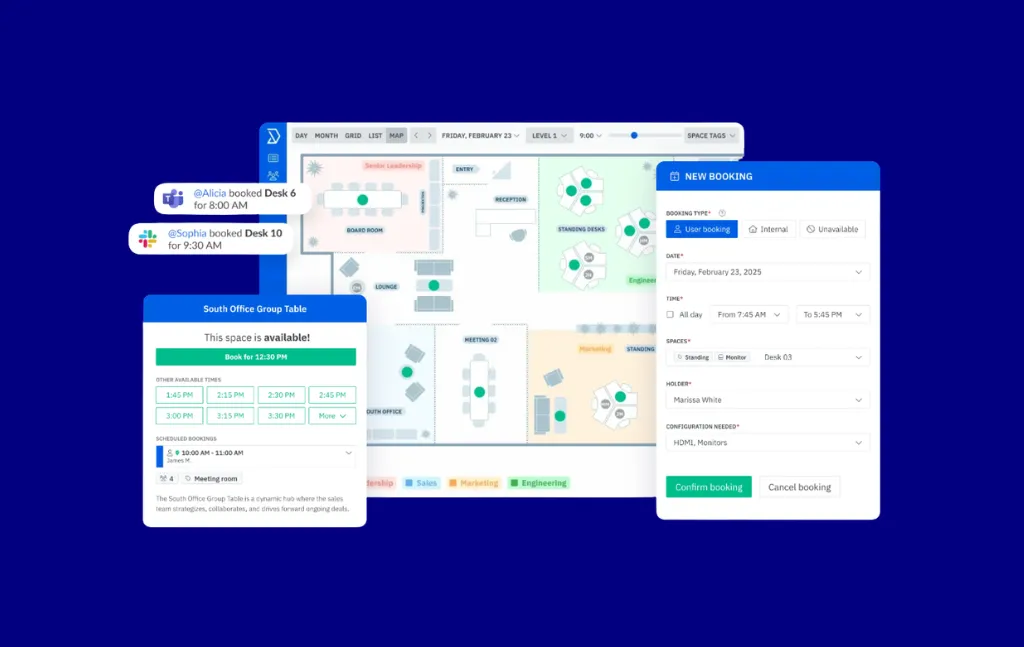
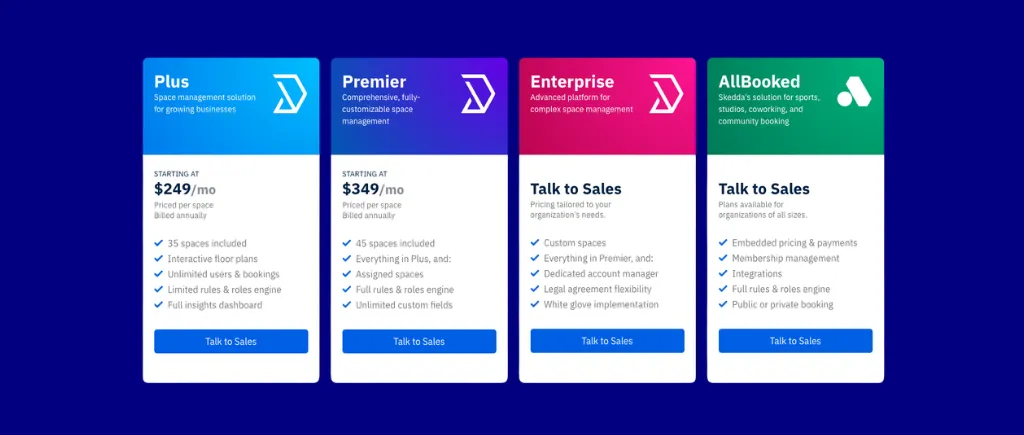

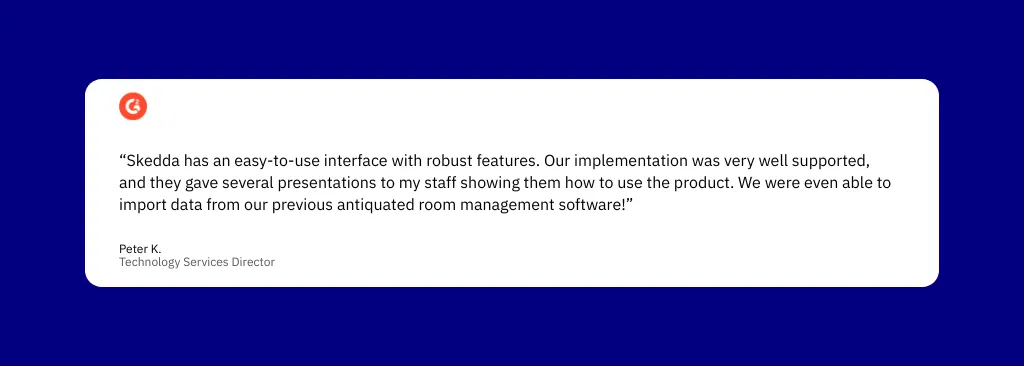
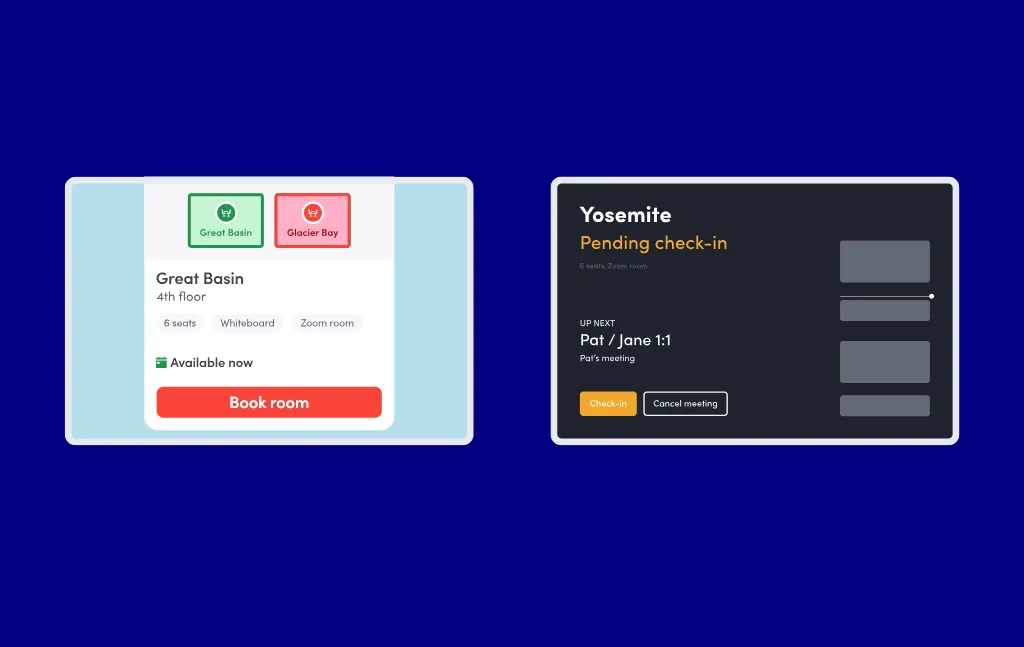
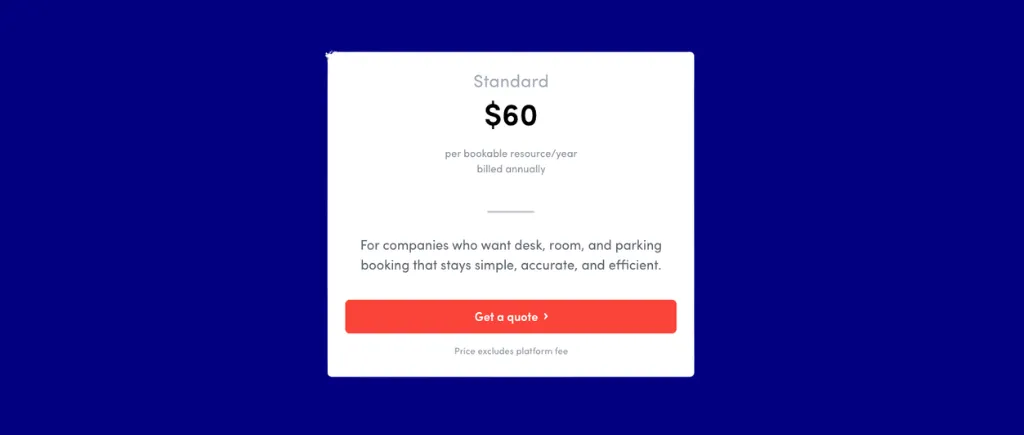
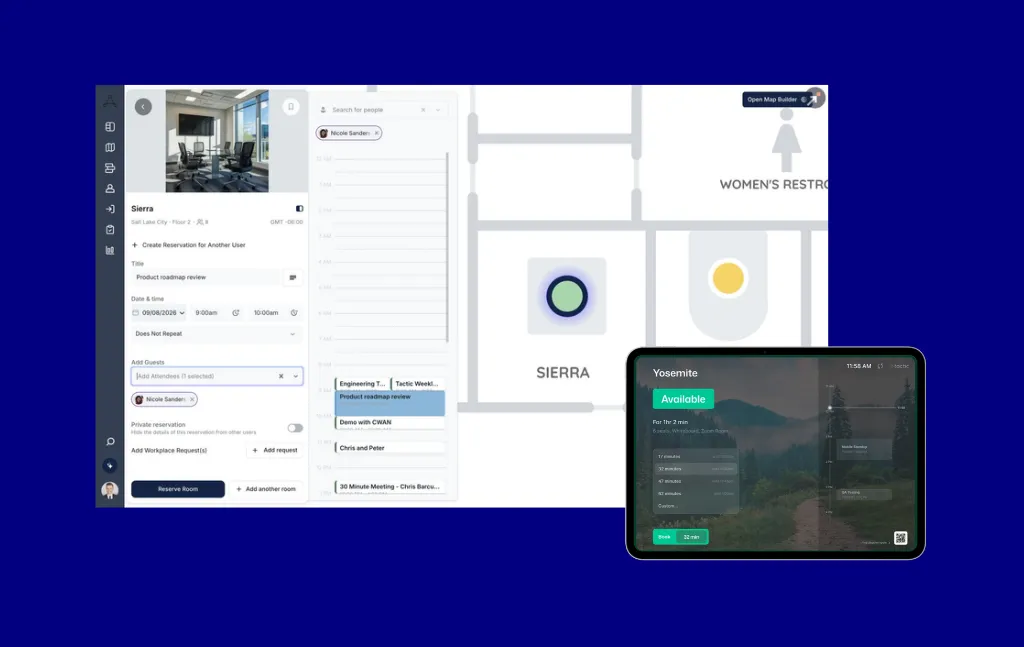
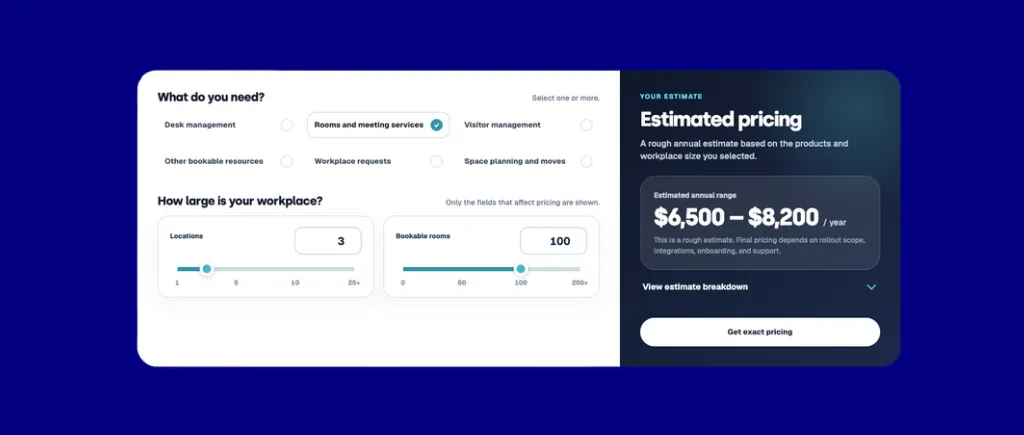
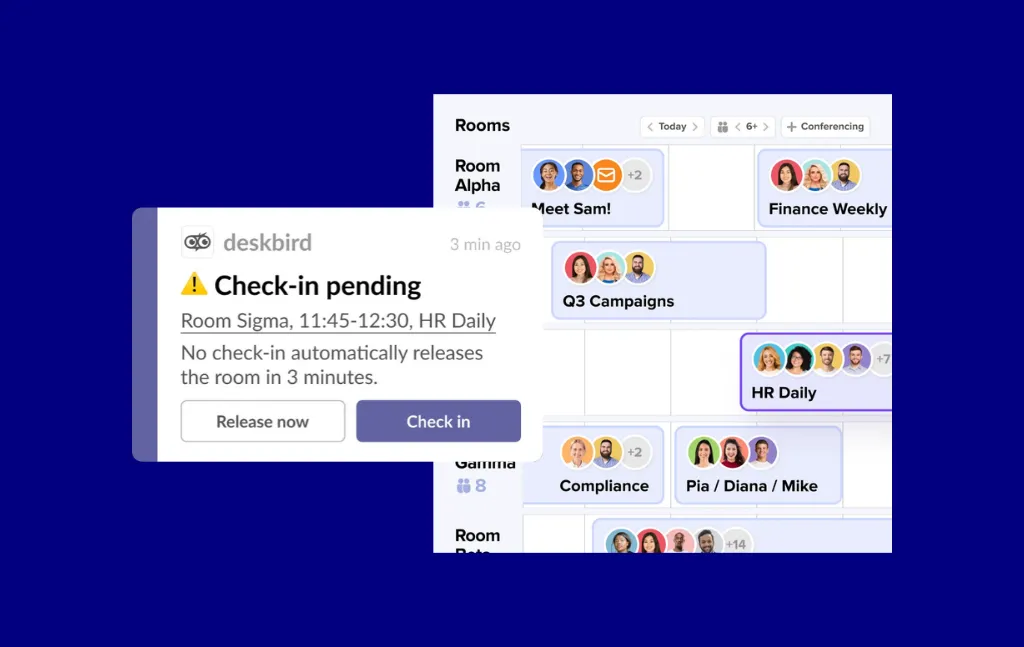
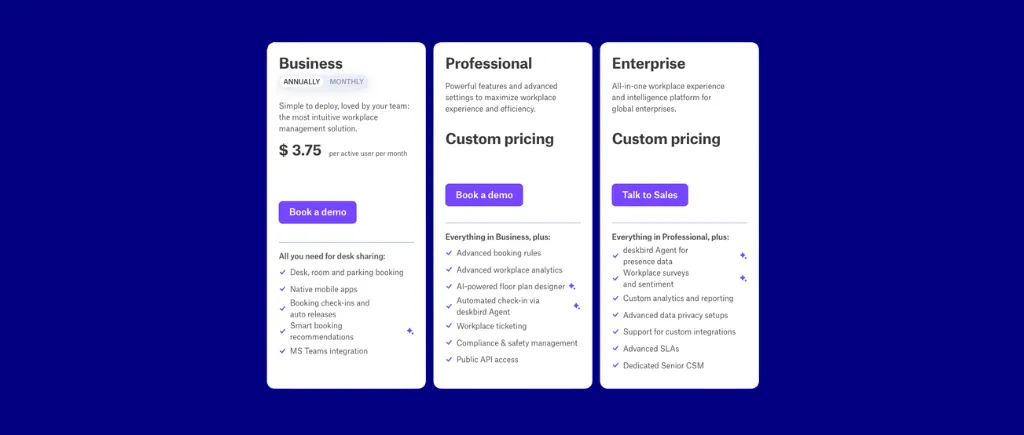
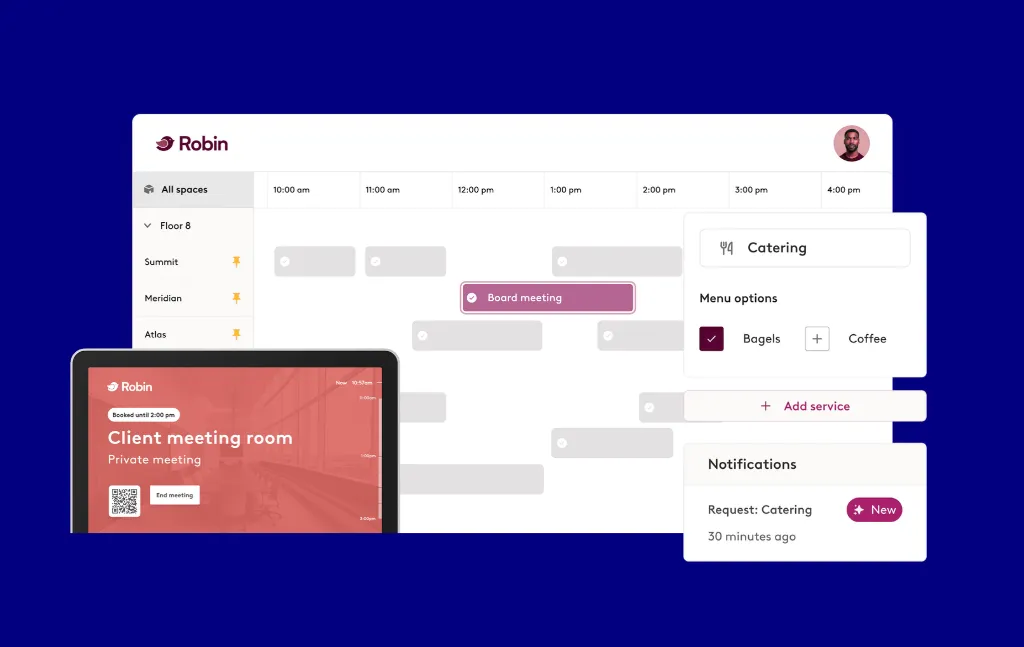
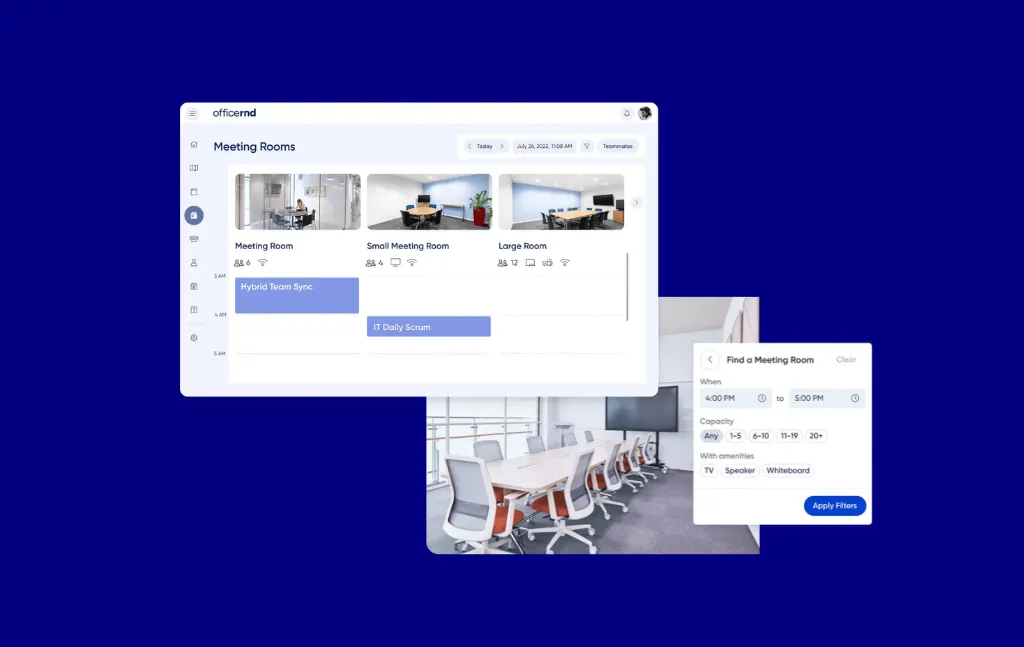

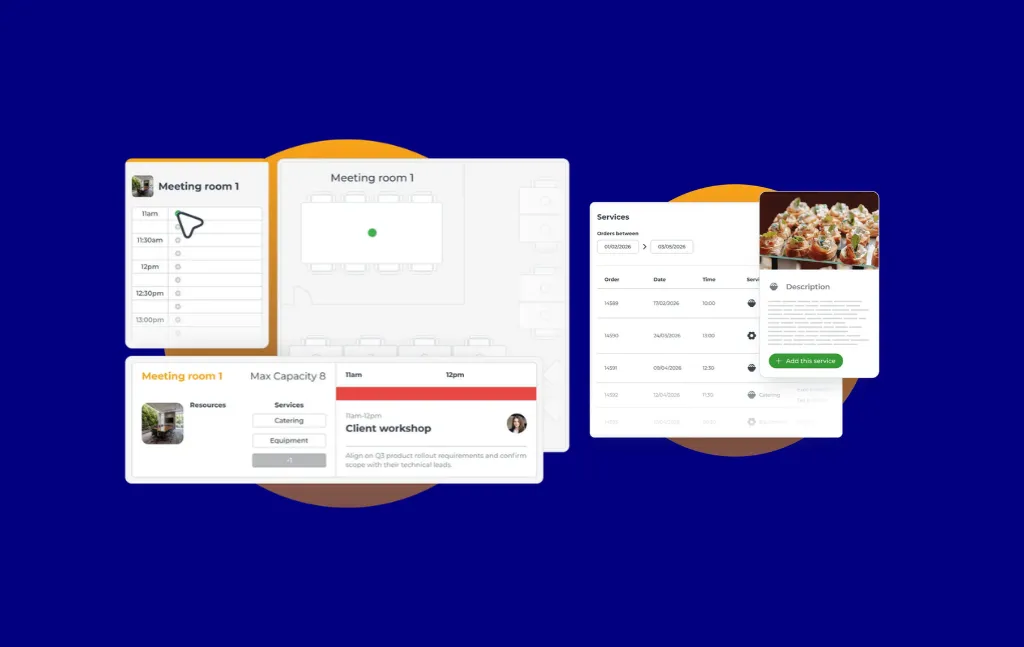
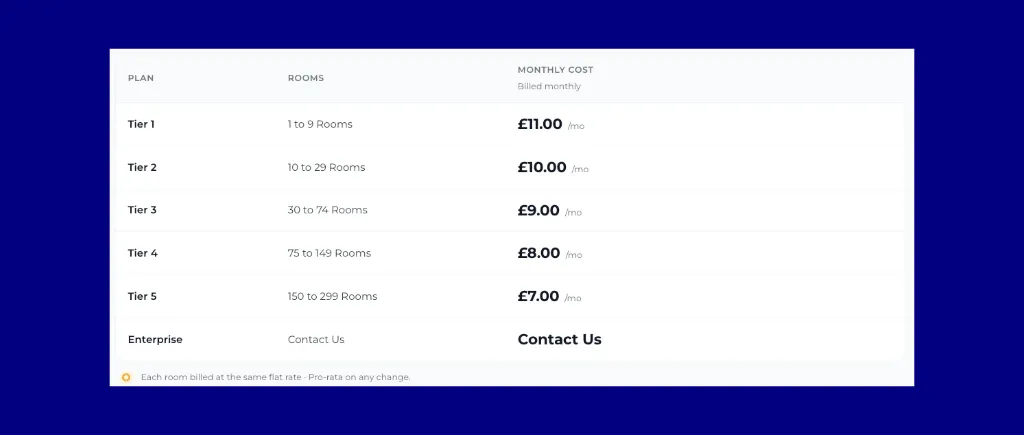
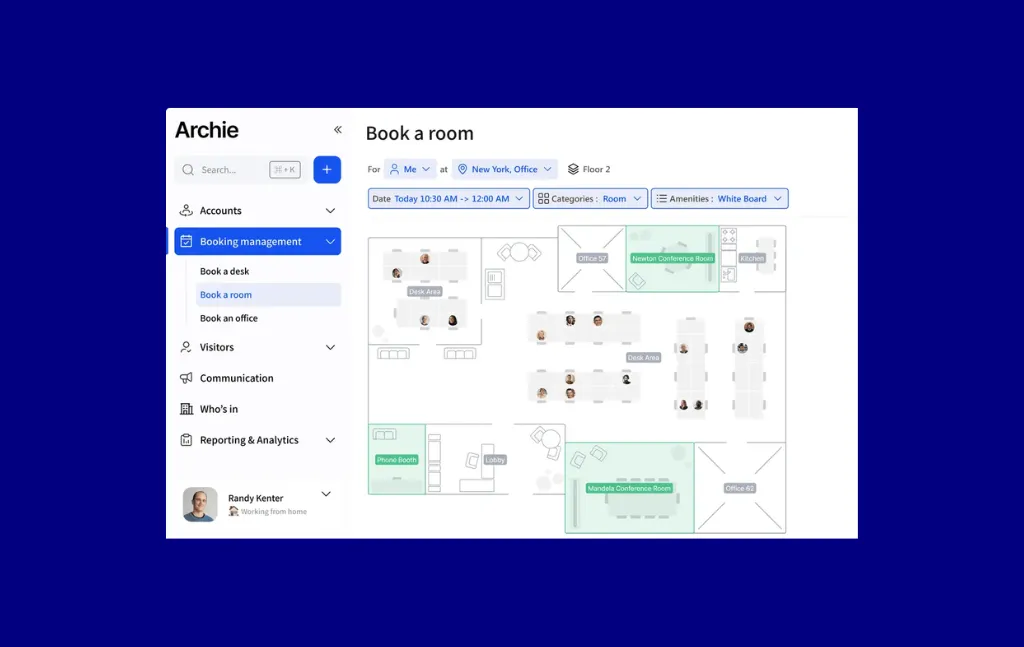
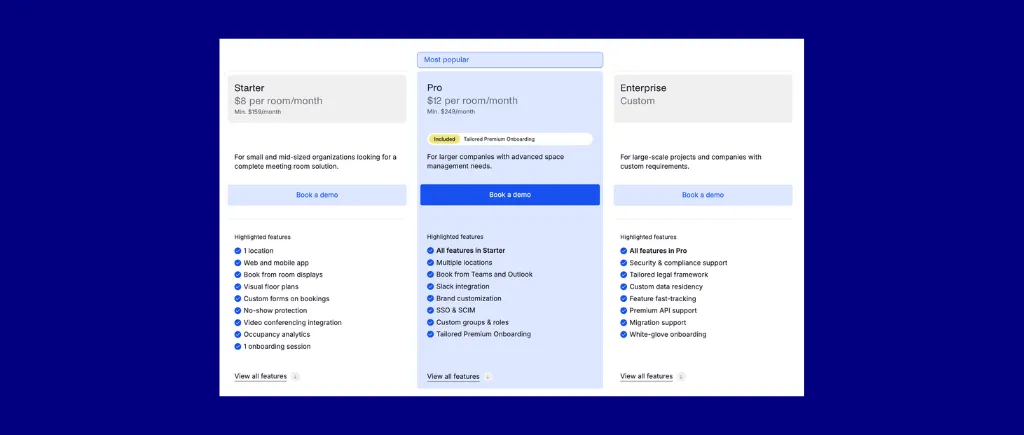
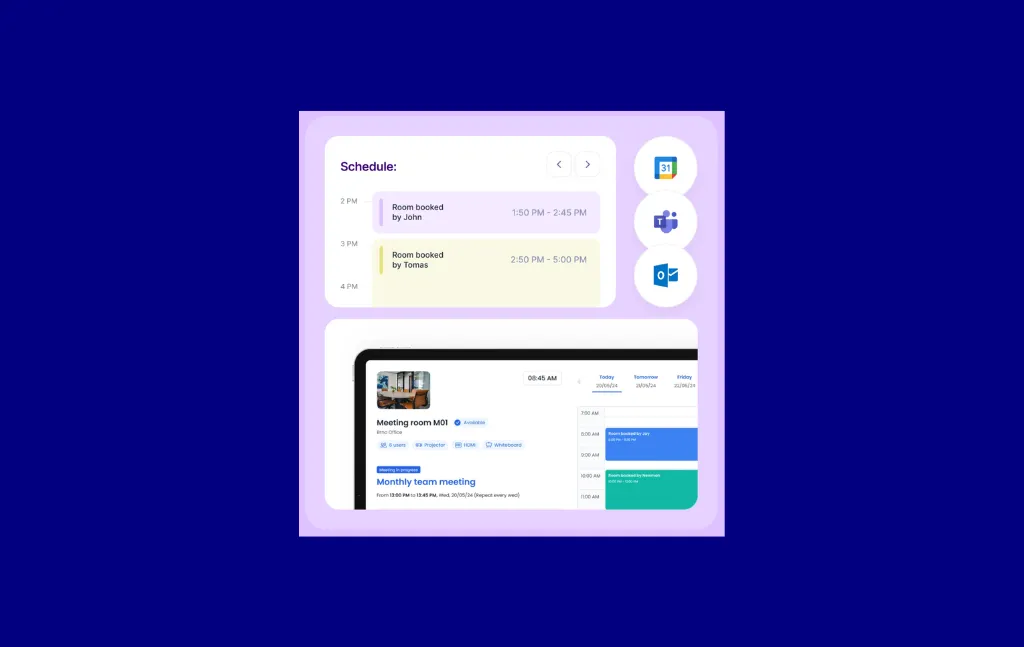
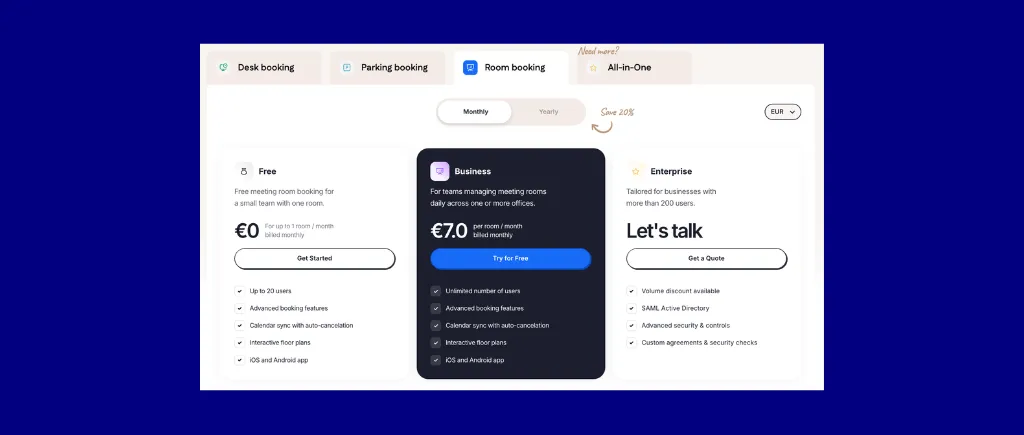
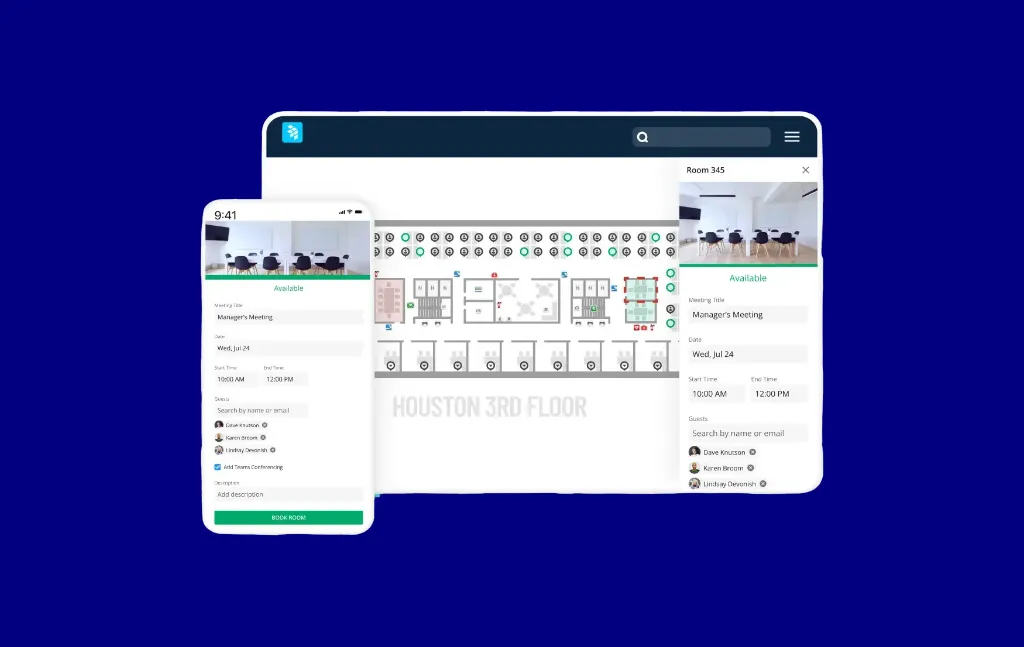
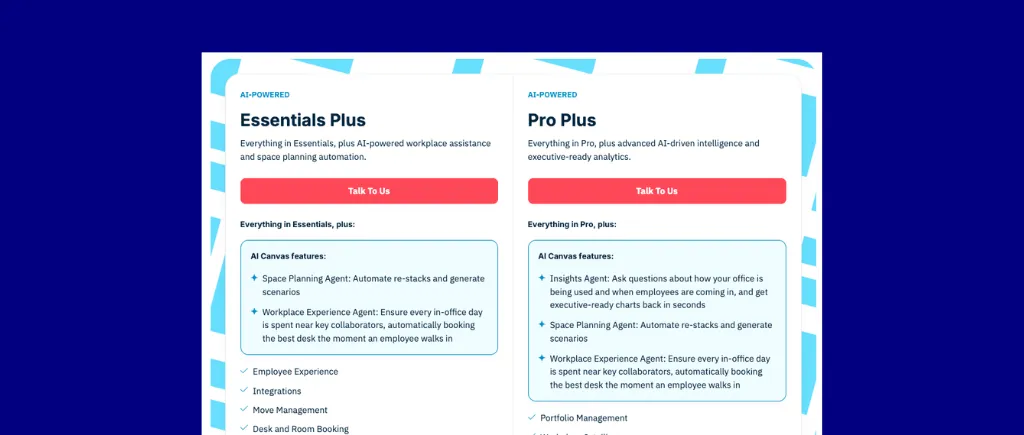
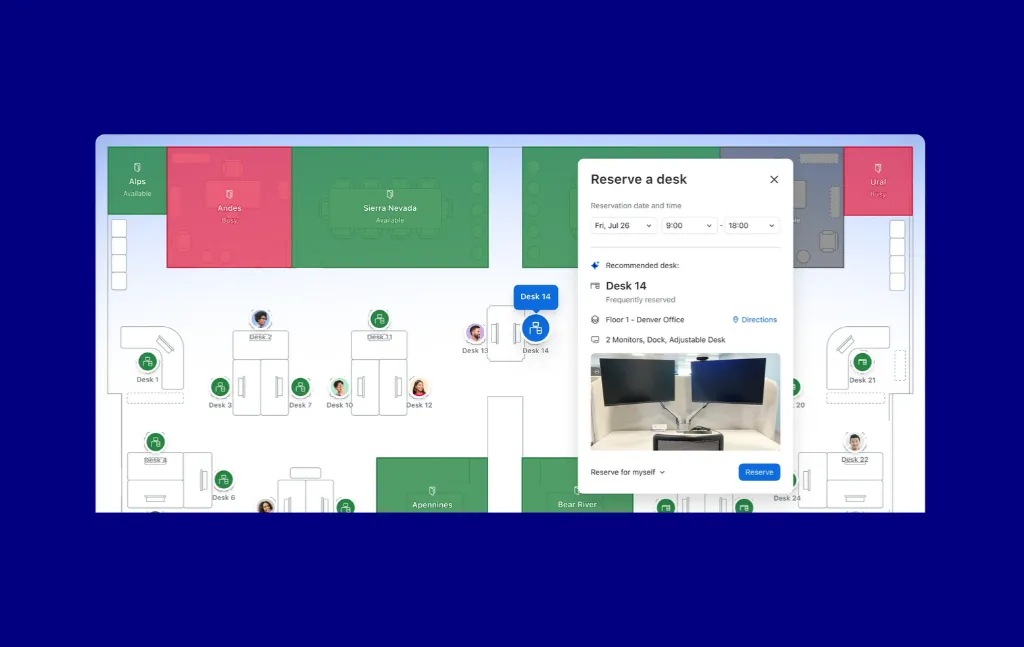
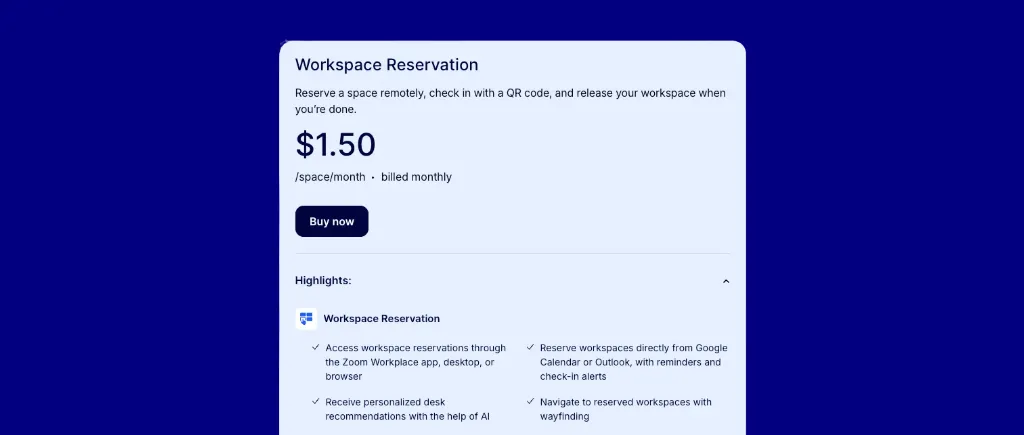
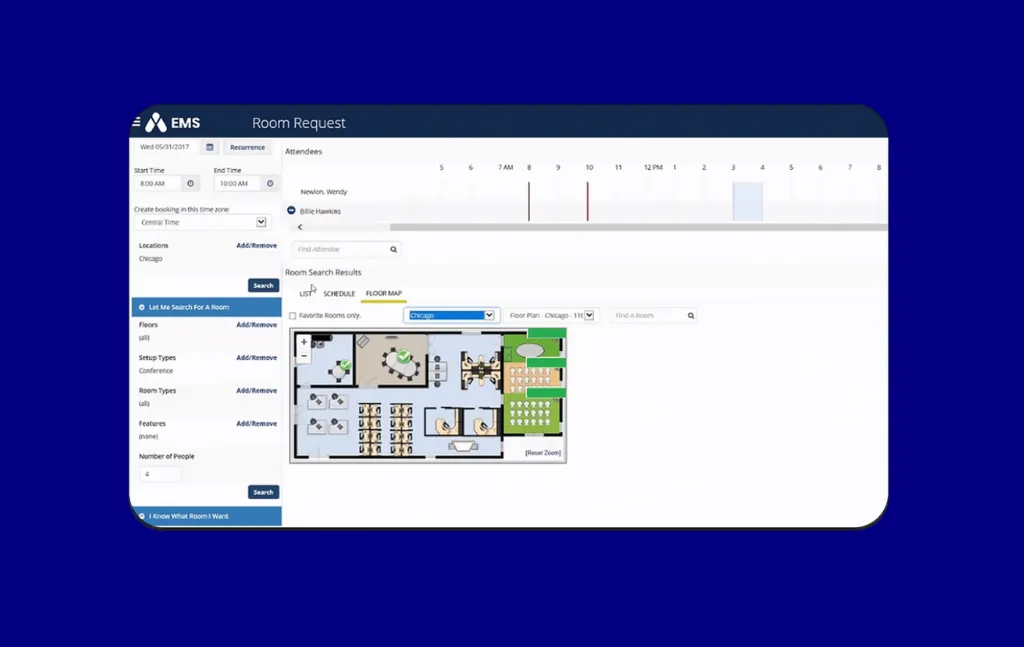


%20platform.webp)
%20pricing.webp)
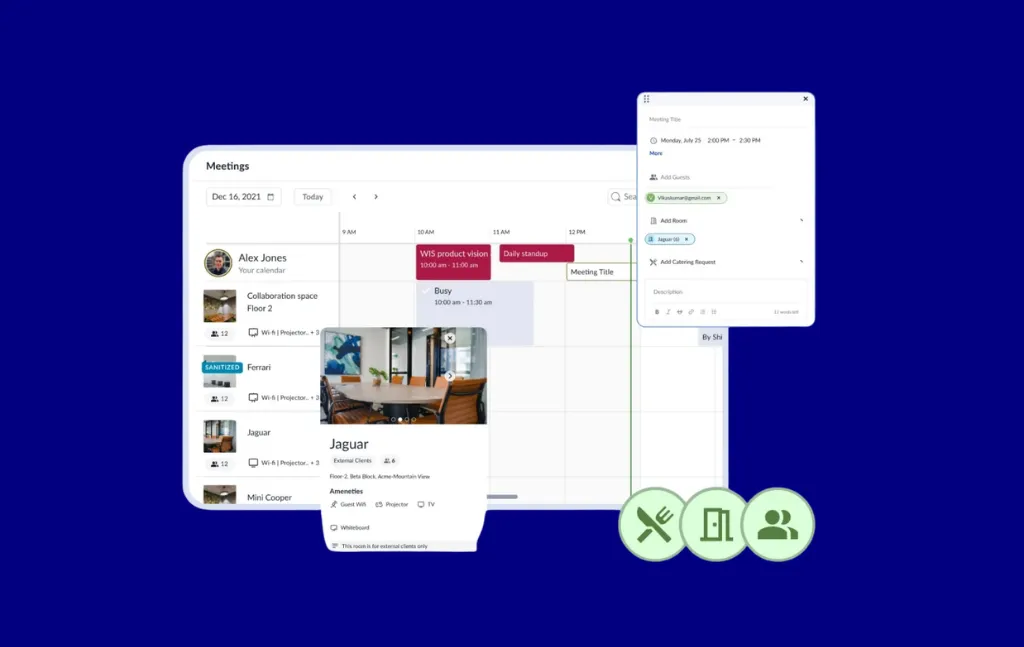
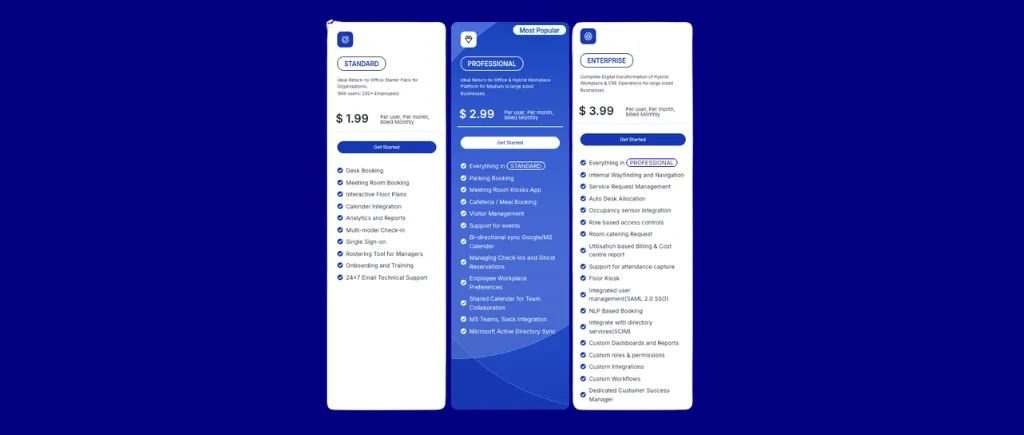
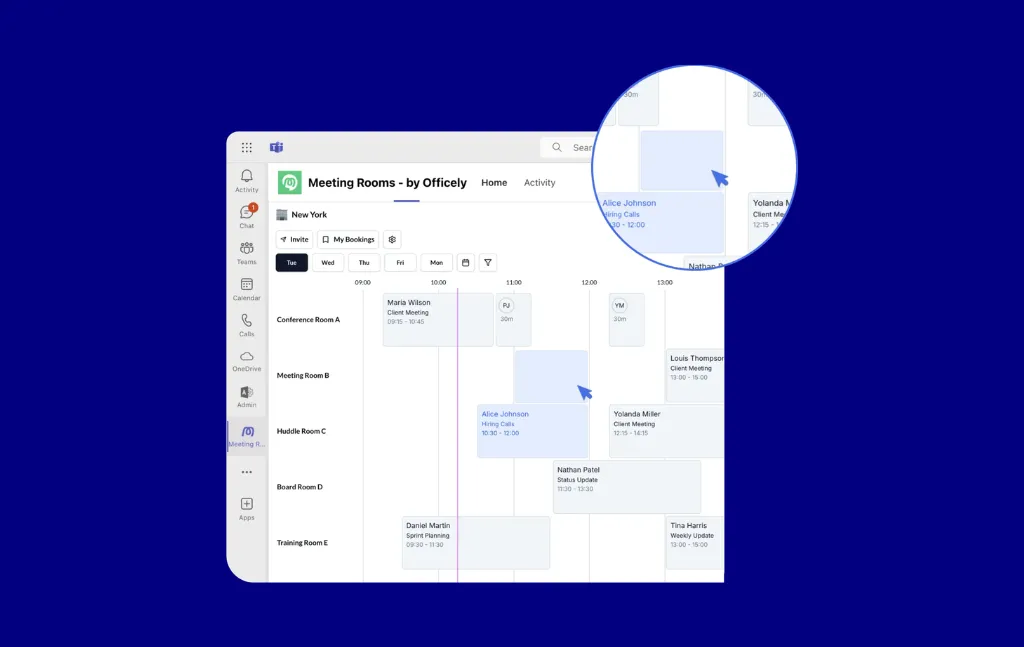
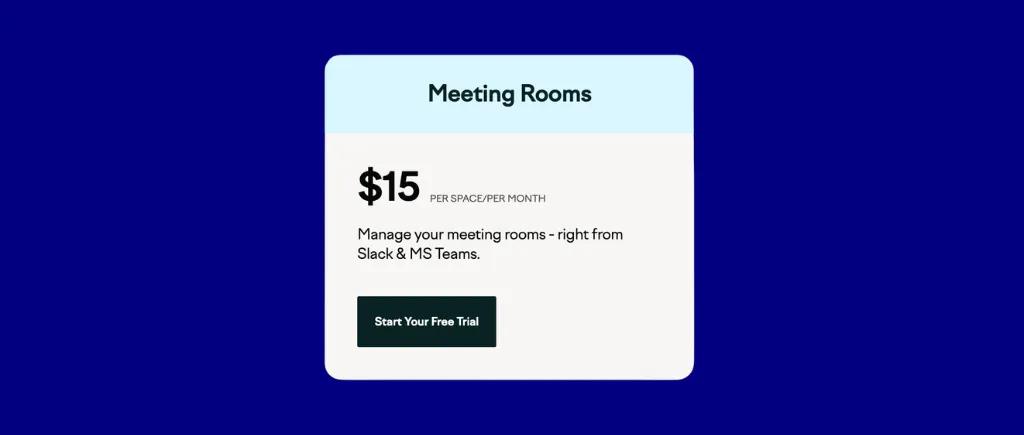
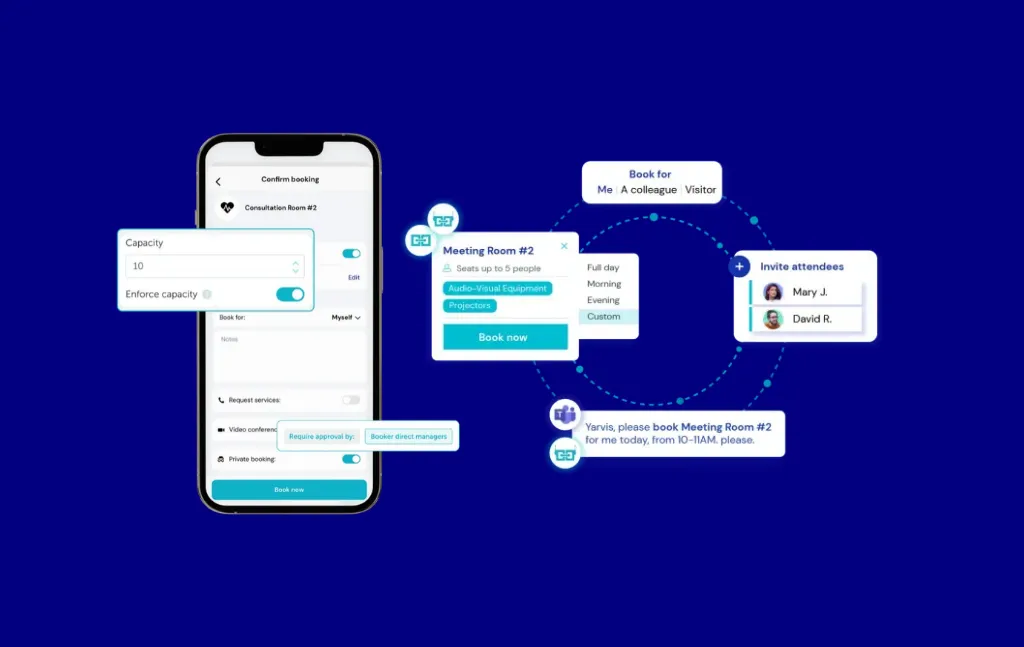
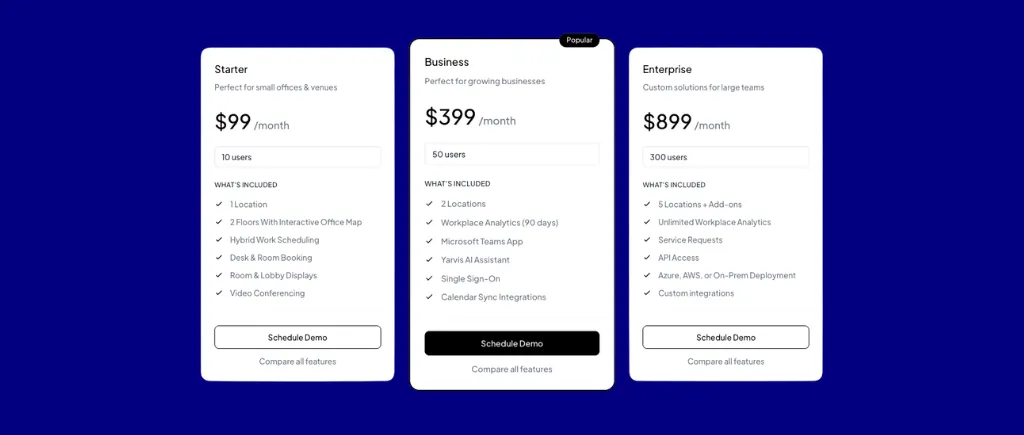
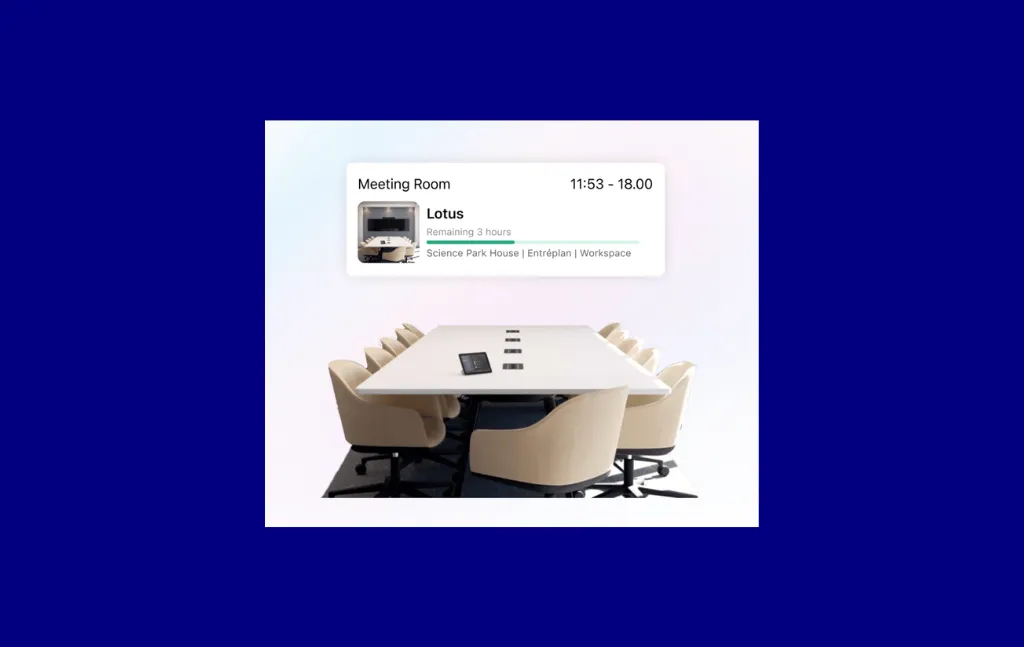
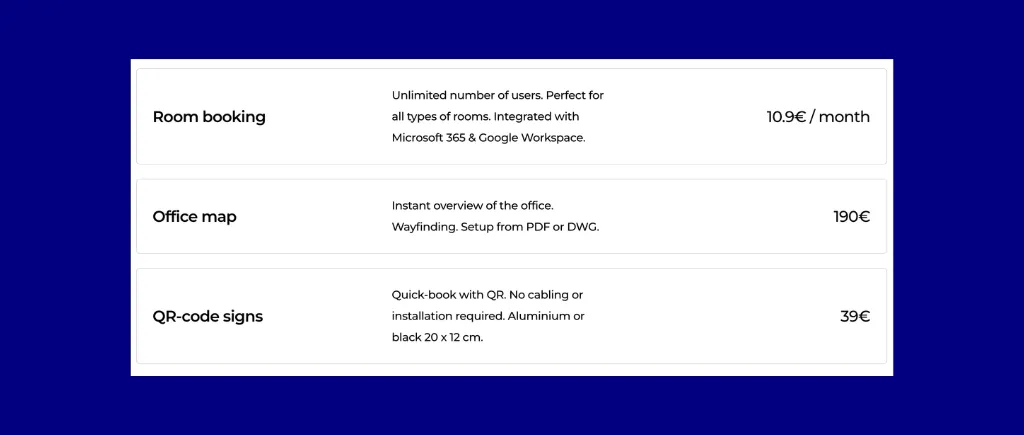

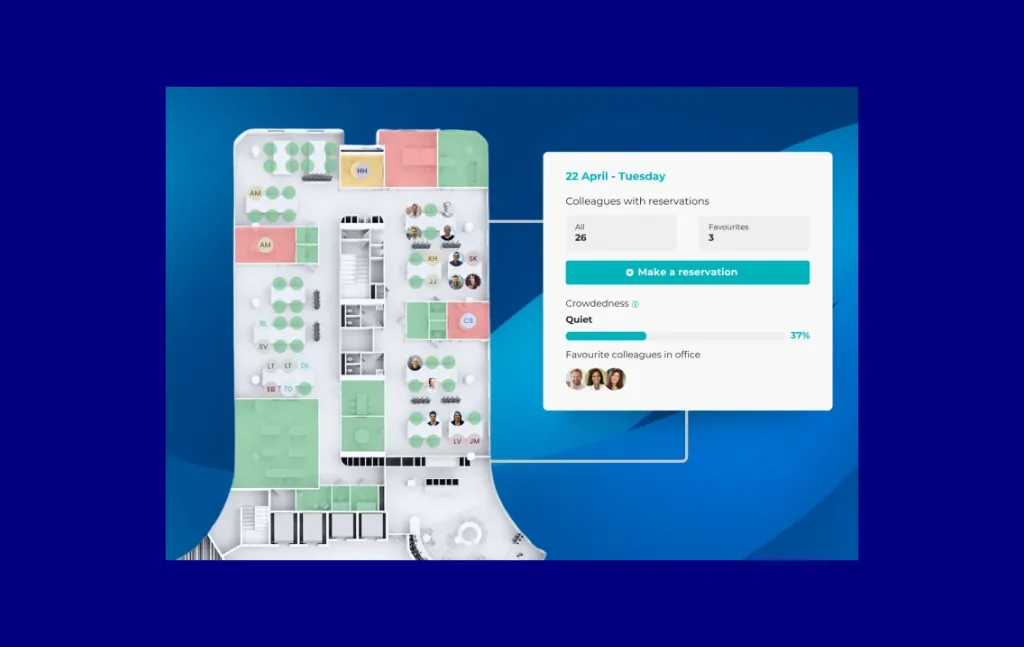
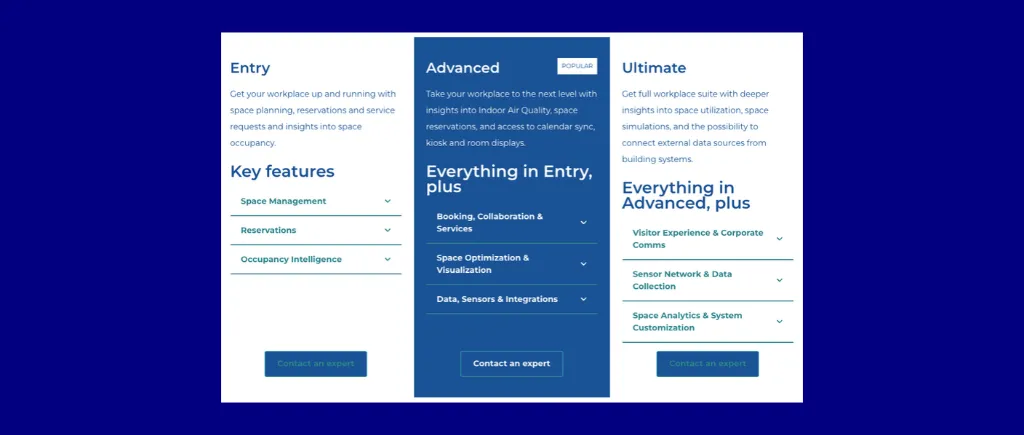
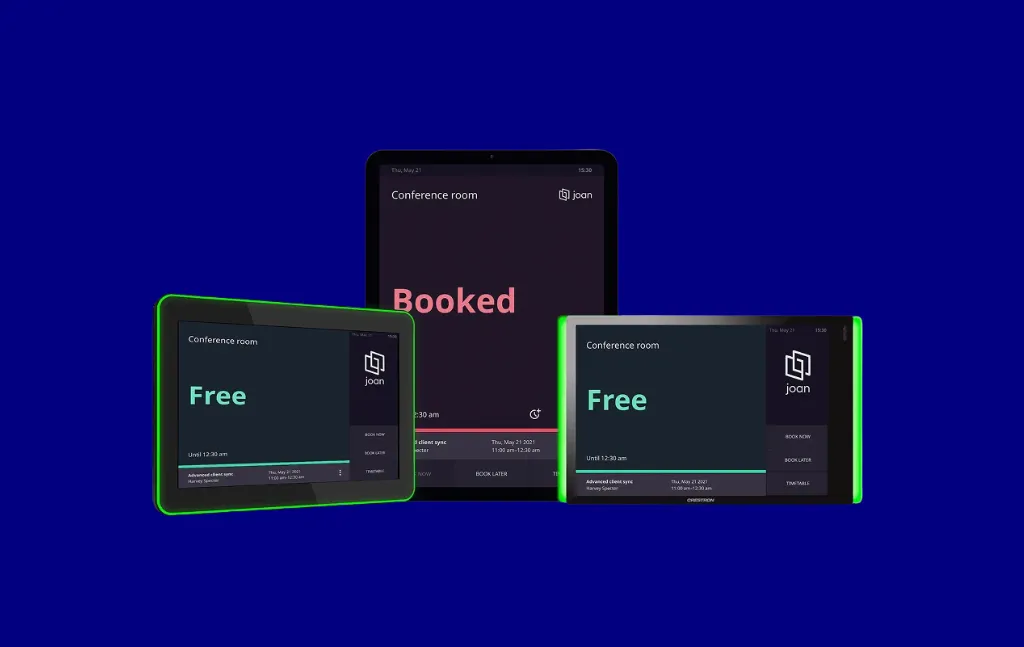
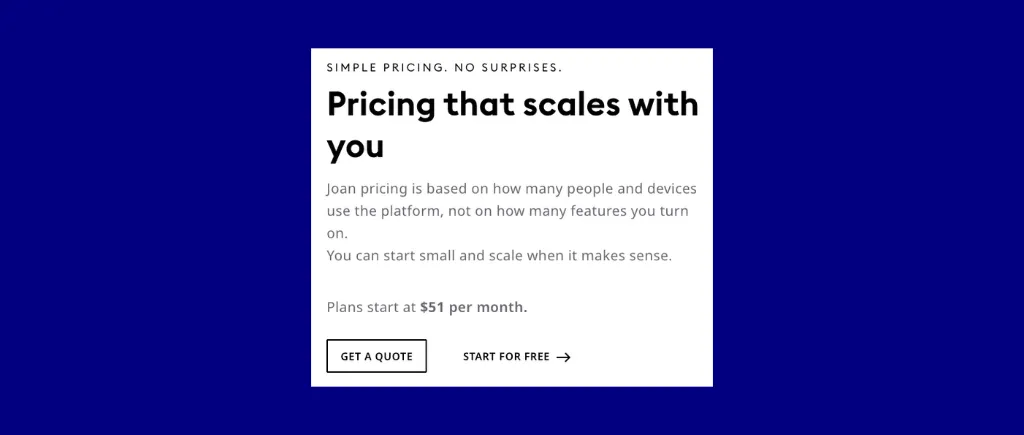
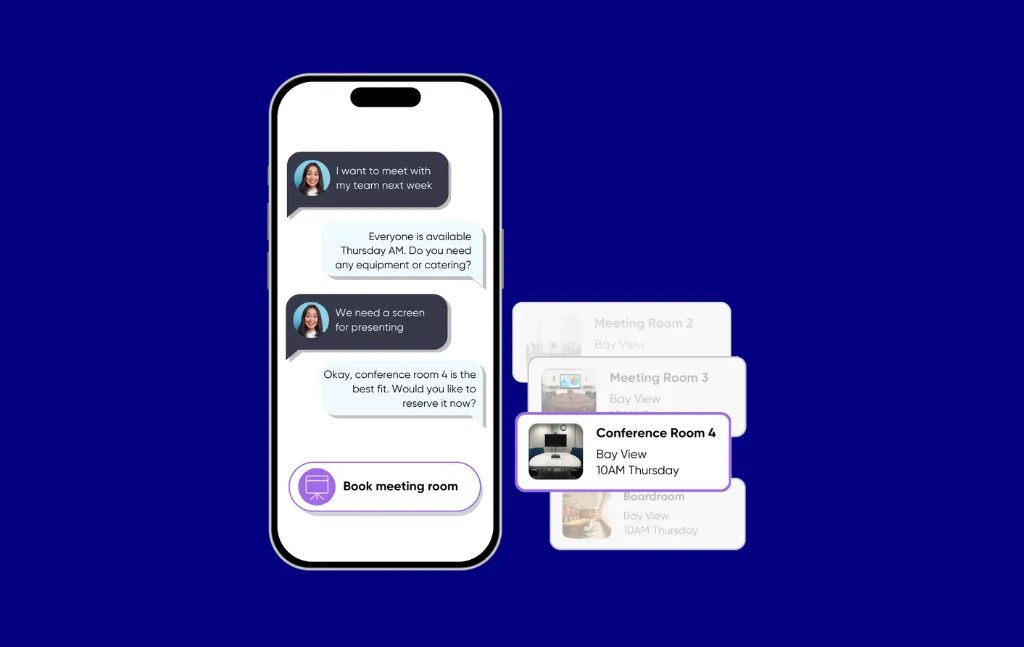
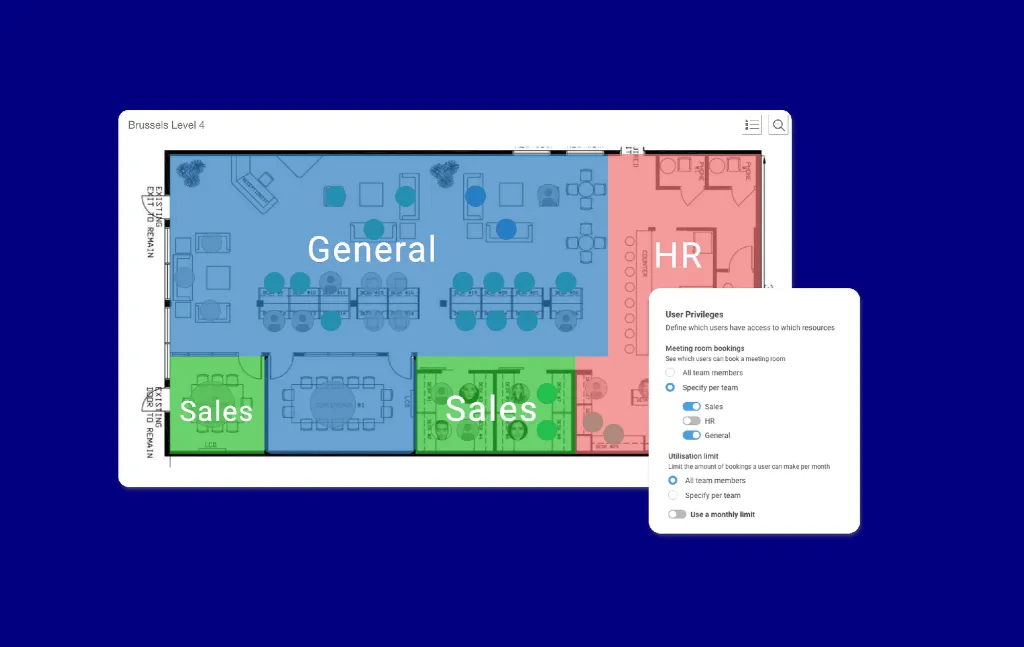
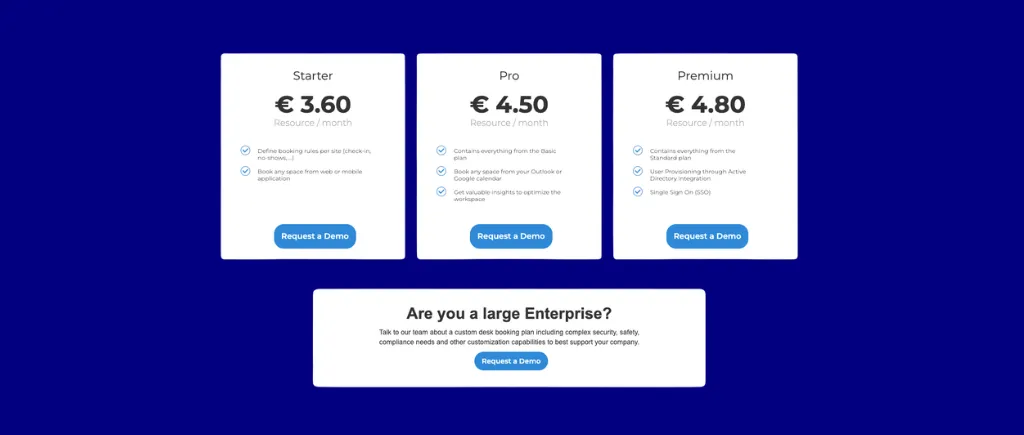
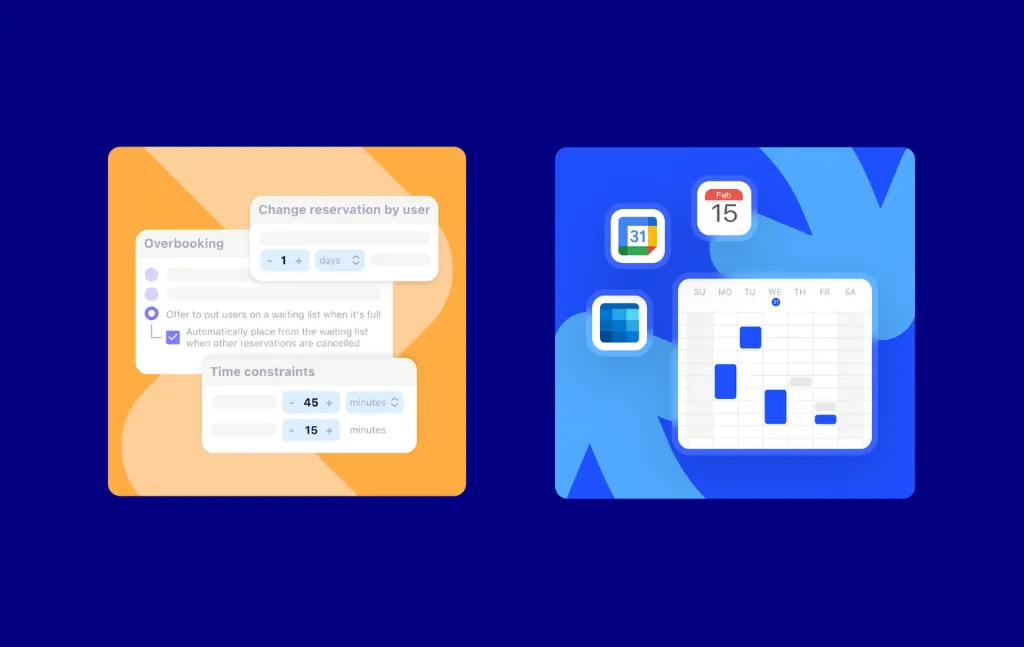
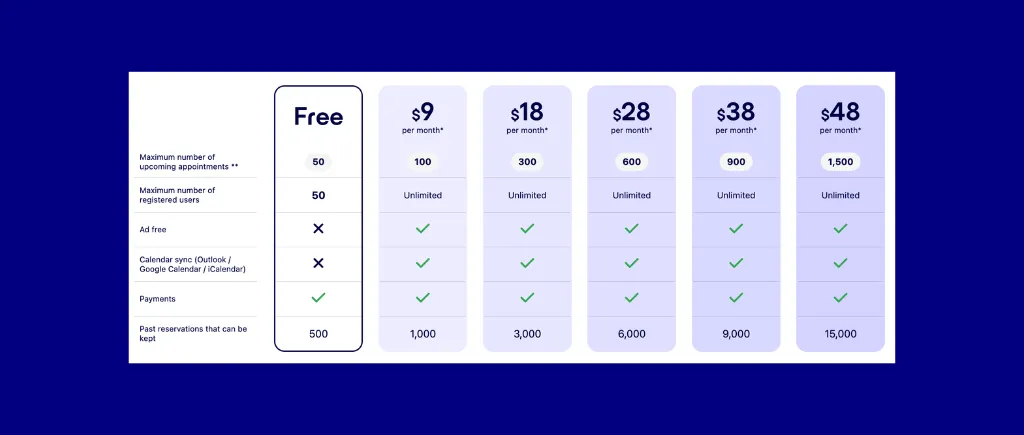

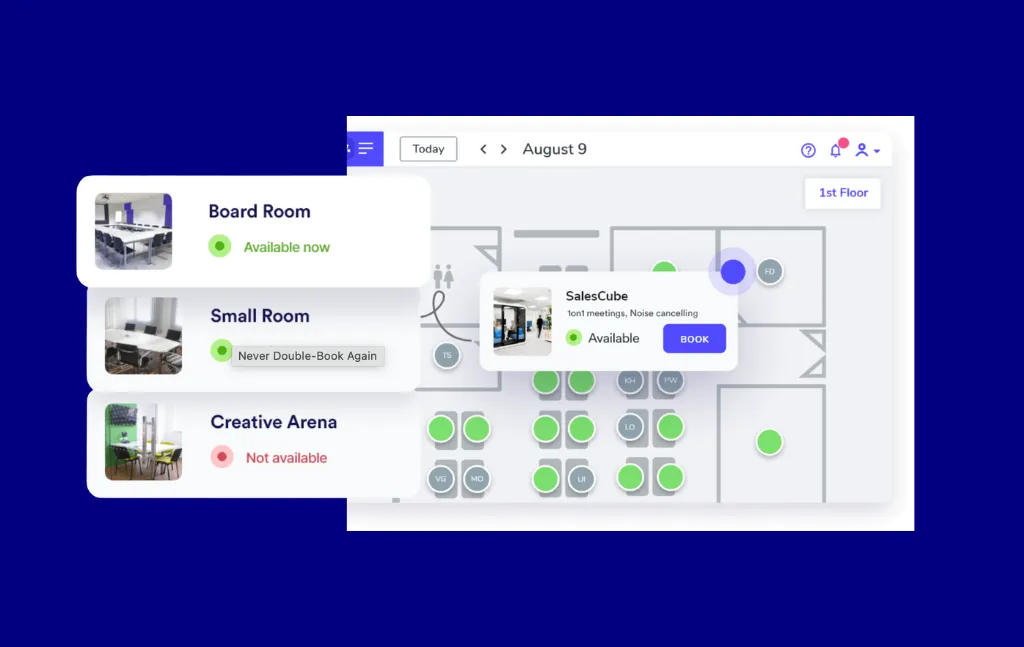
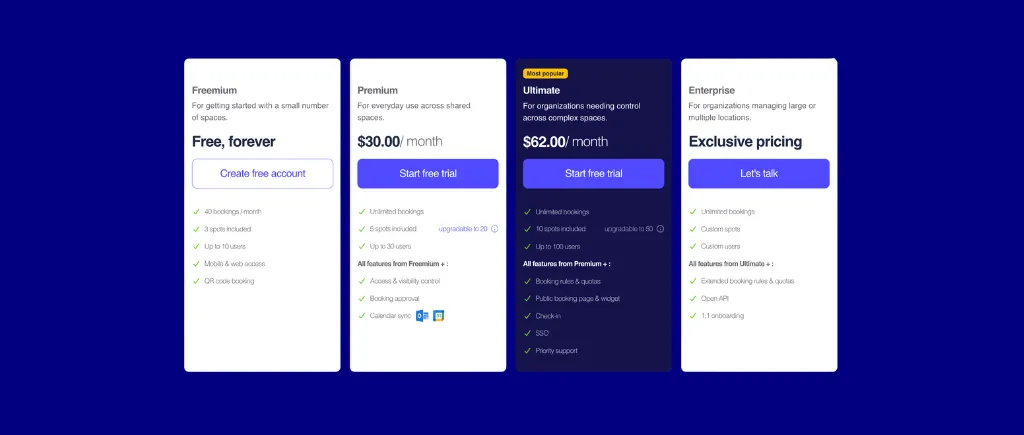
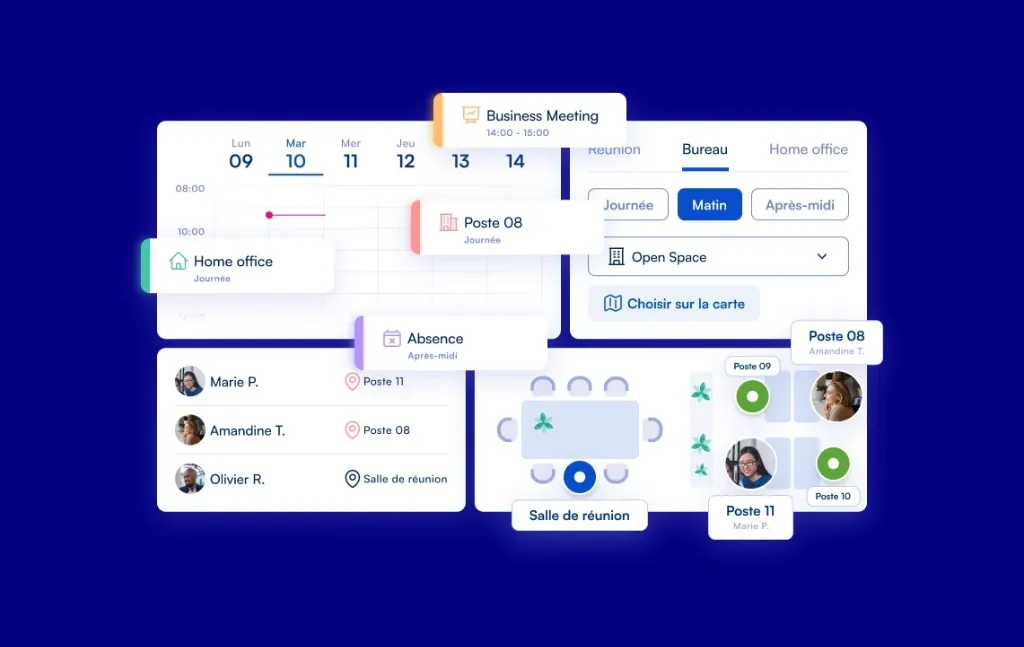
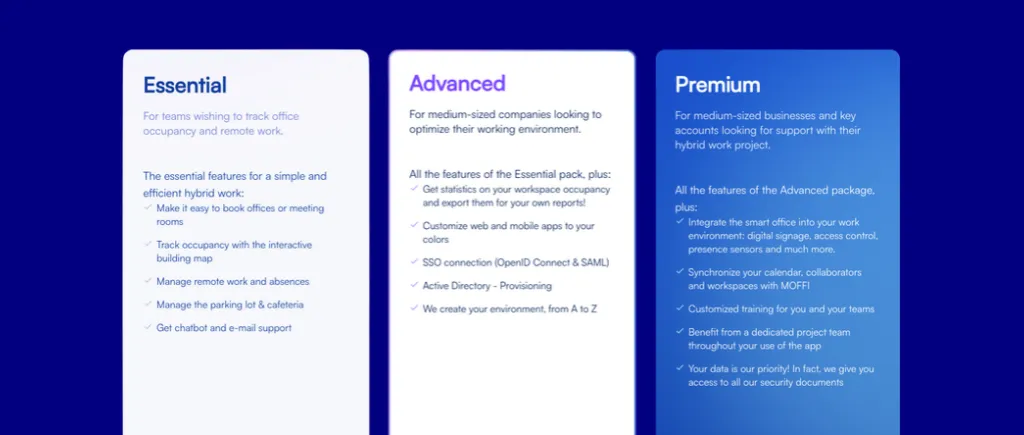
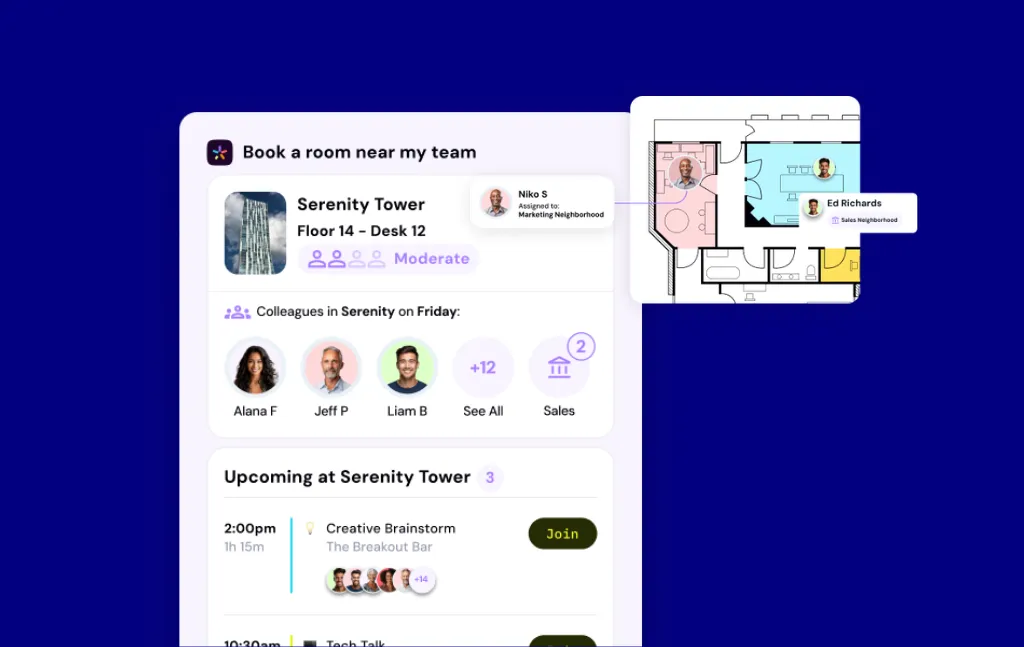
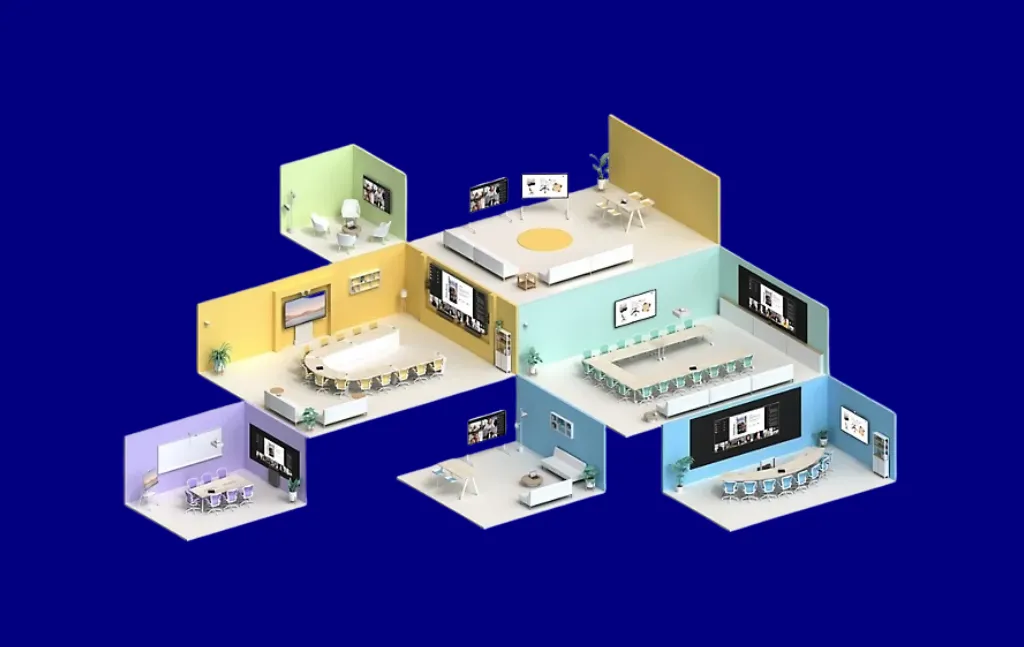
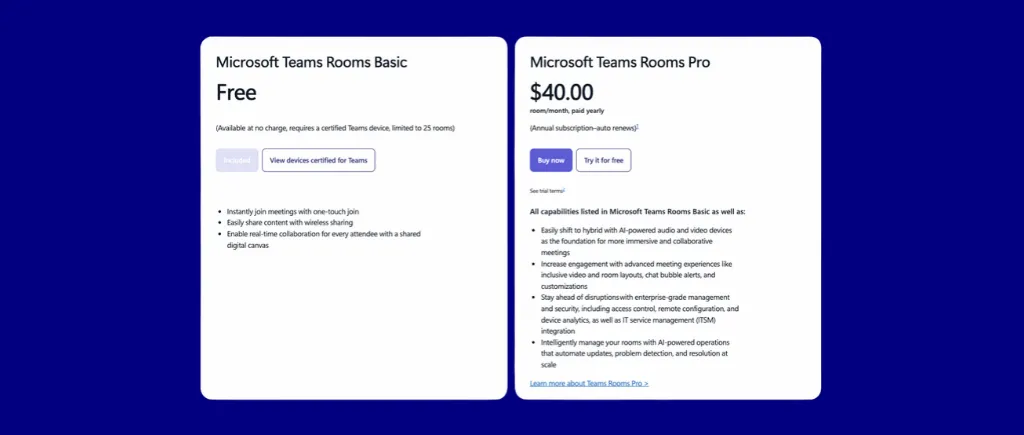


.svg)



