
Webinar On-Demand:
Is Anyone Actually in the Office? A Modern Guide to Occupancy Tracking

La coordination des salles de réunion, des bureaux, des parkings et d'autres espaces partagés au sein d'une main-d'œuvre hybride est devenue l'un des problèmes les plus exigeants sur le plan opérationnel en matière de gestion du lieu de travail. Les employés doivent trouver et réserver une chambre ou un bureau sans difficulté. Les équipes sur le lieu de travail ont besoin de contrôles politiques, de données d'utilisation et d'intégrations de calendriers qui permettent au système de fonctionner sans intervention manuelle.
La catégorie qui permet de résoudre ce problème : les logiciels de réservation de salles de réunion, également appelés gestion de l'espace de travail ou space reservation software—un été scindé en plusieurs formes de produits distincts :
Ce guide est destiné à l'acheteur d'espaces de travail hybrides du marché intermédiaire : une entreprise de 300 à 2 000 personnes gérant de deux à quatre bureaux.
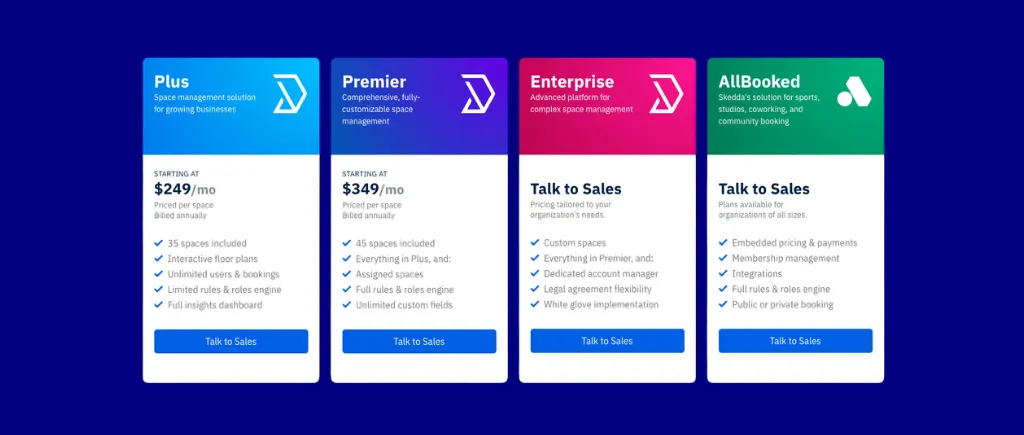
Pour cet acheteur, Skedda est la valeur par défaut recommandée : 349 $/mois Premier pour un maximum de 45 espaces réservables avec un nombre illimité d'utilisateurs, des plans d'étage personnalisés livrés en moins de 48 heures, un moteur de règles flexibles et les intégrations sur lesquelles les bureaux hybrides s'appuient le plus : Google Calendar, Microsoft 365, Teams, Slack et Zoom. Les plus grands joueurs accèdent au niveau Enterprise de Skedda. Les dix concurrents examinés ici répondent chacun à des besoins spécifiques et plus restreints.
Tarification par espace avec un nombre illimité d'utilisateurs, déploiement rapide en libre-service, plans d'étage personnalisés et plus intégration couverture de tout outil à prix publié dans cette catégorie.
Skedda est une plateforme de gestion de l'espace de travail conçue autour de la réservation et de la gestion des bureaux, des salles de réunion, des parkings et d'autres équipements physiques espaces partagés—avec un nombre illimité d'utilisateurs à tous les niveaux. Il s'agit de la recommandation par défaut pour les bureaux hybrides de taille moyenne qui souhaitent un déploiement rapide en libre-service, une tarification transparente par espace et une expérience axée sur le plan d'étage que les employés adoptent sans formation.
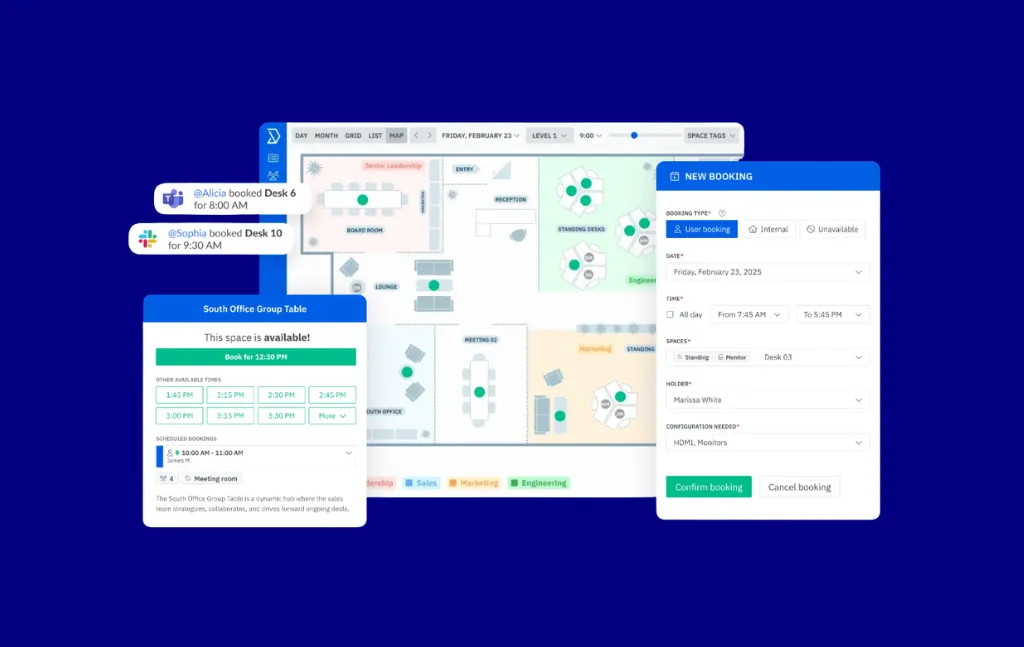

Validations : 4.8/5 sur G2 sur 281 avis. Les évaluateurs font particulièrement l'éloge de l'intégration d'Outlook, de l'assistance réactive par chat en direct et de la facilité avec laquelle les employés adoptent la vue en plan d'étage.

Les dix principaux concurrents en matière de réservation de lieux de travail hybrides pour les moyennes entreprises, classés en fonction de l'adéquation au marché, de la couverture du flux de travail et de la clarté des prix :
Nous avons privilégié les outils de réservation directement adaptés au lieu de travail, des plateformes qui considèrent la réservation des salles de réunion et des bureaux comme une fonction essentielle, et non comme une fonctionnalité accessoire d'un outil de planification ou de prise de rendez-vous plus large.
Les preuves provenaient de trois sources : des pages officielles sur les produits et les prix, des pages éditoriales structurées des concurrents pour le positionnement du contexte, et des signaux d'évaluation émanant de tiers provenant de G2 et Capterra.

Un nombre d'espaces plus élevé varie d'un modèle à l'autre. Skedda et d'autres outils de niveau publiés similaires intègrent les devis personnalisés Enterprise à des volumes plus élevés.
Envoy Workplace est une plateforme de travail modulaire regroupant la gestion des visiteurs, les réservations de chambres, l'affichage numérique, la gestion des salles de courrier et les notifications d'urgence dans un seul tableau de bord d'administration. Il cible les entreprises de taille moyenne à grande qui proposent des politiques hybrides sur plusieurs sites.
Idéal pour : Les entreprises où la conformité des visiteurs (journaux d'audit, signature de NDA, numérisation des identifiants) est une exigence stricte, tout comme la réservation de salles de réunion.
La profondeur de la gestion des visiteurs est inégalée dans cette comparaison : flux de connexion personnalisables, préenregistrement avec signature DocuSign NDA, numérisation de l'identité via Veriff, impression de badges, application de la liste de blocage et fourniture d'informations d'identification Wi-Fi sont tous inclus.
Modulable by resource. Réservations standard : 60$ par ressource réservable par an (environ 350$ par mois pour 45 ressources). Des frais de plateforme obligatoires (tarif annuel forfaitaire, non coté en bourse) s'appliquent en plus de chaque module. Prime aux visiteurs : 329 $/emplacement/mois. Notifications d'urgence : 24 $/utilisateur/an.
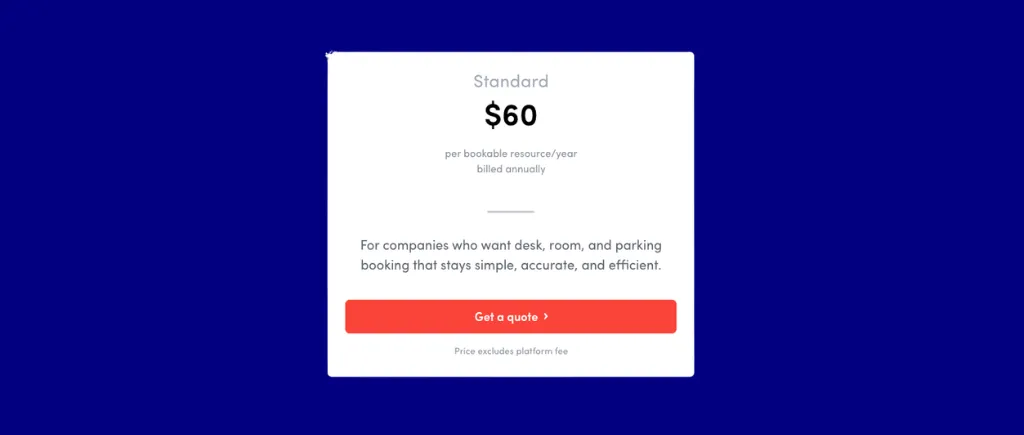
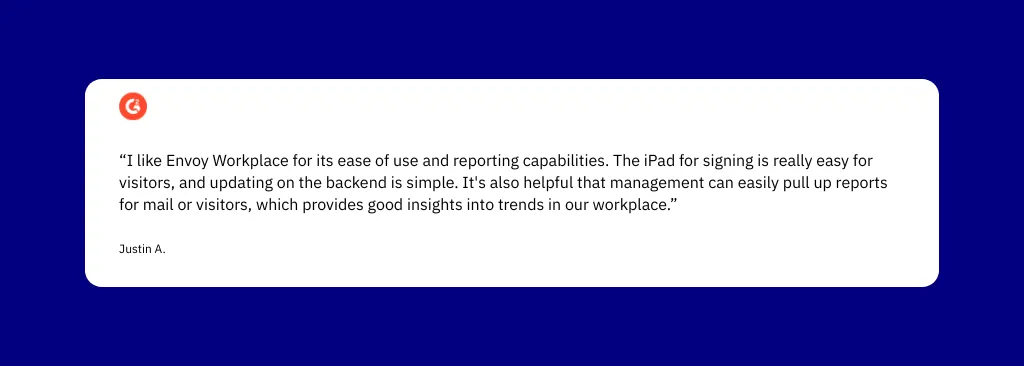
Conclusion : Choisissez Envoy Workplace lorsque la conformité des visiteurs de niveau professionnel (journaux d'audit, application des listes bloquées, signature d'un accord de confidentialité DocuSign, numérisation d'identité, fourniture d'informations d'identification Wi-Fi) est une exigence stricte en plus de la réservation de chambres. À moyenne échelle, les tarifs Reservations Standard + Visitors Premium + les frais de plateforme pour trois sites dépasseront sensiblement l'équivalent par espace de Skedda.
Dibsido est une plateforme de réservation d'espaces de travail destinée aux bureaux hybrides qui souhaitent s'auto-configurer rapidement sans frais de mise en œuvre informatique, avec un prix d'entrée de 1,7 €/utilisateur/mois et un flux d'auto-intégration de 5 minutes.
Idéal pour : Petits bureaux centrés sur Microsoft 365 comptant environ 150 utilisateurs et souhaitant bénéficier du prix d'entrée par utilisateur le plus bas, avec réservation de salles de réunion incluse.
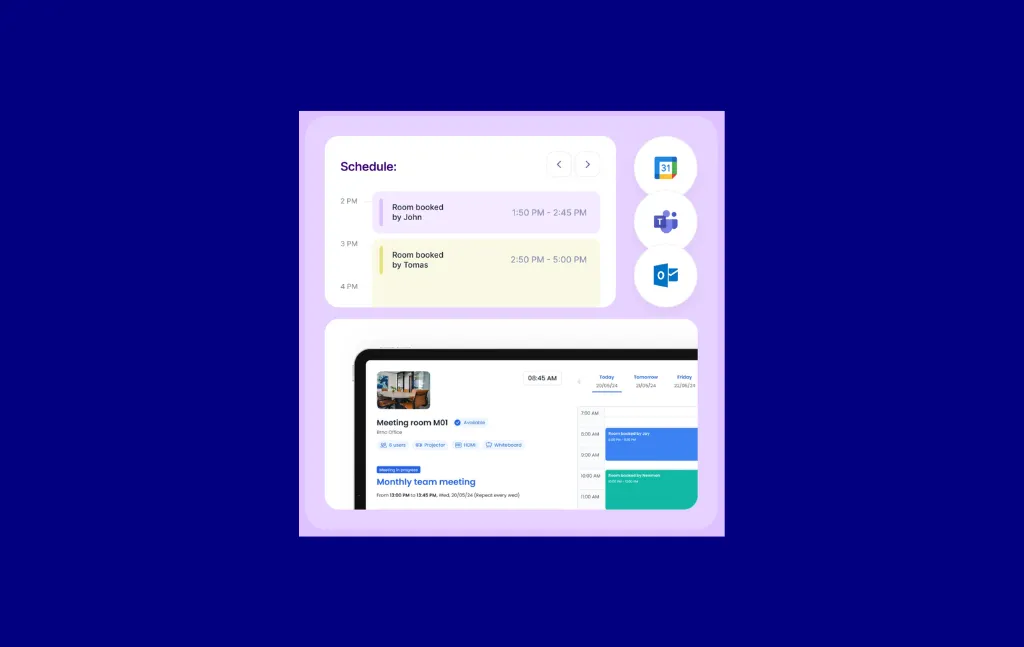
Le prix d'entrée inférieur à 2€ par utilisateur et par mois avec une application Microsoft Teams native et une synchronisation bidirectionnelle du calendrier en fait l'entrée tout-en-un par utilisateur la plus basse pour l'accès aux salles de réunion de cette comparaison.
By user. Niveau gratuit jusqu'à 1 chambre et 20 utilisateurs. Le niveau Business commence à 5,5€ par chambre et le nombre d'utilisateurs est illimité. Tout en un à 2,5 €/utilisateur/mois (annuel) avec salles de réunion en option. Entreprise à partir de 125 €/emplacement/mois. La facturation annuelle permet d'économiser 20 %. Essai gratuit de 14 jours.

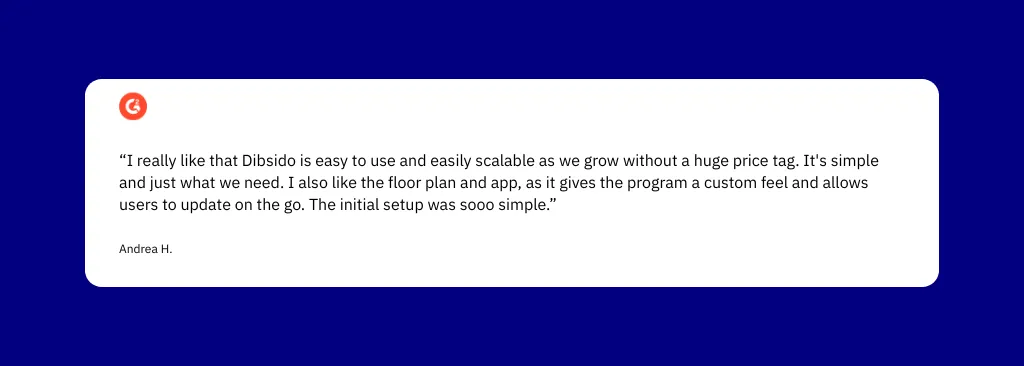
Conclusion : Choisissez Dibsido pour les petits bureaux centrés sur Microsoft 365 comptant environ 150 utilisateurs et nécessitant le prix d'entrée le plus bas possible. À éviter pour les organisations de plus de 200 employés qui sont sensibles aux prix.
Awaio est une plateforme de réservation d'espace de travail 100 % sans matériel, sans capteurs, écrans, câbles ou balises. L'enregistrement par code QR et les flux de travail axés sur les appareils mobiles concernent les salles de réunion ainsi qu'un large éventail de ressources physiques.
Idéal pour : Environnements gourmands en équipements qui nécessitent la réservation de salles de réunion en plus de casiers, de chargeurs pour véhicules électriques, de casiers pour vélos électriques, de voitures de piscine ou de services de navette, sans aucune installation matérielle.
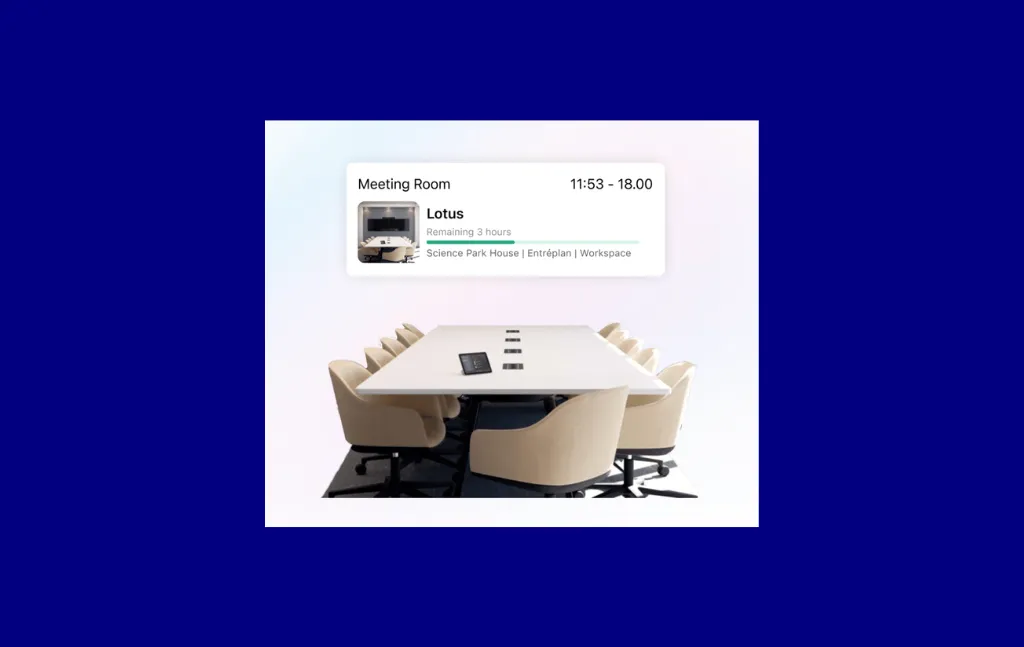
Déploiement sans matériel avec l'enregistrement Grab & Go par code QR et la couverture de ressources physiques la plus étendue de cette comparaison, des salles de réunion aux chargeurs pour véhicules électriques, en passant par les casiers intelligents et les voitures de piscine, le tout sur une seule plateforme.
Modular by resource, without nominated levels. À partir de 11,50$ par chambre/mois (utilisateurs illimités). Les tarifs du parking et des casiers nécessitent un contact. Les intégrations Google/Microsoft Room Booking sont des modules complémentaires payants. Pas de plan gratuit ni d'essai gratuit.
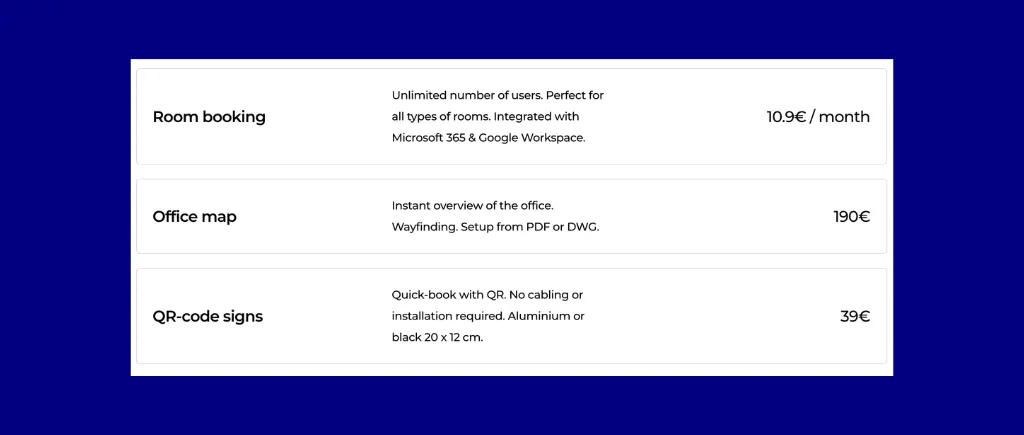

Conclusion : Choisissez Awaio pour les environnements gourmands en installations qui nécessitent la réservation de salles de réunion, ainsi que la gestion des casiers, la recharge des véhicules électriques et des ressources de mobilité, sans aucune installation matérielle. L'absence d'essai gratuit et d'évaluations publiques nécessite plus de diligence raisonnable que les autres outils de cette comparaison.
Archie est une plateforme de gestion des espaces de travail et du coworking desservant les bureaux et les espaces de coworking avec la planification des salles de réunion, la gestion des visiteurs et les opérations de facturation/adhésion.
Idéal pour : Les opérateurs de coworking et les bureaux qui ont besoin d'un provisionnement automatique des utilisateurs basé sur SCIM via Entra ID et un bot de réservation Slack en un clic natif.
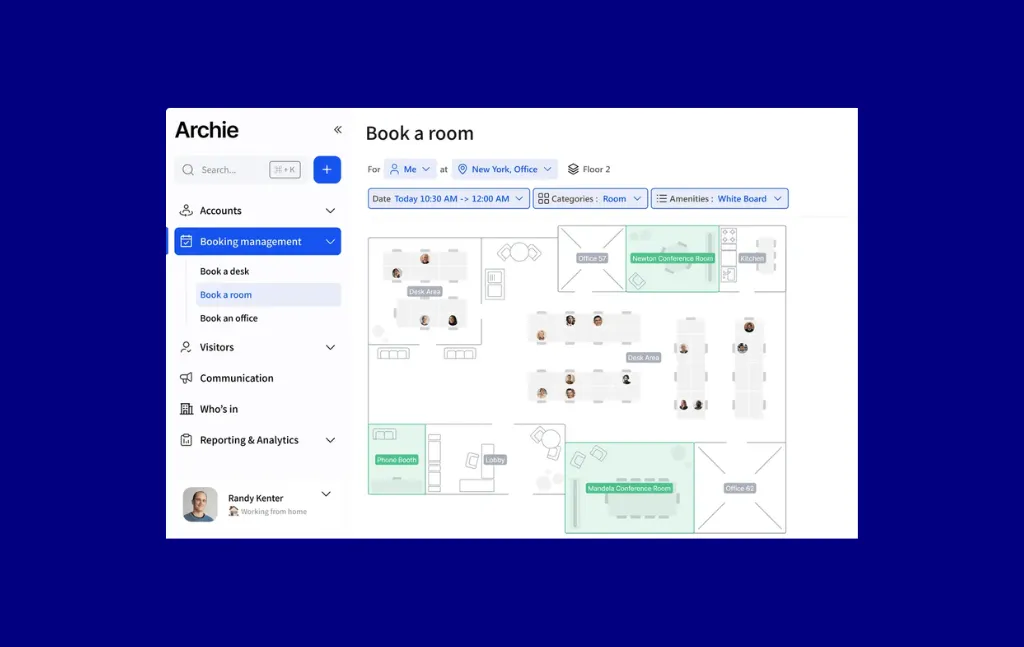
Fonctionnalité complète de réservation de salles de réunion intégrée à Microsoft Teams et bot Slack natif en un clic, avec provisionnement des utilisateurs basé sur SCIM via Entra ID pour un provisionnement et un déprovisionnement automatiques.
Par ressource avec un minimum de modules. Réservation de chambre : entrée à partir de 8 $/chambre/mois, pour 12 $/chambre/mois. Gestion des visiteurs : Starter 109 $/emplacement/mois, Pro 185 $/emplacement/mois. Environnement d'essai de 14 jours disponible après la démo.
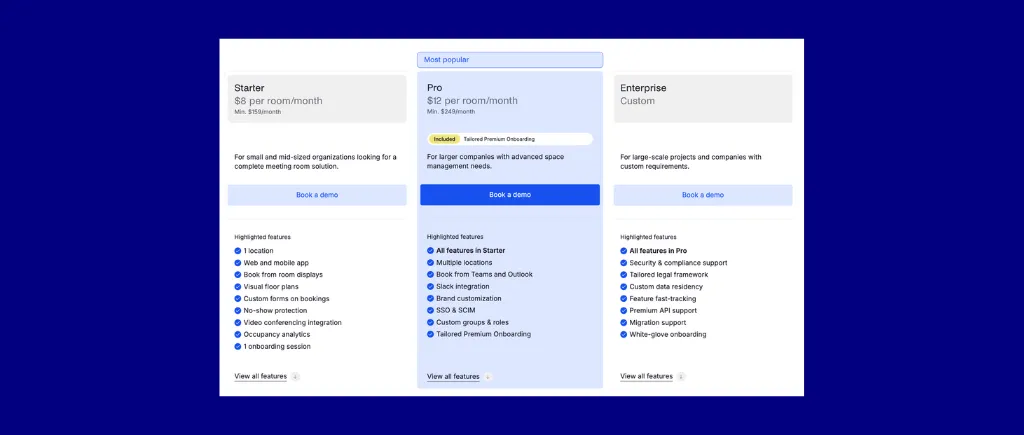
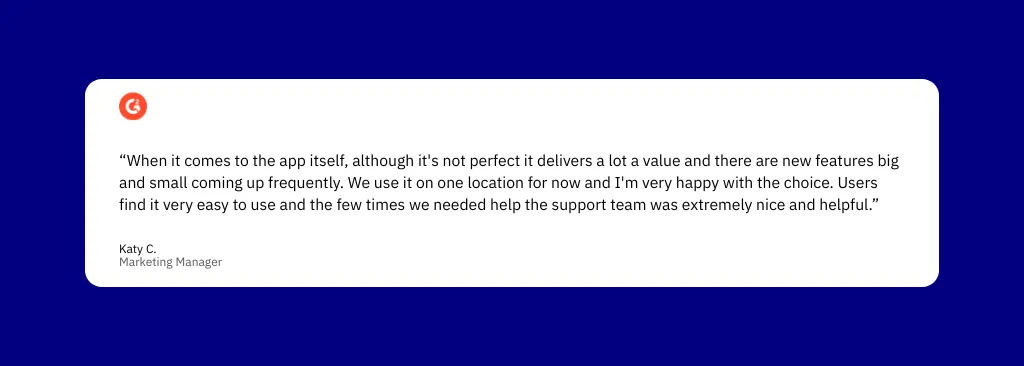
Conclusion : Choisissez Archie lorsque la facturation du coworking, la coordination hybride des horaires et un bot de réservation Slack natif en un clic sont des exigences opérationnelles, tout comme la planification des salles de réunion.
Accruent EMS est une plateforme de planification de salles et de ressources de niveau entreprise destinée aux lieux de travail des entreprises et aux campus d'enseignement supérieur. Elle facilite la planification pour les principales universités nord-américaines et constitue la plateforme de planification la plus complète de cette comparaison en termes de fonctionnalités.
Idéal pour : Les grandes entreprises et les campus d'enseignement supérieur qui nécessitent la planification d'événements impliquant plusieurs services, des flux de travail d'approbation complexes et une intégration matérielle native du capital-risque.

La création native de réunions Zoom, Teams et WebEx en un clic depuis n'importe quel terminal de réservation, ainsi que plus de 100 rapports standard intégrés avec un générateur de requêtes personnalisé, en font la plateforme de planification la plus complète de cette comparaison.
Aucun prix public n'a été publié. Tous les devis sont personnalisés en fonction de la taille de l'organisation, de la complexité et du modèle de déploiement (cloud ou sur site). Les services de mise en œuvre, de conseil et techniques sont facturés séparément. Pas de plan gratuit ni d'essai gratuit.


Conclusion : Choisissez Accruent EMS pour les grandes entreprises ou les campus d'enseignement supérieur nécessitant une gestion d'événements multiservices, des flux de travail d'approbation complexes et une intégration matérielle approfondie du capital-risque. Il ne s'agit pas d'une option de déploiement rapide en libre-service.
Officely est une plateforme de réservation de salles de réunion et d'espaces de travail entièrement intégrée à Slack ou Microsoft Teams. Les employés réservent, enregistrent et gèrent des espaces sans ouvrir d'application distincte.
Idéal pour : Des équipes hybrides de moins de 300 employés utilisant Slack et souhaitant réserver une salle de réunion en toute simplicité sans quitter leur espace de travail existant.
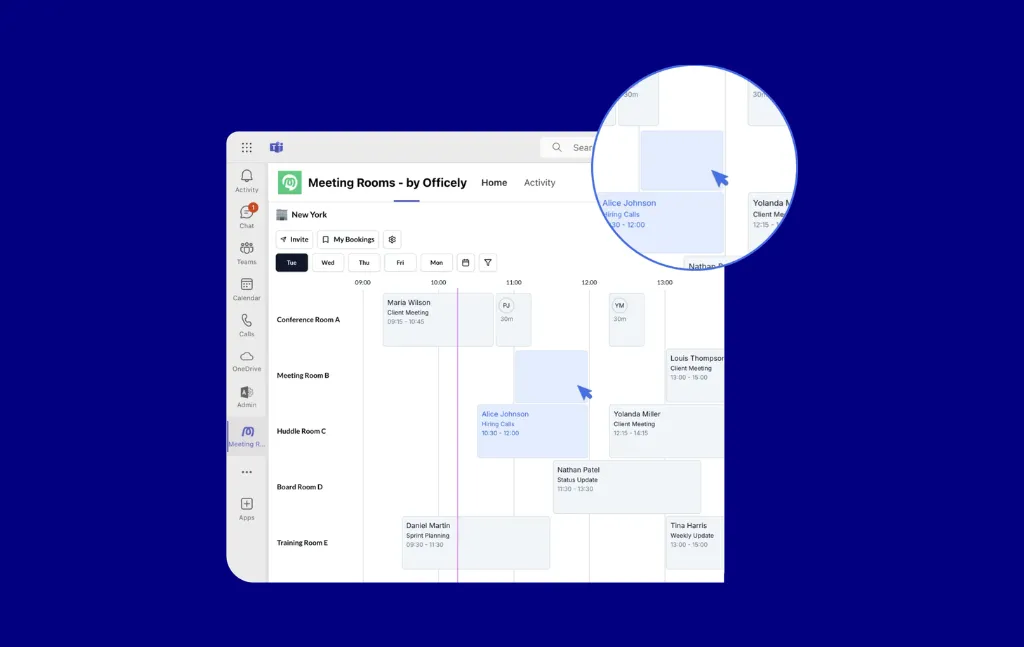
Intégration 100 % native de Slack et Teams : la réservation de salles de réunion, les enregistrements et la réservation par commande oblique s'effectuent tous dans l'espace de travail existant sans ajouter d'autre outil à la pile.
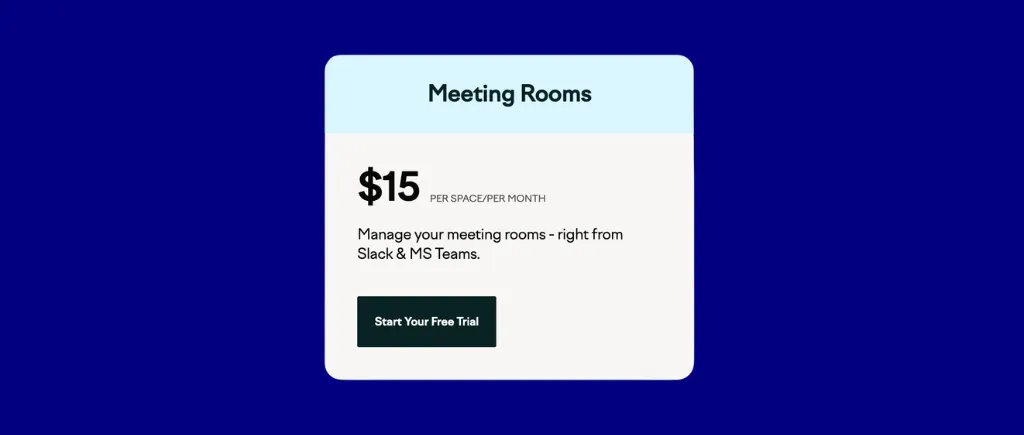
Gratuit pour toujours jusqu'à 5 utilisateurs. 2,50 $/utilisateur/mois de base (annuel). Prime 3,50 $/utilisateur/mois (annuel). Supplément de salle de réunion : 15 $/espace de réunion/mois.
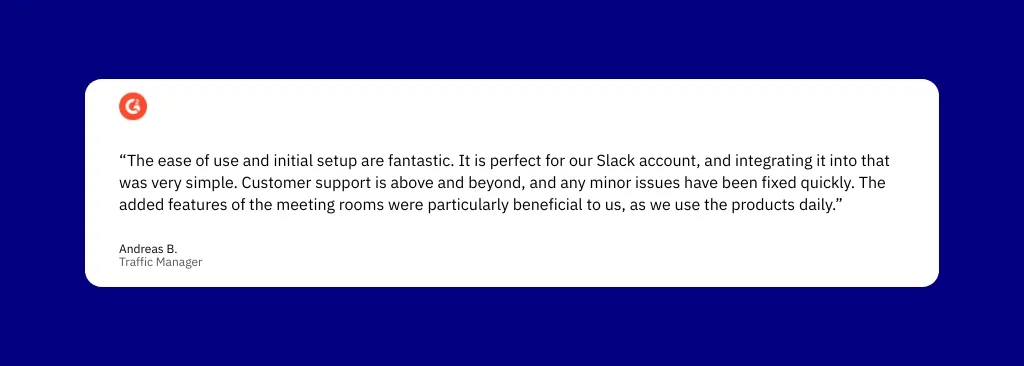
Conclusion : Choisissez Officely pour les équipes hybrides natives de Slack de moins de 300 employés qui souhaitent réserver une salle de réunion en toute simplicité sans avoir à utiliser une nouvelle application. À éviter si votre organisation est principalement basée sur Teams ou a besoin d'un accès autonome à une application Web.
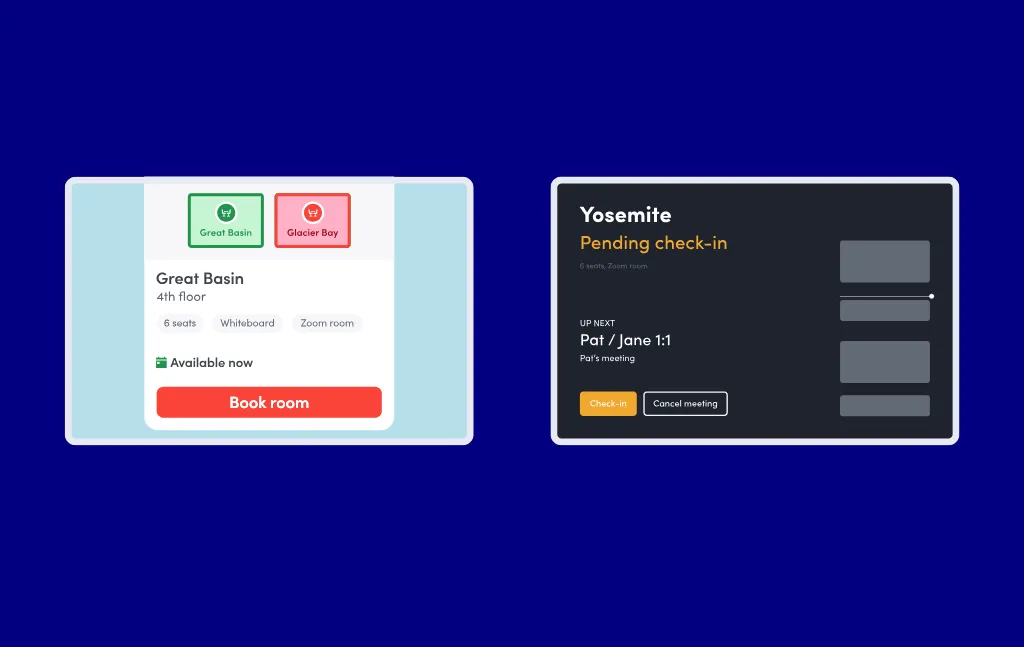
Smartway2 (désormais rebaptisée HubStar Connect) est une plateforme de gestion de l'espace de travail permettant de réserver des salles de réunion et d'autres ressources de bureau, avec des panneaux d'affichage des salles dotés d'indicateurs de disponibilité LED et une synchronisation bidirectionnelle approfondie avec Outlook.
Idéal pour : Les entreprises faisant la part belle à Microsoft et qui ont besoin d'une synchronisation bidirectionnelle approfondie d'Outlook et de panneaux d'affichage physiques dotés d'indicateurs LED.
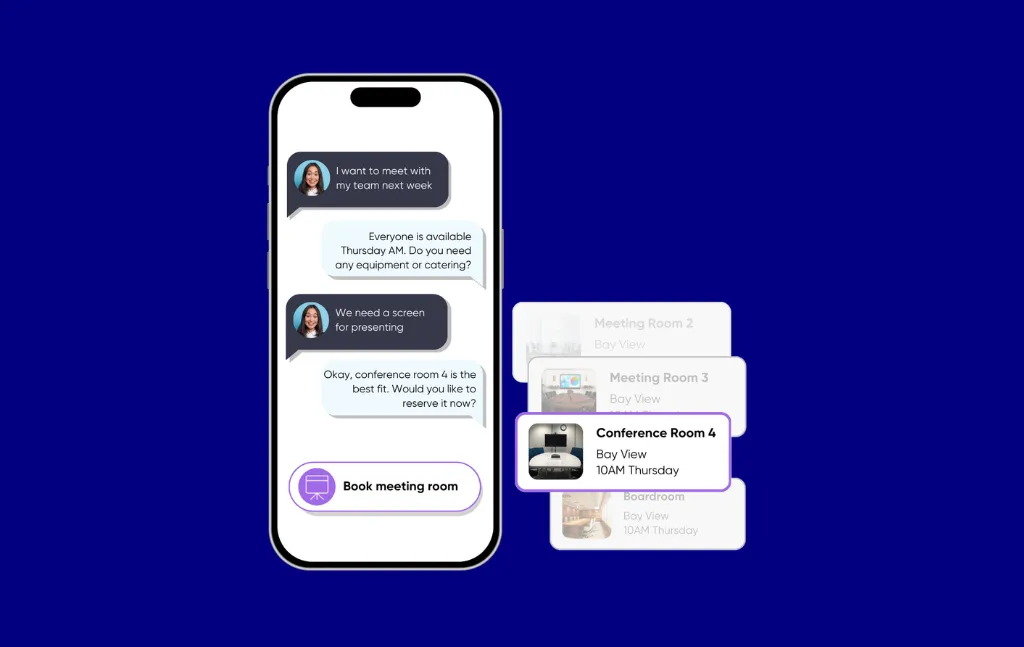
La synchronisation bidirectionnelle Outlook la plus robuste de cette comparaison, combinée à des panneaux d'affichage physiques dans les pièces. Un évaluateur a fait état d'une réduction de plus de 70 % des absences après le déploiement de la signalisation dans les chambres.
Aucune page de tarification publique actuelle. Des sources tierces (G2/GetApp, mars 2022) citent un minimum de 300$ par an et 25$ par mois par chambre. Les prix actuels nécessitent un devis de vente. Essai gratuit disponible.
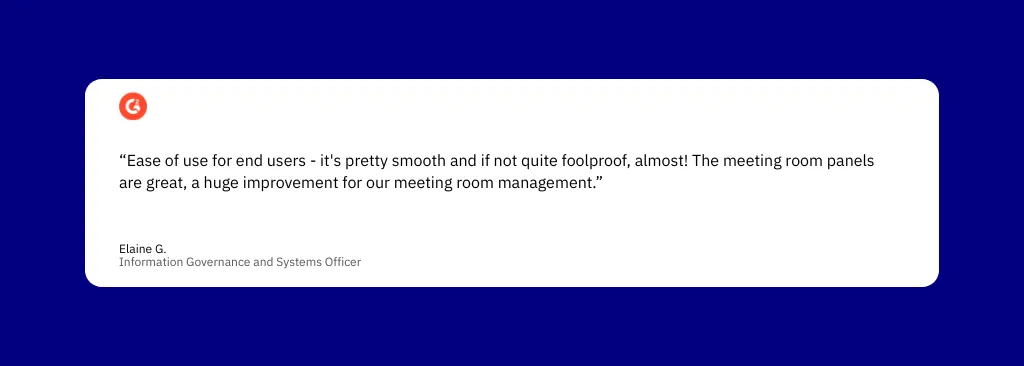
Conclusion : Choisissez SmartWay2/Hubstar Connect pour les entreprises privilégiant Microsoft qui ont besoin d'une synchronisation bidirectionnelle approfondie d'Outlook et de panneaux d'affichage physiques dotés d'indicateurs LED. Evaluez avec prudence, compte tenu du faible nombre d'évaluations publiques.
SuperSaaS est une plateforme de réservation basée sur le cloud qui prend en charge la réservation de salles de réunion avec un modèle tarifaire inhabituel : les plans sont basés sur le nombre de rendez-vous à venir simultanés plutôt que par utilisateur, par siège ou par chambre
Idéal pour : Les organisations aux budgets restreints dont le volume de réservation de salles de réunion est faible et variable et qui n'ont pas besoin d'une plateforme dédiée au lieu de travail.
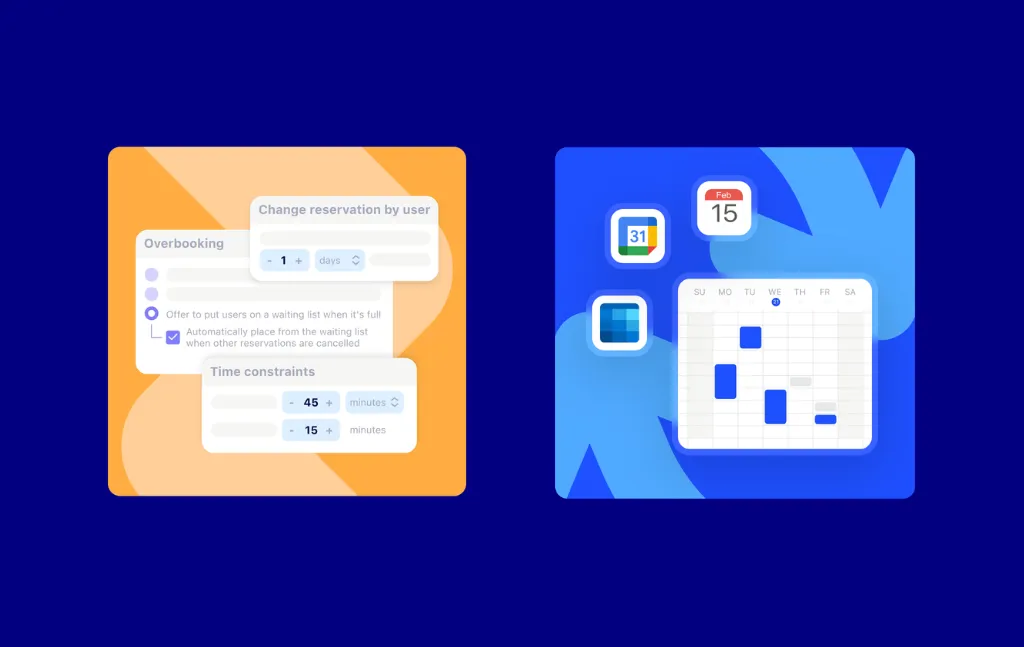
Users illimités, chambres illimitées et horaires illimités à partir de 9$ par mois. Il s'agit du planificateur de salles de réunion le moins cher de cette comparaison, le fractionnement des salles (une salle pouvant être réservée en deux sections indépendantes) étant une caractéristique unique.
Jusqu'à 50 rendez-vous à venir sont gratuits. Forfait 1 : 9$ par mois (100 appels). Forfait 2 ~ 13$ par mois (300 appels). Forfait 3 ~ 18$ par mois (limite supérieure).
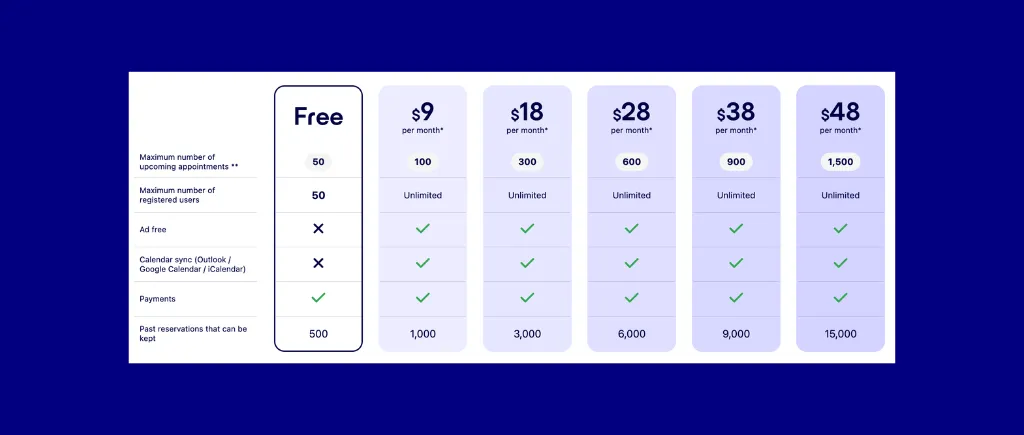

Conclusion : Choisissez SuperSaaS pour les organisations à budget limité avec des volumes de réservation modérés et variables, principalement pour la planification des salles de conférence, et non pour la gestion hybride complète des espaces de travail.
Whatspot est une plateforme de réservation de salles de réunion et de ressources approuvée par plus de 1 500 bureaux dans le monde entier, avec une tarification par place, un nombre illimité d'utilisateurs et une configuration en libre-service simple.
Idéal pour : Les bureaux de moins de 100 employés qui souhaitent une tarification au comptant, des flux de travail d'approbation administrative et une configuration rapide en libre-service sans frais informatiques.
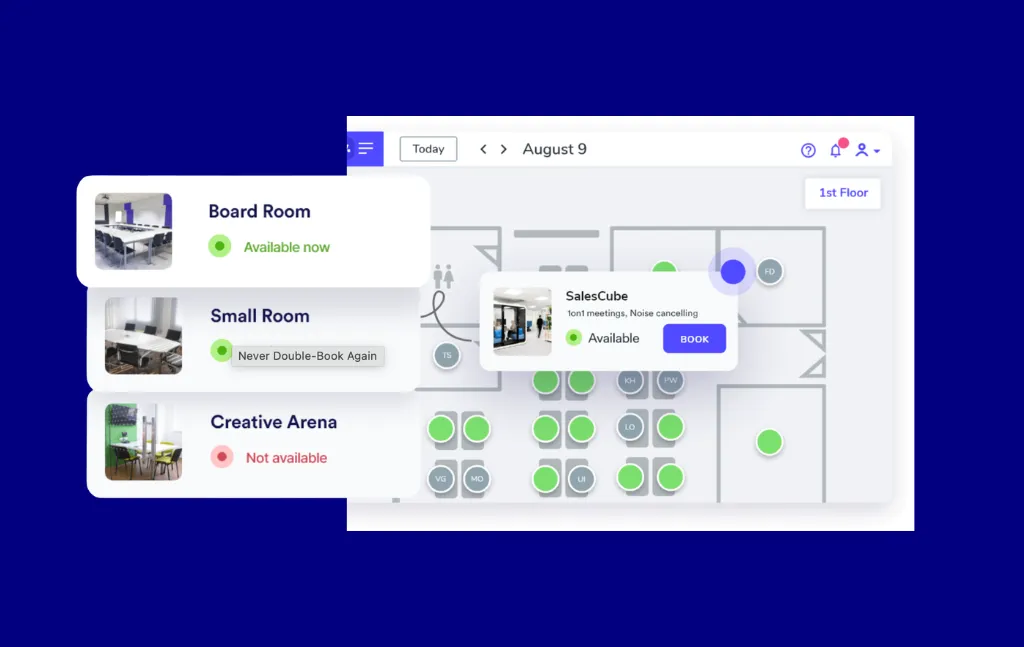
Tarification par emplacement avec un nombre illimité d'utilisateurs et une confirmation de réservation par code QR en deux clics. Il s'agit de l'une des options de salle de réunion les plus abordables pour les petits bureaux, avec une boucle d'approbation administrative complète intégrée.
Freemium : jusqu'à 3 places gratuites et 10 utilisateurs. Prime : 25$ par mois pour les 10 premières places + 9,50$ pour 5 places supplémentaires, nombre illimité d'utilisateurs. Essai gratuit de 14 jours, aucune carte de crédit requise.
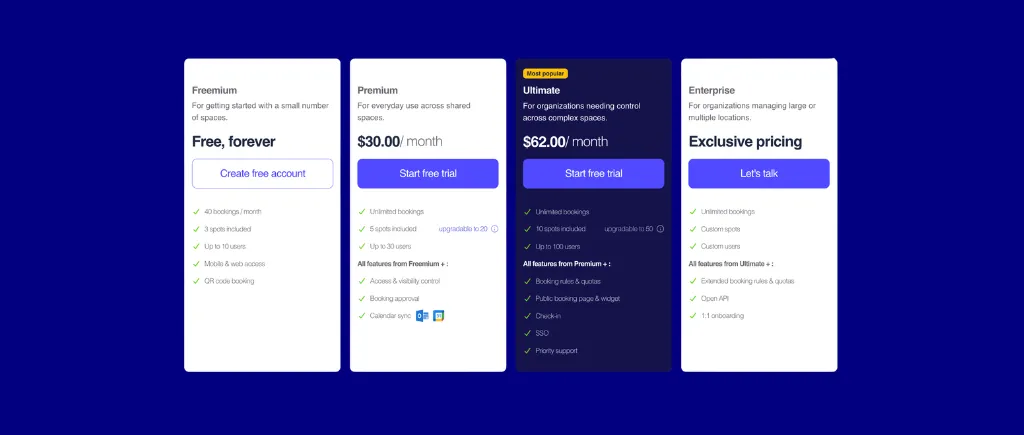

Conclusion : Choisissez Whatspot pour les bureaux de moins de 100 employés qui souhaitent une tarification par poste, une flexibilité du flux de travail d'approbation et une configuration rapide en libre-service. Pour les organisations de 500 personnes, les lacunes manquantes en matière de synchronisation bidirectionnelle du calendrier et de SSO d'entreprise nécessiteront probablement une plateforme plus mature.
HubStar est une plateforme de travail d'entreprise qui combine la réservation de salles de réunion (HubStar Connect), l'analyse de l'utilisation de l'espace piloté par l'IA (PresenceIQ) et la gestion des plans d'étage dans une suite modulaire. Son facteur de différenciation est d'unifier les données de réservation, de badge, de Wi-Fi et de capteurs pour prévoir la demande et dimensionner correctement l'espace.
Idéal pour : Les entreprises qui ont besoin de réservations de salles de réunion, de badges, de Wi-Fi et de données de capteurs unifiées sur une plateforme d'analyse unique avec une intégration native approfondie de Microsoft 365.
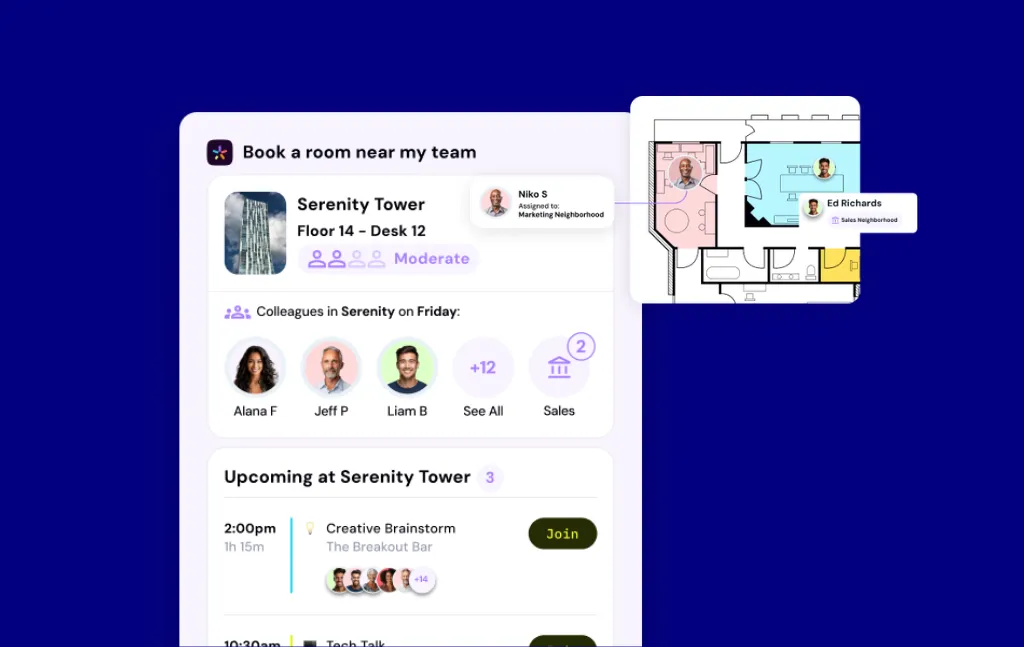
Unifie les données de réservation de salles de réunion à l'aide de signaux Wi-Fi, de badges et de capteurs pour une modélisation prédictive de l'occupation, la couche analytique la plus complète de cette comparaison, en particulier pour les entreprises qui exploitent déjà l'infrastructure Aruba, Cisco Spaces ou Extreme Networks.
Aucun prix public n'a été publié. Tous les modules sont vendus via un devis de vente direct. Les agrégateurs tiers font référence à 5 000 dollars par an pour PresenceIQ et à 19 dollars par mois pour Connect, mais aucun des deux n'est confirmé par le fournisseur. Pas de plan gratuit ni d'essai gratuit.

Conclusion : Choisissez HubStar pour les entreprises qui ont besoin d'une connexion Wi-Fi, de capteurs et de données de réservation unifiées au sein d'une plateforme d'analyse unique dotée d'une profondeur native dans Microsoft 365. Il ne convient pas aux acheteurs du marché intermédiaire qui ont besoin de prix transparents ou d'une intégration rapide en libre-service.
Appliquez cinq filtres séquentiels (modèle de tarification, dépendance à l'écosystème, plan d'étage et exigences d'enregistrement, profondeur de la politique administrative et besoins en matière de gestion des visiteurs) pour réduire la liste restreinte de onze options à une ou deux qui correspondent réellement.
Le choix entre une tarification par utilisateur, par espace et par ressource a un impact considérable sur le coût total à moyenne échelle.
Vérifiez toujours le sens de la synchronisation et vérifiez si l'intégration est groupée ou s'il s'agit d'un module complémentaire payant.
Un flux de travail complet comprend : la réservation à l'avance ou sur demande, la réception de la confirmation, l'enregistrement à l'arrivée et la libération automatique de l'espace si l'enregistrement n'a pas lieu. Skedda couvre l'ensemble du flux de travail avec de multiples méthodes d'enregistrement et une libération automatique configurable en cas de non-présentation. SuperSaaS prend en charge l'enregistrement par QR, mais ne dispose pas de l'enregistrement automatique par Wi-Fi et de la réservation par plan d'étage.
Le moteur de règles et de rôles hors pair de Skedda prend en charge les restrictions relatives à l'heure et au jour de la semaine, les fenêtres de réservation à l'avance, les flux de travail d'approbation des réservations, les conditions d'accès basées sur les tags des utilisateurs, les quotas de réservation, les temps tampon et la libération automatique des absences, configurables sans informatique. Les rôles d'administrateur personnalisés prennent en charge l'administration déléguée entre les régions ou les unités commerciales. Accruent EMS est le moteur de règles le plus complet pour les hiérarchies complexes de flux de travail d'approbation.
Skedda propose une synchronisation bidirectionnelle de Google Agenda, une synchronisation bidirectionnelle Microsoft 365/Outlook, des fonctionnalités MS Teams intégrées, des intégrations avec Slack, Zoom, Logitech Tap Scheduler, Kisi, Google Sheets, Zapier (avec une couverture de déclenchement étendue en 2025) et des webhooks.
L'équipe de conception de Skedda convertit vos fichiers statiques en plans d'étage personnalisés en moins de 48 heures, avec des plans d'étage illimités et des refontes gratuites incluses. La superposition de disponibilité en direct met en évidence les espaces ouverts en vert.
Skedda fournit des analyses d'utilisation par chambre, étage et heure de la journée, y compris les jours de pointe, l'utilisation moyenne, le total des réservations par utilisateur et par espace, ainsi que des rapports exportables. Accruent EMS propose plus de 100 rapports standard ainsi qu'un générateur de requêtes personnalisé. PresenceIQ de HubStar est la couche analytique la plus sophistiquée de cette comparaison, combinant les données de réservation, de badge, de Wi-Fi et de capteurs.
Les plans de Skedda incluent la livraison de plans d'étage personnalisés et la configuration complète de la réservation (sans frais d'installation). Les réviseurs décrivent la configuration comme étant terminée en un jour. Accruent EMS et HubStar nécessitent des conseils de mise en œuvre, dont le délai de rentabilisation varie de quelques semaines à plusieurs mois.
Le choix du modèle de tarification est une décision à cinq chiffres à l'échelle du marché intermédiaire. Les suppléments constituent la surprise la plus courante en termes de coût total. Les modèles par utilisateur se composent plus rapidement qu'ils n'apparaissent dans les démos.
Le niveau Premier de Skedda propose 45 places réservables à 349 dollars par mois (nombre illimité d'utilisateurs inclus), tandis que Envoy's Reservations Standard propose 60 dollars par ressource réservable par an (environ 350 dollars par mois pour 45 ressources), plus des frais de plateforme inédits obligatoires. Envoy est en avance sur la profondeur de la gestion des visiteurs (numérisation d'identité, signature DocuSign NDA, impression de badges et plus de 100 intégrations nommées). Choisissez Skedda pour un prix par espace prévisible et tout compris ; choisissez Envoy lorsque la conformité des visiteurs de niveau professionnel est une exigence absolue.
Le forfait tout-en-un de Dibsido à 2,5 €/utilisateur/mois s'élève à environ 1 375 dollars par mois pour 500 utilisateurs, soit environ 4 fois le niveau Premier de Skedda, car Skedda facture par espace réservable plutôt que par utilisateur. Le principal atout de Dibsido est une version à distance pour bureau fixe et une application Microsoft Teams native. Choisissez Skedda pour les grandes équipes hybrides ; choisissez Dibsido pour les petits bureaux centrés sur la M365 comptant moins de 150 utilisateurs.
La tarification modulaire d'Awaio pour 25 chambres + 20 bureaux s'élève à environ 342$ par mois, soit à peu près comparable à Skedda Premier dans ce scénario, avec des intégrations de calendriers en tant que modules complémentaires payants supplémentaires. Awaio se distingue par son déploiement de code QR sans matériel et sa couverture de ressources physiques particulièrement étendue, y compris les casiers intelligents, les chargeurs de véhicules électriques et la mobilité. Choisissez Skedda pour les prix publiés, l'accès à l'essai gratuit et un signal d'évaluation mature ; choisissez Awaio pour les environnements gourmands en installations.
Le niveau Pro d'Archie pour 20 bureaux et 25 salles coûte environ 489$ par mois, au-dessus de Skedda Premier à 349$ par mois. L'intégration de Slack et la prise en charge multi-sites sont verrouillées sur Pro. Choisissez Skedda pour bénéficier d'un coût mensuel absolu inférieur, d'un nombre illimité d'utilisateurs et de règles de réservation plus strictes ; choisissez Archie lorsque la facturation du coworking et la coordination des horaires hybrides sont des considérations clés.
Skedda publie une tarification hiérarchisée claire à partir de 249$ par mois et sans frais d'installation, tandis qu'Accruent EMS ne publie aucune tarification. Accruent EMS gagne en profondeur en matière de planification d'entreprise : application mobile alimentée par l'IA, plus de 100 rapports d'utilisation et intégration VC native en un clic. Choisissez Skedda pour les bureaux hybrides de taille moyenne ; choisissez Accruent EMS pour les grandes entreprises.
Quelle est la différence entre le hot desking et l'hôtellerie de bureau dans les logiciels de réservation ?
Le hot desking fonctionne selon le principe du premier arrivé, premier servi : les employés arrivent et réclament tous les bureaux disponibles. Les hôtels de bureau sont réservés à l'avance : les employés réservent un bureau spécifique avant leur arrivée. La plupart des plateformes prennent en charge les deux modes simultanément. Skedda, Archie, Envoy et Awaio permettent aux administrateurs de configurer des bureaux spécifiques en tant que hot desks ou bureaux d'hôtel et de combiner les deux dans le même plan d'étage. Pour des informations plus détaillées, voir Qu'est-ce que l'hôtellerie de bureau ?
Le logiciel de réservation de salles de réunion s'intégre-t-il simultanément à Microsoft Teams et à Google Agenda ?
Oui, la plupart des outils prennent en charge les deux simultanément. Skedda, Archie, Dibsido, Awaio, Accruent EMS, Smartway2 et Officely répertorient tous les deux. La distinction essentielle est la direction de synchronisation : bidirectionnelle (les modifications se propagent dans les deux sens) et unidirectionnelle. Vérifiez toujours le sens de synchronisation avant de signer.
Quelle méthode d'enregistrement fonctionne le mieux pour une sortie automatique en cas de non-présentation sans achat de matériel ?
L'enregistrement par code QR ne nécessite aucun matériel connecté au réseau à part un autocollant imprimé. L'enregistrement automatique par Wi-Fi (disponible sur Skedda, Envoy et HubStar) va encore plus loin : la présence est détectée automatiquement lorsqu'un employé interagit avec la plateforme via le Wi-Fi du bureau. Les deux méthodes ne nécessitent aucun matériel.
Comment comparer les prix entre les modèles par utilisateur et par espace ?
Utilisez un scénario d'achat normalisé, par exemple 500 employés, 3 bureaux, 45 espaces réservables. Pour 500 employés et 45 places, prix par utilisateur à 3,50 $/utilisateur/mois = 1 750 dollars par mois ; prix par espace chez Skedda Premier = 349 dollars par mois, soit environ 5 fois moins cher. L'avantage par espace augmente à mesure que les effectifs augmentent.
Quelles sont les fonctionnalités minimales viables pour un outil de réservation de lieux de travail hybrides pour les entreprises de taille moyenne ?
Au minimum : synchronisation bidirectionnelle du calendrier, plan d'étage interactif avec disponibilité en temps réel, notification automatique des absences lors de l'enregistrement, règles de réservation pour les administrateurs et rapports d'utilisation. Les outils dépourvus de l'un de ces éléments doivent être évalués comme des solutions partielles.
Un forfait gratuit est-il suffisant pour une entreprise de taille moyenne ?
Dans cette comparaison, aucun outil ne propose de forfait gratuit avec la profondeur de fonctionnalités requise pour un déploiement multi-sites de 500 personnes. La bonne méthode d'évaluation est un essai gratuit complet : Skedda propose un essai Premier de 14 jours comprenant un plan d'étage personnalisé, Whatspot 14 jours, Archie 14 jours après la démo et Dibsido 14 jours.
Combien coûte un logiciel de réservation de salles de réunion pour un bureau de 500 employés ?
Pour un bureau de 500 employés avec 25 salles de réunion et 20 bureaux partagés, les outils à prix publiés utilisés dans cette comparaison coûtent entre 92 et 2 125 dollars par mois. Skedda Premier (349 dollars par mois) et Whatspot (~92 dollars par mois) se situent dans le bas de gamme ; les outils par utilisateur tels qu'Officely (2 125 dollars par mois chez Premium avec modules complémentaires pour salles de réunion) et Dibsido (1 375 dollars par mois) se situent dans le haut de gamme. Accruent EMS et HubStar nécessitent un devis personnalisé.
Pour un bureau hybride de 300 à 2 000 personnes avec plusieurs sites qui doit coordonner la disponibilité des salles de réunion et des bureaux sans intervention informatique importante, Skedda est la solution par défaut recommandée. Son modèle de tarification par espace est l'option publiée la plus rentable à moyenne échelle. Des plans d'étage personnalisés livrés en moins de 48 heures, un moteur de règles de réservation flexible, six méthodes d'enregistrement, dont l'enregistrement automatique et le code QR, le provisionnement SCIM, les rôles d'administrateur personnalisés et une suite d'intégration approfondie couvrent le flux de travail hybride de base sans engagement de services professionnels. La note de 4,8/5 attribuée aux 281 avis de Capterra reflète une réelle facilité d'adoption.
Choisissez un concurrent lorsqu'une contrainte spécifique l'indique :
Quel que soit l'outil que vous présélectionnez, utilisez votre scénario d'acheteur spécifique comme point d'ancrage pour la normalisation des prix et confirmez le sens de synchronisation (bidirectionnel ou unidirectionnel) pour votre plateforme de calendrier principale avant de vous engager. Pour la valeur par défaut recommandée, réservez une démonstration pour découvrir comment Skedda s'intègre à votre lieu de travail.
Notre équipe est prête à discuter de vos besoins spécifiques en matière de planification de bureau et de voir comment Skedda pourrait vous aider.

.svg)



