NEW
Booking data, wherever you need it:

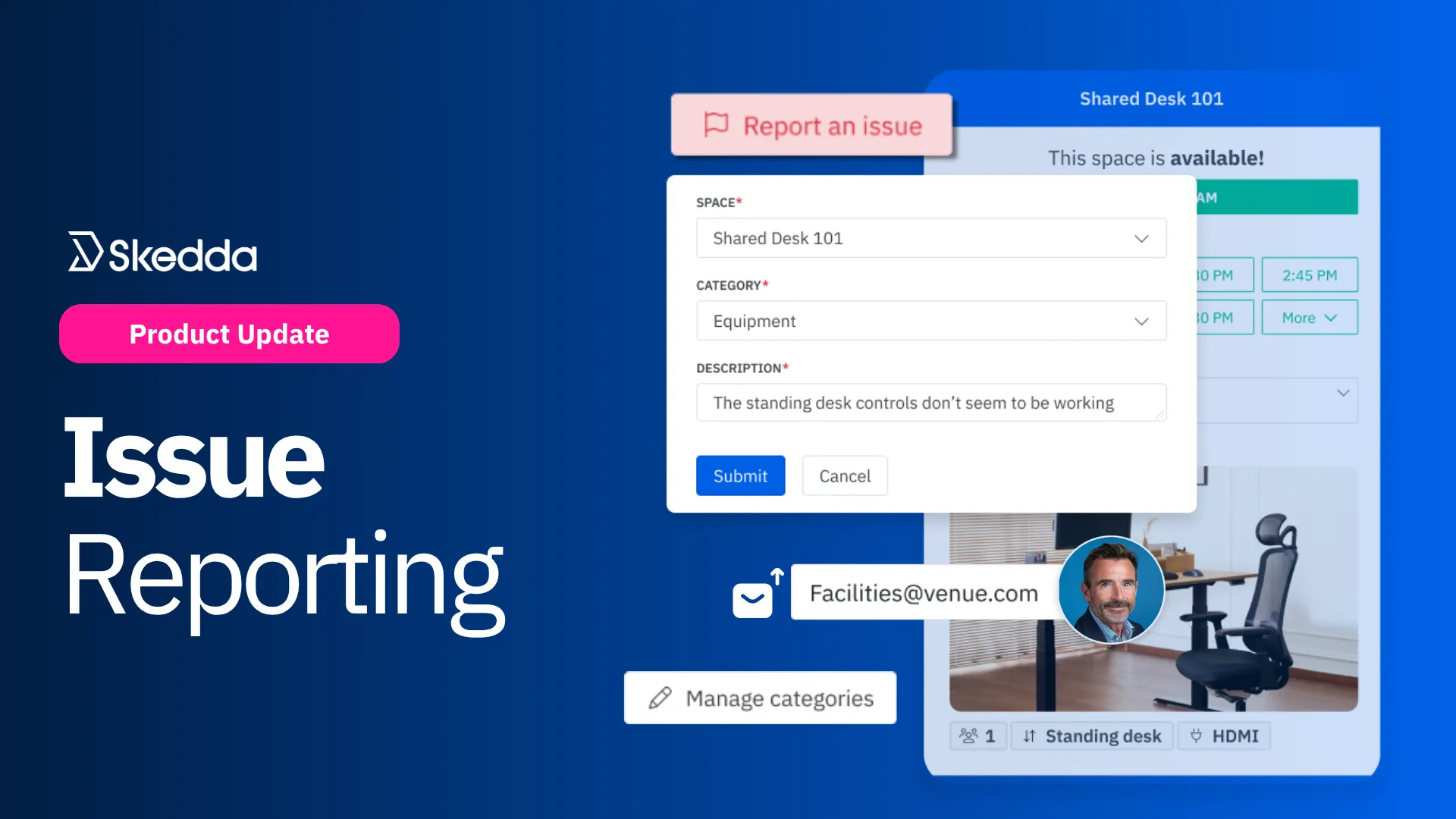
The easiest way for employees to flag problems with shared spaces and resources — captured at the source and routed automatically for faster workspace issue resolution.
Skedda’s new Issue Reporting features:
In any office where spaces and resources are constantly being shared, issues are inevitable. A standing desk that won't lower. A meeting room someone left in disarray. A faulty door that can’t be opened. A video conferencing system that doesn’t seem to boot up correctly.
The problem isn’t that things break; it’s that the path to reporting them is scattered. People DM the facilities manager, ping a Slack channel, send a vague “FYI” email, or just shrug and reschedule. Reports get lost in the noise, the team that can actually fix it never hears about it, and the same problem shows up for the next person who books the space.
That’s why we built Issue Reporting. It lives directly inside Skedda’s booking flow, right where your team already works. Select a space, click Report an issue, enter the details, and submit. That’s it. No separate tool to open, no new process to learn, and no more issues slipping through the cracks.
Most workplace issues get reported hours after they happen, if they get reported at all. By the time the FM or IT team hears about it, the person who saw the problem has already moved on to their next meeting, the details are fuzzy, and the room is booked by someone else.
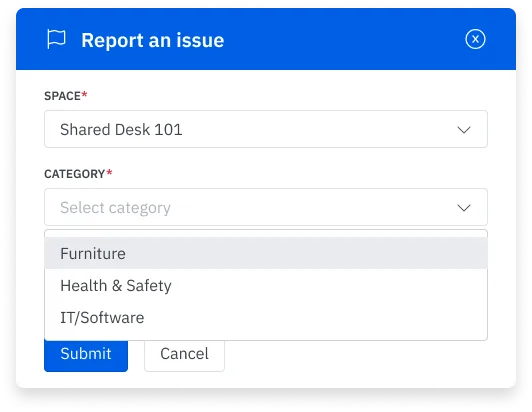
Issue Reporting closes that gap by living right inside the booking modal. When a user opens any space they can see on the floor plan, they see a Report an issue button right there. Click it, choose a category, type a sentence or two, and submit. Skedda already knows which venue, space, and user, so the report arrives with full context attached.
Picture the everyday case: someone shows up for their booking, spots a broken monitor, reports it, and then books the next available desk — all without leaving the same screen. Problems get captured in the moment they're noticed, not an hour later in a Slack thread or three days later after remembering to log in to a maintenance request portal.
Flagging issues is only half the job. The other half is making sure each report reaches whoever can actually fix them.
A broken chair is a facilities ticket. A faulty monitor is an IT ticket. A cleaning request might go to a contractor. Expecting employees to know which team owns what is a recipe for misrouted reports and slow resolutions.
With Issue Reporting, admins set the destinations once and Skedda handles the rest. Every submitted report goes straight to the right place: a default maintenance inbox, a specific team lead, a contractor service, or even an external system. Each email report arrives with the venue, space, category, and description already included, so whoever receives it has everything they need to act immediately.
Once a report is routed, Skedda's job is done — and that's by design. Skedda is not a maintenance system. It's the starting point: the moment a problem gets captured and sent to the right hands. If your team resolves issues in Zendesk, ServiceNow, or a shared inbox, that's exactly where reports will land.
Flag it where you find it. Route it to who fixes it.
Every workplace handles issues differently. A university might track lab equipment, room access, and AV problems separately. A finance firm might split IT from facilities and security. A small business might just want one maintenance inbox for everything.
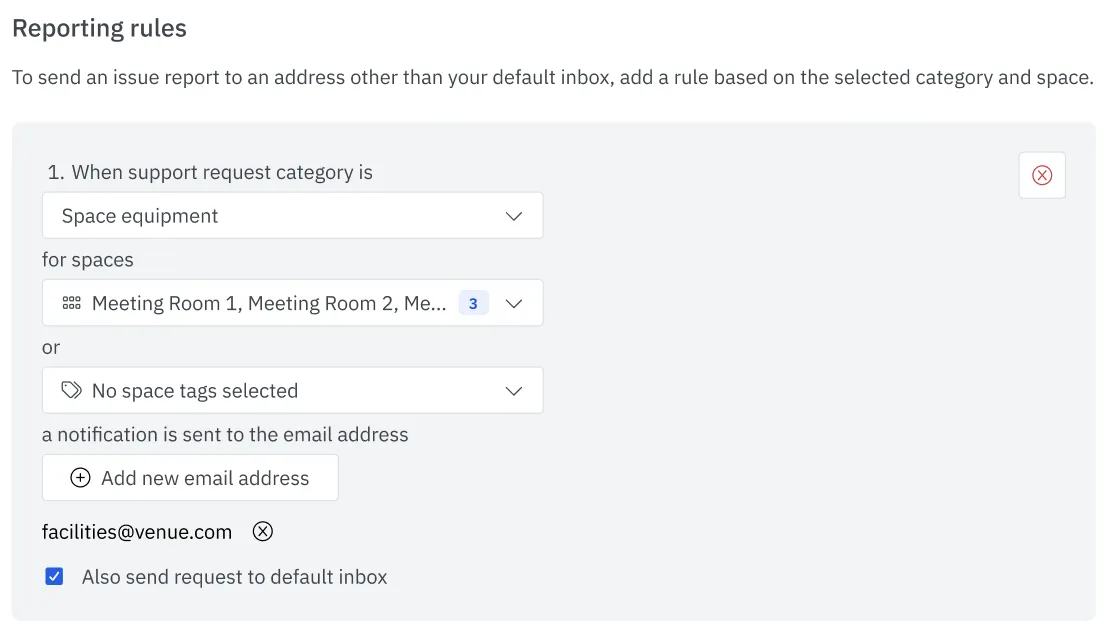
Issue Reporting flexes to fit. Admins create unlimited categories — Software, Space Access, Furniture, Wi-Fi, Health & Safety, or anything else that fits your operation — and pair them with as many or as few routing rules as needed. Scope rules by space name, space tag, or issue category.
For example:
The result is a reporting layer that reflects how your team actually works, not a generic ticketing flow you have to bend your org chart to fit.
Getting started with Issue Reporting is straightforward:
That's it. From the next booking on, your scattered complaints become structured signals your team can actually act on.
For more details about setting up Issue Reporting in Skedda, check out our help guide.
Skedda has always been the place your team goes to book a space. With Issue Reporting, now it's also the place they go to flag a space, giving you a reliable channel for identifying, categorizing, and addressing workspace problems.
Want to see Issue Reporting in action? Book a demo with our team today.
Our team is ready and waiting to talk through your specific desk scheduling requirements and see how Skedda could work for you.

.svg)