
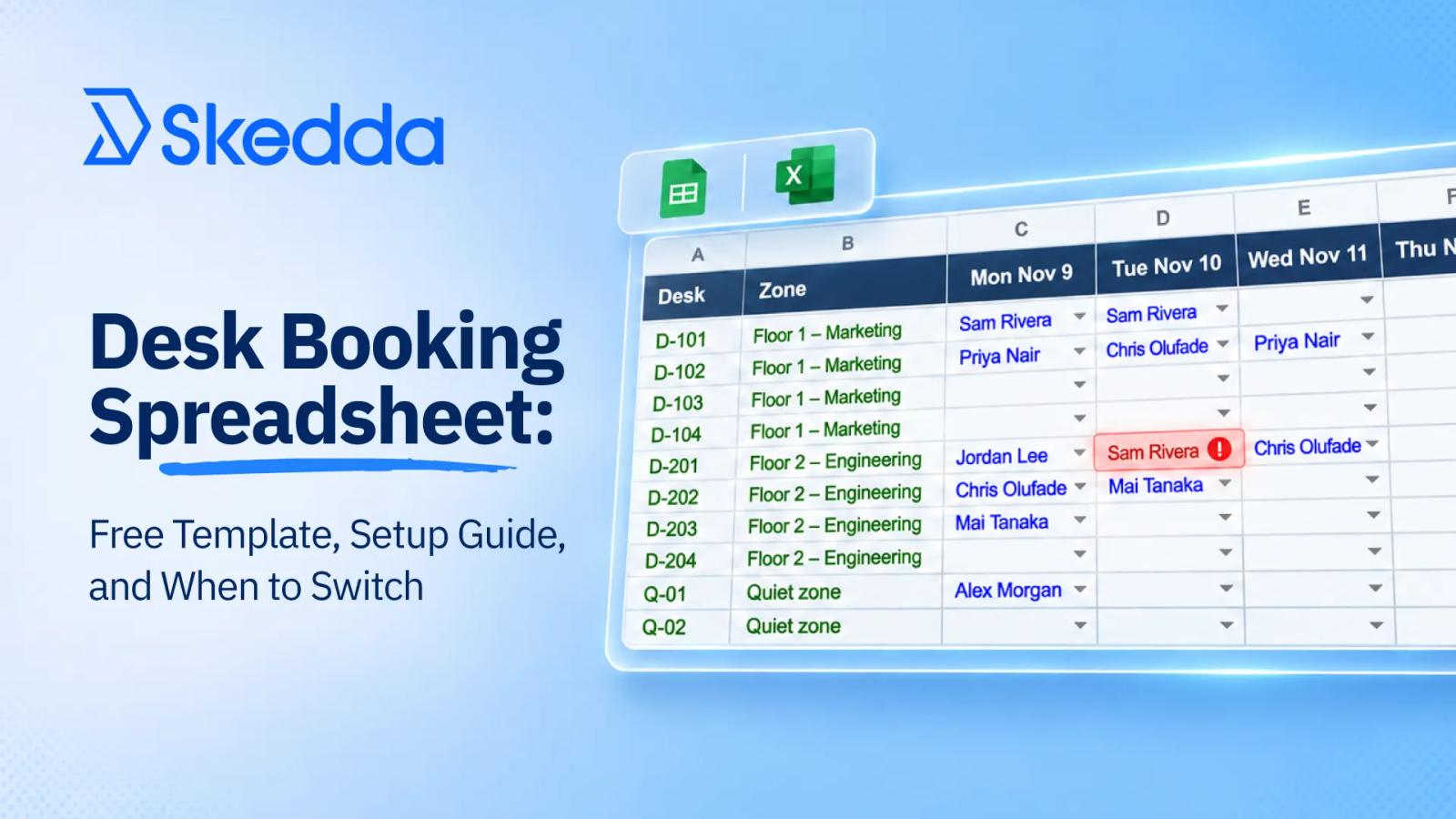
A desk booking spreadsheet is a shared file, usually in Google Sheets or Excel, that tracks which desk each person uses and on which days. At its simplest, it's a list of desks and the people assigned to them. Once people start sharing desks, it becomes a booking grid, with dates across the top, desks down the side, and a name in each cell.
People use desk booking spreadsheets because they're free, everyone already knows how to use one, and you can set one up in an afternoon. For a single office with mostly assigned desks and a few to spare, that's often all you need. There's no software to buy, and one person can keep the whole thing current.
This guide gives you a free desk booking spreadsheet template built to hold up as long as possible, shows the five jobs a spreadsheet can't do once desks are shared, and gives you eight tests to run before your next hiring wave.
Download the Free Desk Booking Spreadsheet Template
Download the free desk booking spreadsheet template.
The template is set up so the five steps below take an afternoon, not a week. It includes five tabs:
- Rules. Your three booking rules and the name of the file owner, on the first tab where everyone sees them.
- Desks. Desk ID, zone, and a notes column for monitors, standing desks, and other equipment.
- People. Name, team, and start date.
- Booking grid. Dates across the top, desks down the side, and a dropdown of names in each cell. Double bookings turn red automatically.
- Weekly summary. Bookings per weekday, so you can see which day is your busiest and how close it is to your desk count.
How to Set Up a Desk Booking Spreadsheet That Holds Up
Whether you use the template or build your own in Google Sheets or Excel, these five steps will keep it usable for as long as possible.
- List your desks and zones. Give every desk an ID and a zone (a team area or floor), plus a notes column for monitors, standing desks, or anything else people care about.
- Add your people. Name, team, and start date. The start date matters more than it looks: it's how you'll see a hiring wave coming.
- Turn on a double-booking check. In a booking grid with dates across the top and desks down the side, a formula can flag any person booked twice on the same day. For a grid that starts in cell C2 and runs to row 200, select the grid and add a conditional formatting rule using
=AND(C2<>"", COUNTIF(C2:C200, C2)>1), so clashes turn red. - Name one owner. One person approves changes and fixes clashes. A sheet with five editors and no owner falls apart fastest.
- Set three booking rules. How far ahead people can book, how they cancel, and one desk per person per day. Write them on the first tab.
Excel or Google Sheets? For desk booking, Google Sheets is usually the better fit, because several people can edit at once and everyone sees the same version. Excel works if your team lives in Microsoft 365 and one person makes most of the changes.
When Does a Desk Booking Spreadsheet Stop Working?
A desk booking spreadsheet is a smart place to start desk booking. It holds up when four things are true: you have one site, most people have an assigned desk, one person owns the file, and you still have desks to spare on your busiest day. In that setup, the sheet is really a seating chart. It changes when someone joins, leaves, or moves.
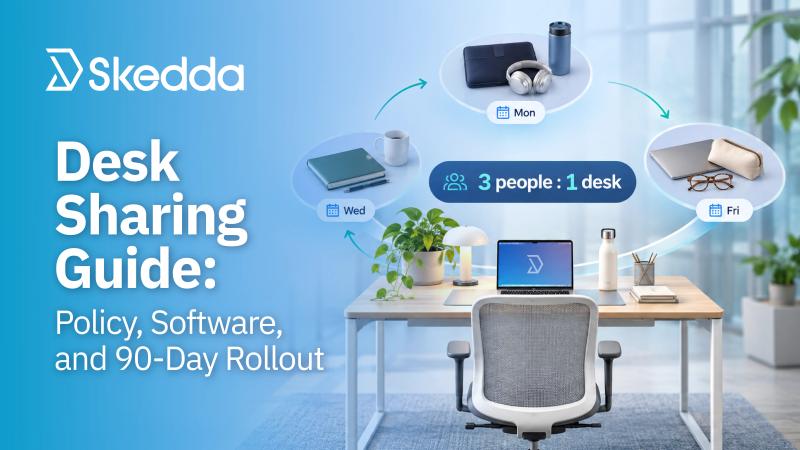
The trouble starts when desks stop belonging to one person. A shared desk has a different owner every day, so the sheet stops being a list and starts acting like a booking system. And growth is usually what forces desks to be shared. Check out our desk sharing guide for best practices and benchmarks on how to get more out of the space you have.
Why Desk Sharing Breaks a Desk Booking Spreadsheet
A spreadsheet can hold a seating chart. Desk sharing asks it to do five jobs it was never built for.
- Release no-shows. On your busiest day, a booked desk with nobody at it is a desk a new hire can't use. Someone has to notice it's empty and free it up, and in a sheet that someone is a person walking the floor.
- Enforce booking windows. Without a limit on how far ahead people can book, the keen bookers claim every Tuesday for the next month.
- Cap bookings. Quotas keep sharing fair. A sheet can write the rule down; it can't stop the fifth booking of the week.
- Hold team days. Staggered team days only work if marketing books on Monday and engineering on Wednesday. The sheet can't keep them there.
- Show real use. A sheet shows what people booked. It can't tell you who actually came in, so you can't tell whether your busiest day is as busy as the bookings say.
Hiring makes every one of these worse at once. More people book, more desks move into the shared pool, new teams need space near each other, and new hires need a desk on day one. For the example company above, hiring at any of its three planned rates runs its busiest day out of desks in the first month.
The costs start well before the sheet breaks, as we covered in the hidden cost of running growth on spreadsheets.
8 Signs Your Desk Booking Spreadsheet Won't Survive the Next Hiring Wave
Each sign comes with a test you can run this week.
1. Your stretch plan runs out of desks within two quarters
Test: Take the number of people in on your busiest day today, then add your stretch hiring plan one month at a time. Mark the month that total passes your desk count. If it’s before month 6, you need a plan before the hiring does.
2. You're heading past 1.5 people per desk with no rules behind it
Test: Divide your 12-month headcount by your desks. If the answer is above 1.5, where only 33% of organizations aim according to CBRE's 2026 occupancy benchmarking, and your only rule is “be considerate,” fairness will break before capacity does.
3. Tuesday is full but the sheet says you have room
Test: Count the people on the floor at 11 a.m. next Tuesday and compare that to the bookings. If the numbers don't match, the gap is no-shows and walk-ins, and your sheet can't see either.
4. New hires don't know where they're sitting on day one
Test: Ask the last three people who joined where they sat on their first morning. For HR, this is the first impression of the office. If the answer involves a borrowed chair or a meeting room, day one started with a scramble.
5. Double bookings have become a weekly event
Test: Count the clashes your sheet flagged, or the ones people complained about, over the past month. More than one a week means the sheet is recording problems instead of preventing them.
6. Teams are growing at different speeds
Test: Look at your hiring plan by team. If one team doubles while another adds one person, fixed zones will stop fitting within a quarter.
7. The sheet now tracks meeting rooms, parking, and visitors too
Test: Count the tabs. Every space type you add to the same file is another set of rules nobody can enforce.
8. One person owns the file, and their calendar is the bottleneck
Test: What happens to desk booking when that person is on vacation for two weeks? If the answer is “we wing it,” you've found your single point of failure.
Seeing three or more of these signs? We'll show you how booking rules, check-ins, and team days replace the jobs your spreadsheet can't do. Book a demo.
Spreadsheet to System: What Space Management Software Gives You
When you switch, judge each tool by whether it does the jobs your spreadsheet can't. Here's what Skedda's desk sharing software gives you, and the outcome each feature drives.
- Rules that enforce themselves. Skedda's Rules & Roles Engine sets custom booking rules for booking windows, quotas, cancellation policies, and who can book which spaces. The rules on your first tab stop being suggestions.
- Check-In & Auto-Release. Bookings nobody checks in to are released automatically, so the desks your busiest day loses to no-shows go back into the pool.
- Real peak-day data. Skedda's workplace utilization insights show how your spaces are actually used, not just what people booked.
- Neighborhoods and booking conditions for team days. Grouping desks into office neighborhoods keeps teams together, even as one team grows faster than the rest. Booking conditions can limit bookings by day of the week and user tag, so each team's area is held for its own days.
- A floor plan new hires can use on day one. An interactive office floor plan shows open desks and where teammates are sitting, so a new hire's first booking takes a few clicks.
- Booking where people already work. Two-way calendar sync with Microsoft 365 and Google Workspace puts bookings in Outlook or Google Calendar, and check-in reminders arrive in Slack, Teams, or email.
- More than desks. Meeting rooms, parking, and other shared spaces run on the same rules, so the extra tabs from sign 7 have somewhere to go.
- Pricing that doesn't climb with every hire. Skedda's booking software pricing is per space, not per person, so adding people doesn't raise the bill unless you add spaces.
Skedda supports SAML single sign-on (SSO) through the identity provider you already run, and SCIM user provisioning with Microsoft Entra ID or Okta, so new hires get access without a manual setup.
Rules are where Brown Bag Films started. The animation studio made 90% of its desks shared after moving to hybrid work, and it uses more than 20 user tags to control who can book which shared desk, so a 2D artist never books a desk without the equipment they need. “I couldn't live without user tags,” said Aidan Murtagh, Director of Workplace Operations and Facilities. The rules haven't slowed anyone down: “It takes 30 seconds to book a desk,” he said.
Comparing vendors? Our guide to desk booking software breaks down 21+ platforms on price, rules, and integrations.
How to Move From Spreadsheet to System Without Disrupting Everyone
Pilot first, then retire the sheet.
- Export your desk and people lists. If you used the template, the Desks and People tabs already hold most of what you need: desk IDs, zones, names, and teams.
- Set your neighborhoods and rules. Start with the three rules from your Rules tab (booking window, cancellations, one desk per person per day) and add check-ins.
- Pilot shared desks with one team or one floor. Pick a team that's already short on desks and start at a modest sharing level.
- Compare booked with actual. Run the pilot long enough to see a few busiest days, then compare bookings with check-ins.
- Retire the sheet. Once check-ins match bookings on your busiest days, move the rest of the office over and turn the sheet into a report.
Conclusion: Start With a Spreadsheet, Switch Before You Share
A desk booking spreadsheet is a fine way to run assigned seating, and the template above will keep one tidy for as long as your desks belong to one person each. It's the wrong tool for what fast hiring asks of you next: more people on fewer desks, and different teams in on different days.
Run the eight tests this week. If three or more come back positive, plan the switch while you still have spare desks.
Ready to move off the spreadsheet? Bring your desk list, and we'll show you how your rules, neighborhoods, and team days would run in Skedda. Request a demo.
Frequently Asked Questions
Can you use a spreadsheet for desk booking?
Yes. A desk booking spreadsheet works well for one site with mostly assigned desks, one owner, and spare desks on the busiest day. Use a double-booking formula, name one owner, and write down three booking rules. It starts to struggle once desks are shared, because a spreadsheet can't release no-shows or enforce booking limits.
Is there a free desk booking spreadsheet template?
Yes. Skedda's free template includes a desk list, a people list, a booking grid that flags double bookings, a rules tab, and a weekly summary of bookings by day. It works in Google Sheets and Excel.
How do I prevent double bookings in a desk booking spreadsheet?
Add a conditional formatting rule to your booking grid that uses COUNTIF to flag any name that appears more than once in the same day's column. Pair it with one owner who fixes clashes, so the flag leads to a fix.
How many people can a desk booking spreadsheet handle?
There's no fixed number. Spreadsheets hold up longer when headcount is stable and seating is assigned. Hiring speed matters more than size: a company adding a few people a year can stay on a sheet much longer than one adding several a month.
When should we switch from a spreadsheet to desk booking software?
Switch while you still have spare desks. If your stretch hiring plan runs out of desks within two quarters, or double bookings happen weekly, a system with booking rules and check-ins will hold up better. Switching during a hiring wave is harder than switching before one.
Can we keep using our spreadsheet after we switch?
Yes. Skedda's Google Sheets integration logs each new booking as a spreadsheet row through Zapier, so finance and HR keep the view they're used to. The difference is that nobody books desks in the sheet anymore, so it can't hold clashes.