Webinar On-Demand:
Is Anyone Actually in the Office? A Modern Guide to Occupancy Tracking
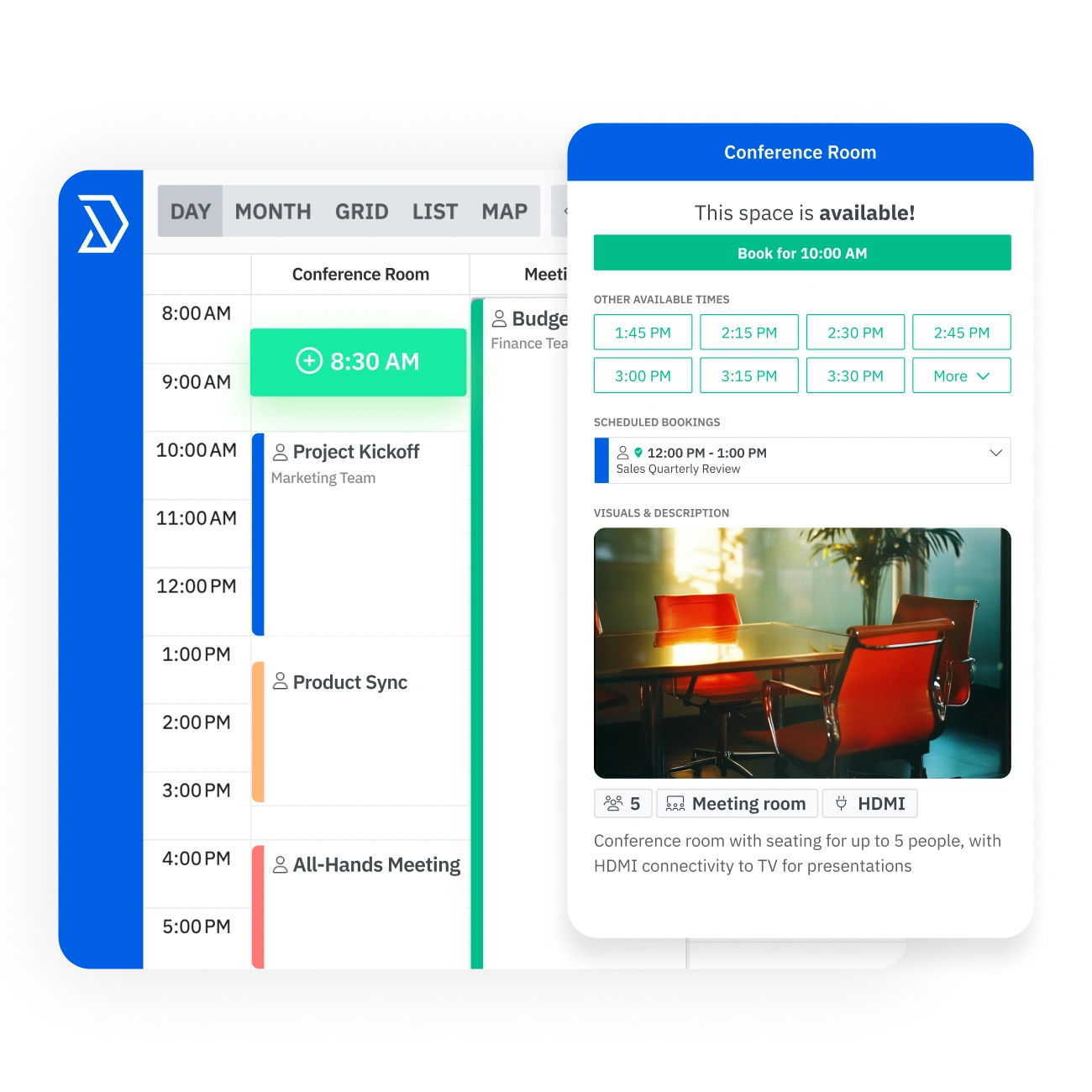
Haga que la reserva de salas de reuniones sea más fácil para todos. Skedda ayuda a los equipos a encontrar el espacio adecuado más rápido, evitar conflictos de programación y hacer un mejor uso de las salas compartidas gracias a la disponibilidad en tiempo real, la sincronización bidireccional del calendario, las reglas de reserva automatizadas y los planos de planta interactivos.














.svg)
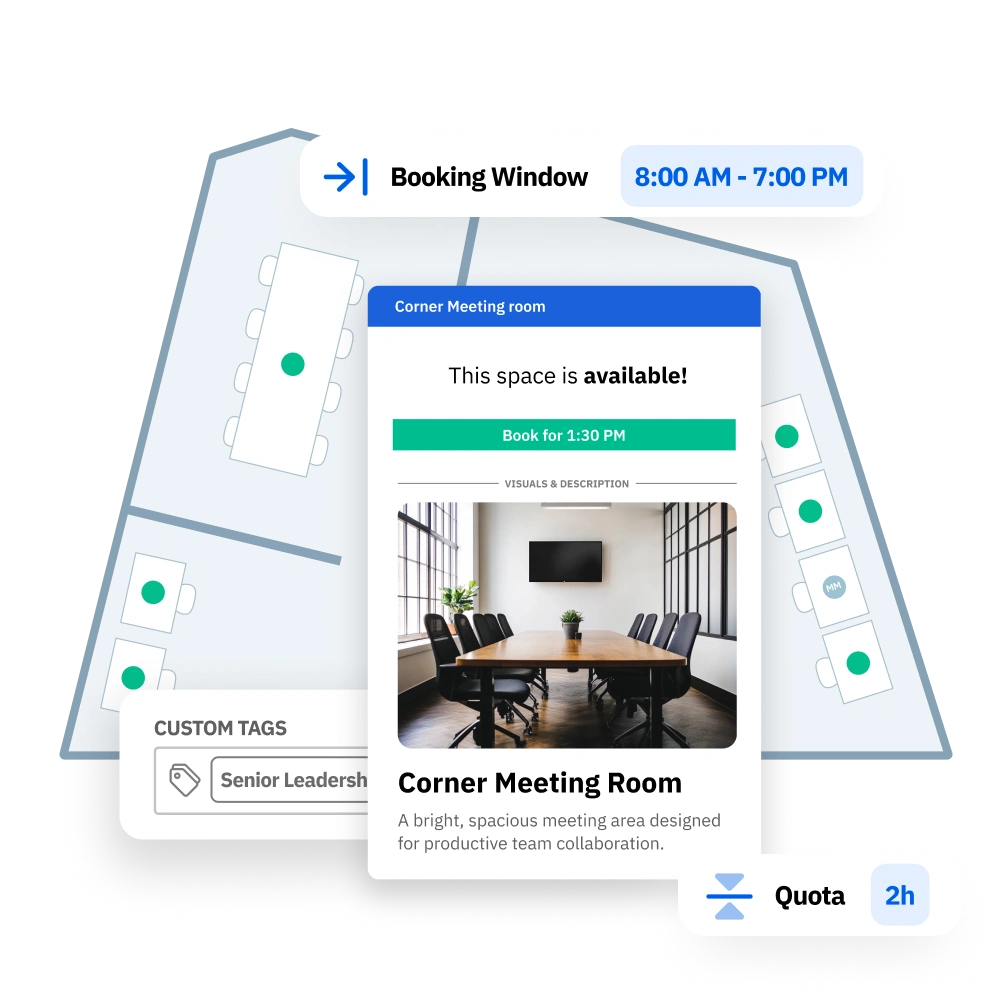

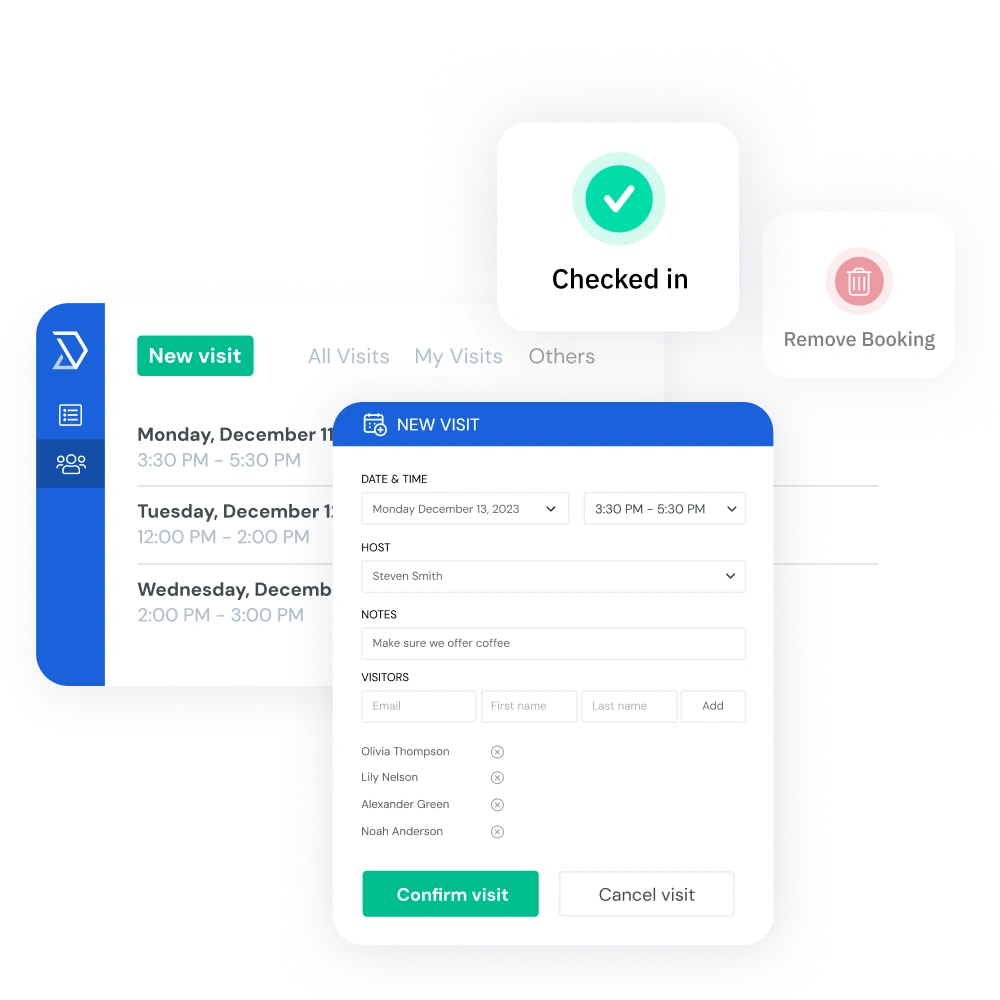

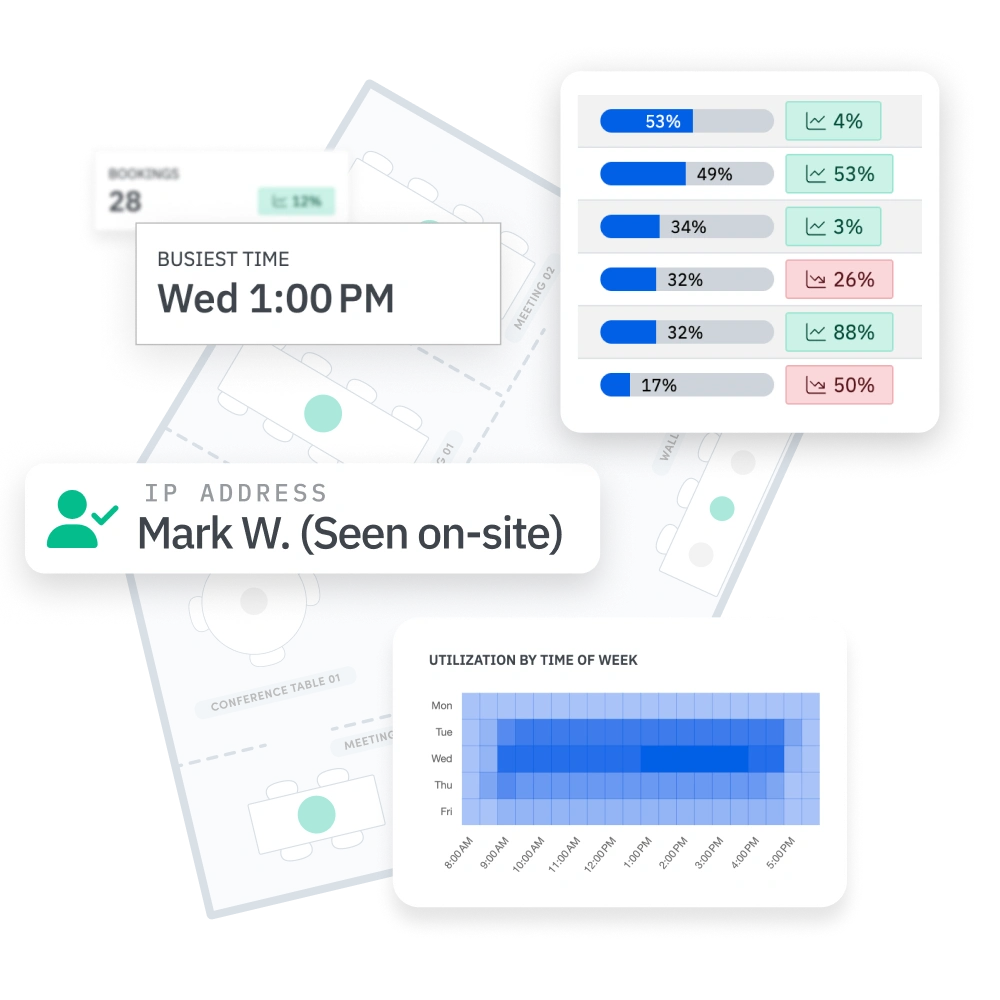

En la mayoría de las oficinas, los mismos equipos monopolizan las mejores habitaciones, las reservas de última hora crean enfrentamientos y los administradores pasan horas jugando como árbitros. Skedda elimina toda esa fricción. Tú defines las reglas de reserva una vez y Skedda hace el trabajo automáticamente. Sin hojas de cálculo, sin argumentos, sin anulaciones manuales.
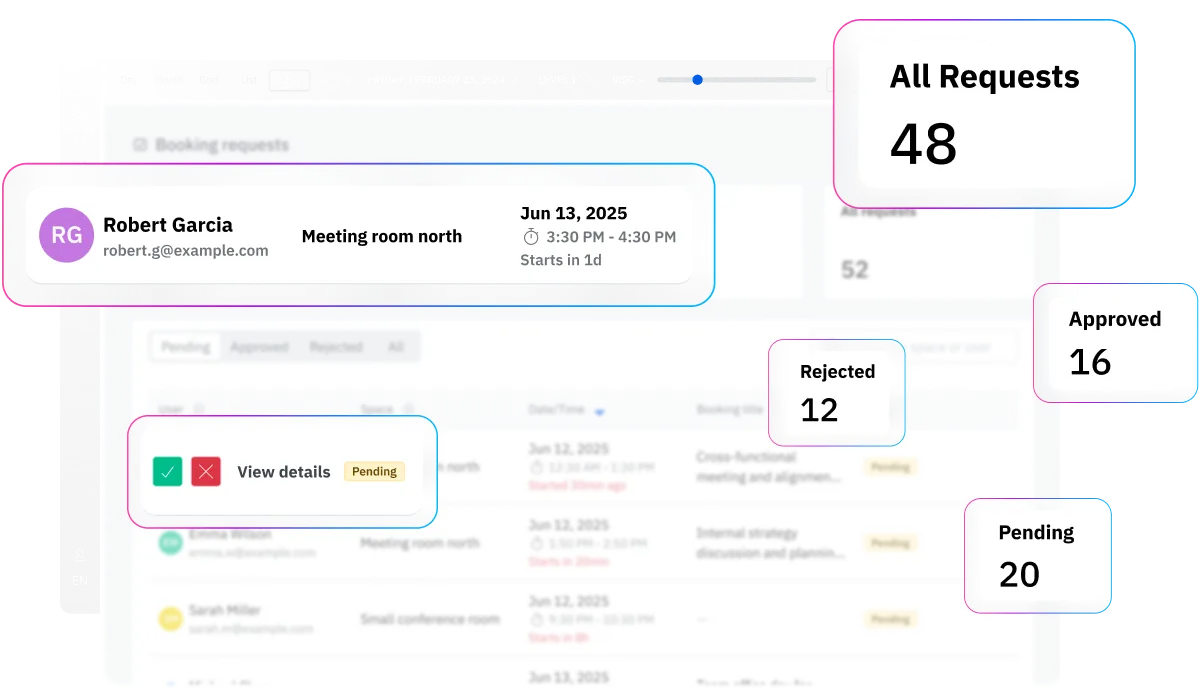
El mayor riesgo de cualquier herramienta de reserva de habitaciones es que la gente la ignore. Skedda evita ese destino porque se conecta directamente a las herramientas con las que ya trabaja tu equipo: MS365, Google, Slack y más. Cuando reservar una habitación es más fácil que no reservarla, la adopción se hace sola.
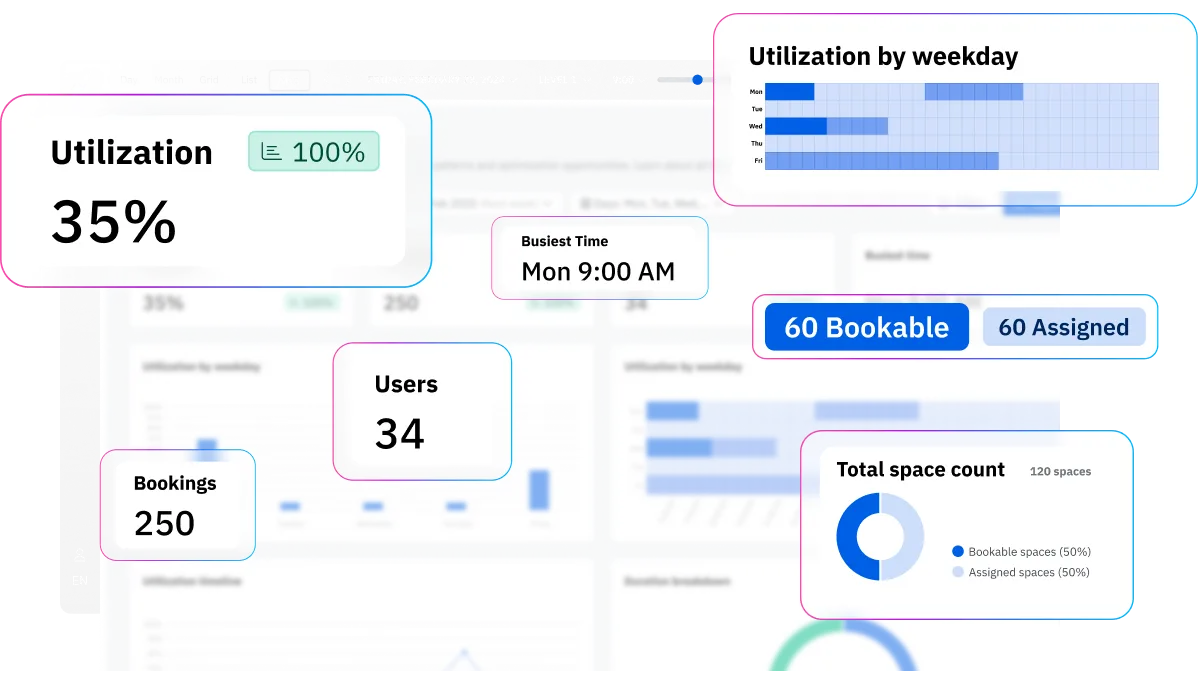
Skedda convierte cada reserva en datos de utilización estructurados. Puede ver que su sala de juntas para 12 personas funciona al 85% de su capacidad los martes, o que las cabinas telefónicas se reservan 3 veces más a menudo que las salas de reuniones. Ese es el tipo de conocimiento que permite obtener financiación para una propuesta de instalaciones.

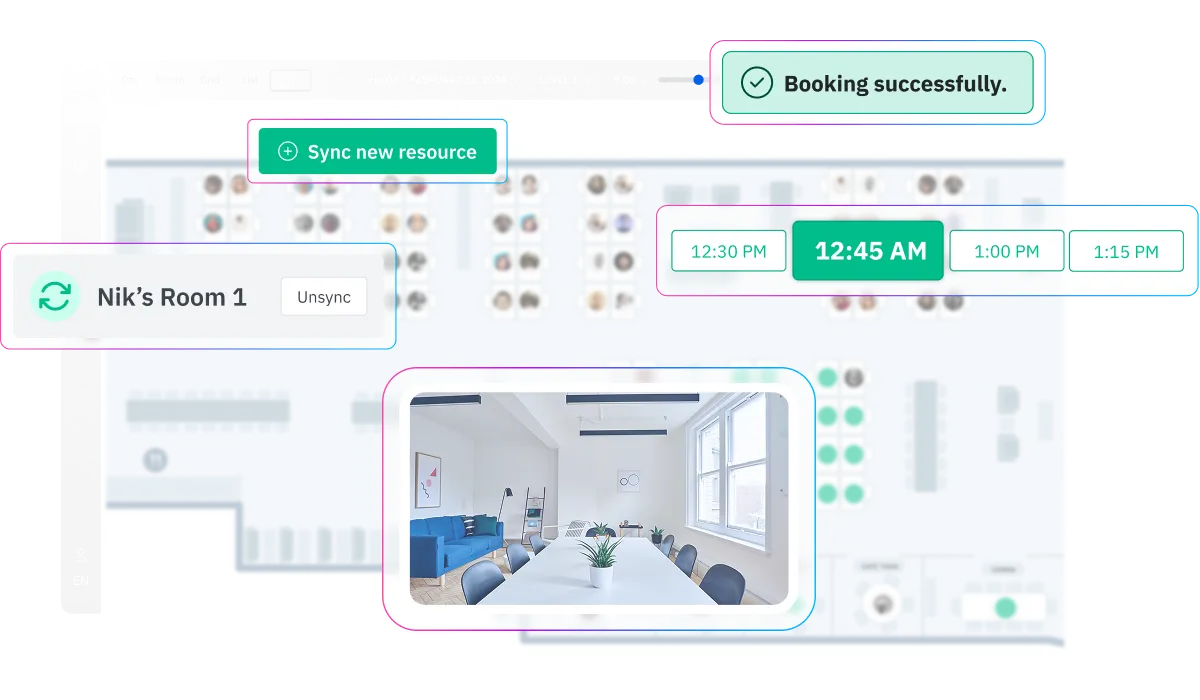
El equipo de diseño de Skedda convierte tus planos de planta estáticos en un mapa de oficina interactivo, sin coste adicional, incluso durante la prueba gratuita. Todas las salas de reuniones están trazadas en el mapa y muestran la disponibilidad en tiempo real. Los empleados pueden navegar por planta, ampliar las zonas específicas del equipo o filtrar las salas por equipo.


Sincronice las reservas de habitaciones con los eventos de su calendario de Outlook o Google y libere automáticamente las reservas cuando se rechacen en el calendario. Esta sincronización bidireccional es lo que evita las reservas dobles entre sistemas: el calendario de la habitación y Skedda siempre coinciden, sin que nadie copie los eventos manualmente.

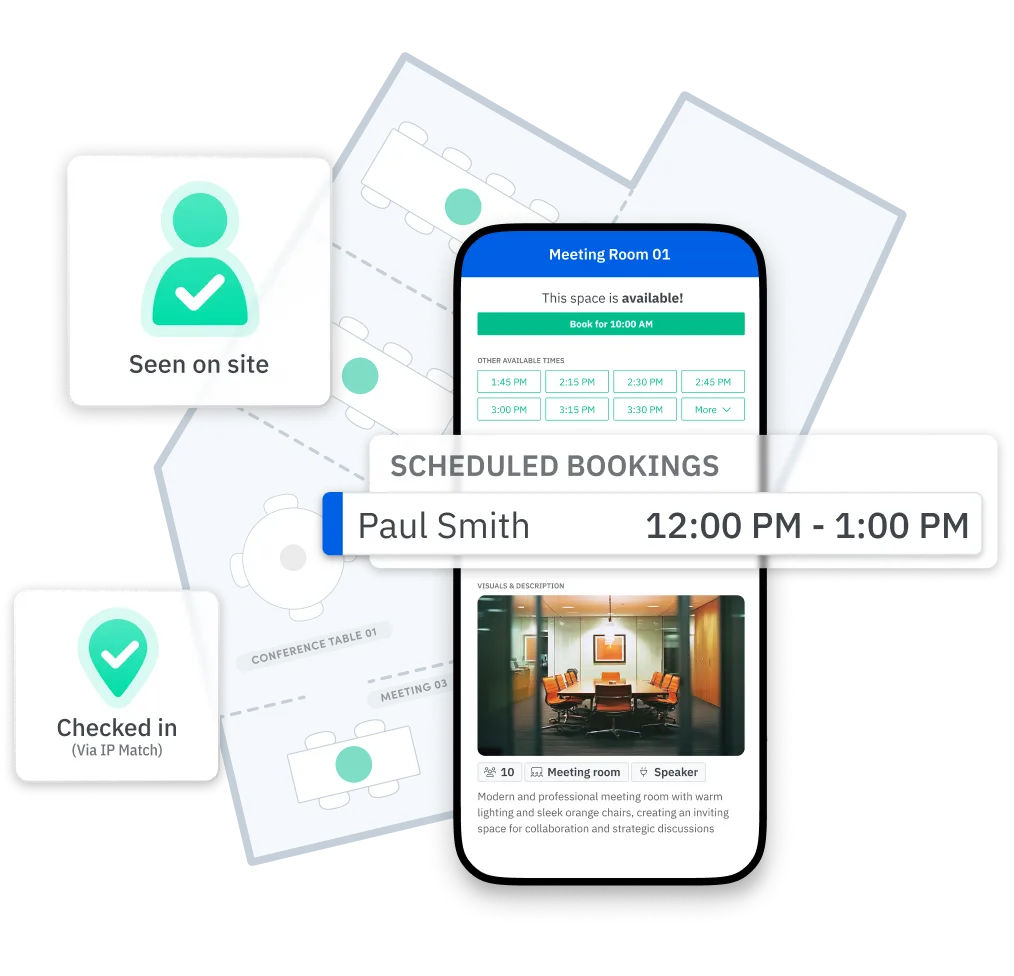
Evite las reservas fantasma con el registro obligatorio mediante un código QR, un enlace de confirmación por correo electrónico o la detección pasiva de Wi-Fi. Establezca un período de gracia (5, 10 o 15 minutos) y cualquier habitación no reclamada quedará automáticamente libre para reservarla sin cita previa.

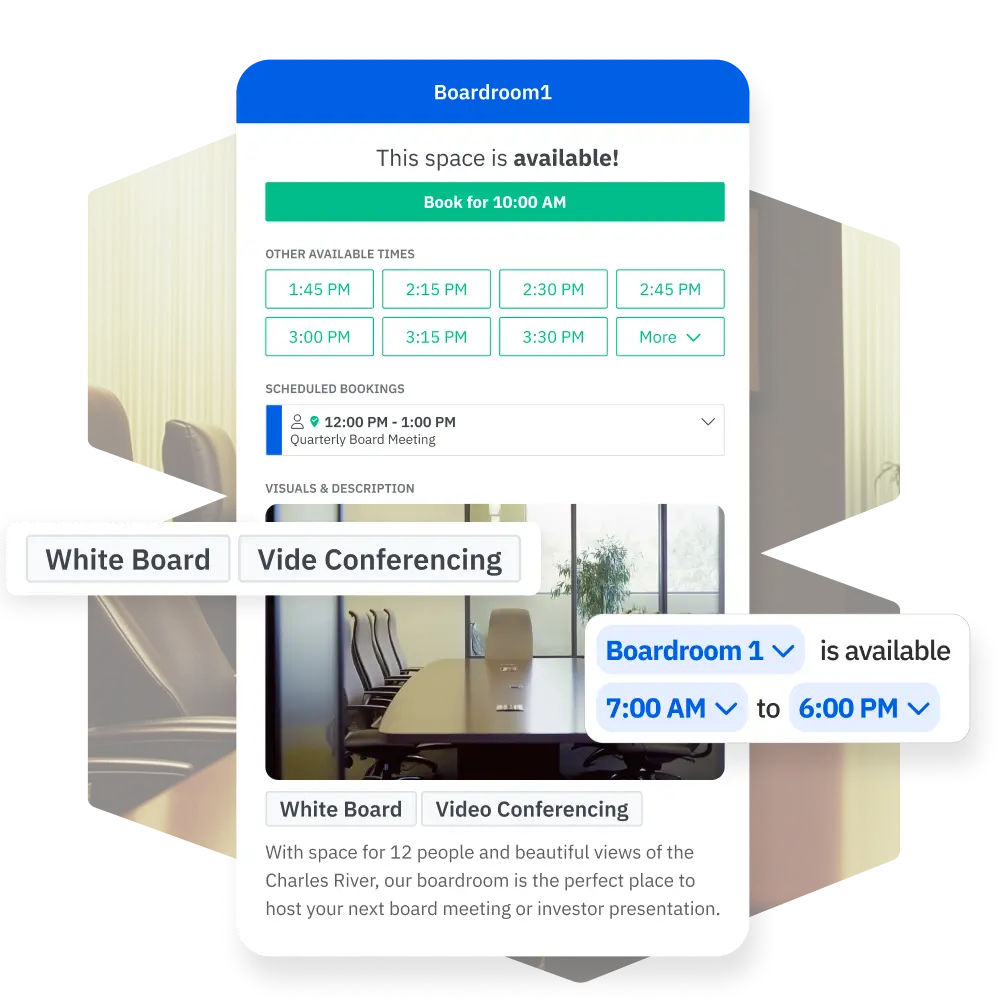
Coloque una tableta fuera de cualquier sala de conferencias para ver el estado de un vistazo: verde si está disponible, rojo si está ocupado y tiene una cronología clara de las próximas reservas de la sala. Para las oficinas que desean disponer de una señal física junto con el software, las tabletas convierten a Skedda de una aplicación en una parte visible del entorno laboral.

Agregue enlaces de Zoom, Teams o Google Meet a cualquier reserva para respaldar las reuniones híbridas. Usa formularios de reserva personalizados para recopilar detalles clave, como el número de asistentes, las necesidades de equipo y las solicitudes de organización, y luego envía automáticamente al equipo correcto tareas como el catering, la instalación audiovisual y la configuración de la sala.
Realice un seguimiento del uso de la habitación por habitación, planta, equipo, día de la semana y hora del día. Skedda muestra las tasas de horas pico de utilización, el estado de ocupación y la duración media de las reservas para que nunca te quedes con dudas. Exporte fácilmente los informes para presentaciones en juntas directivas, revisiones inmobiliarias o sesiones de planificación de instalaciones.
El mejor sistema de reservas es aquel que los empleados apenas notan, porque ya está integrado en las herramientas que utilizan todos los días. Skedda se conecta de forma nativa con los proveedores de SSO de Microsoft 365 (incluido Outlook), Google Workspace, Microsoft Teams, Slack, Zoom, Webex y SAML 2.0. Las reservas de salas fluyen a los calendarios, los enlaces a las conferencias se adjuntan automáticamente y las actualizaciones de estado se sincronizan en tiempo real. Para los equipos de TI que gestionan la identidad a gran escala, Skedda admite el aprovisionamiento mediante SCIM para que las cuentas de usuario, los grupos y los permisos permanezcan sincronizados con tu proveedor de identidad.






"We were using Skedda for a while and realized through the bookings data that we could condense some of our space. This probably would not have been possible without Skedda."

“We wanted to encourage people to be in the office – give them options and an easy way to see what’s available. Skedda helped us deliver on that.”
"Silence is data. The fact that we don’t get phone calls and tickets proves how easy Skedda is for our team to use."
Skedda ocupa el puesto #1 en gestión del espacio en el G2 por tercer año consecutivo y cuenta con la confianza de organizaciones como Toyota Connected EU, PVH Corp, la Universidad de Columbia, Aon y Pella Windows & Doors.
La mayoría de las oficinas no tienen problemas con las salas de reuniones, sino con problemas de visibilidad. Esto es lo que cambia cuando se pasa de la programación ad hoc a un sistema de reserva de salas de conferencias diseñado específicamente para tal fin.
Unlike other meeting room booking systems, Skedda is priced per space, not per user – meaning you pay for the conference rooms on your floor plan — not for every employee who might book one. Additional rooms scale affordably, and enterprise pricing is available for larger deployments. You can explore the full platform with a free 14-day Premium trial, no credit card required. See more pricing details here.
La mayoría de las organizaciones están listas en unos pocos días hábiles. Te registras, compartes tu plano y el equipo de Skedda crea un mapa interactivo personalizado. Desde allí, un especialista especializado en implementación te ayuda a configurar las reglas de reserva, conectar Skedda a tu calendario (Outlook o Google), incorporar usuarios mediante el SSO y el SCIM, y ya estás operativo. No es necesario instalar ningún hardware, a menos que decidas añadir pantallas opcionales para tabletas fuera de las habitaciones.
Sí. El equipo de diseño de Skedda toma tu diseño actual (ya sea un archivo CAD, un PDF o incluso una foto) y crea un mapa totalmente interactivo y que se puede reservar y que se adapta a tu oficina real. Cada habitación, espacio de reunión y sala de juntas se traza con la capacidad, las etiquetas de los equipos y la disponibilidad en vivo. Este servicio está incluido sin costo adicional en todos los planes, incluso durante la prueba.
Totalmente. Skedda proporciona una sincronización bidireccional con Microsoft 365 (incluido Outlook) y Google Workspace. Cuando alguien reserva una habitación en Skedda, el enlace del evento y la conferencia aparece en el calendario de todos. Si alguien cancela el evento del calendario, la sala se libera en Skedda. Además, Skedda tiene una aplicación nativa de Microsoft Teams para reservar directamente desde Teams, además de integraciones con Slack, Zoom y Webex.
La función de registro de Skedda está diseñada específicamente para esto. Estableces un período de gracia (por ejemplo, 10 minutos) y, si la persona que reservó la habitación no se registra (mediante un código QR, un enlace de correo electrónico o la detección de Wi-Fi), la habitación vuelve automáticamente a la piscina disponible. Los datos del sector muestran que aproximadamente el 30% de las salas de reuniones no se utilizan en un día determinado; la forma más directa de recuperar esa capacidad perdida es imponer el registro de entrada.
Sí. El motor de reglas de Skedda te permite configurar los controles de acceso a un nivel granular. Puedes restringir salas específicas a ciertos departamentos, niveles de antigüedad o grupos de usuarios. También puedes establecer cuotas de reserva (por ejemplo, 4 horas de habitación grande por equipo y día), plazos de reserva anticipados (por ejemplo, sin más de dos semanas de antelación) y exigir flujos de trabajo de aprobación para los espacios con mucha demanda. Todas estas reglas se aplican automáticamente en todas las reservas.
Los análisis de utilización de Skedda responden directamente a esta pregunta. Puedes ver las tasas de ocupación por habitación, planta y hora del día. Si su sala de juntas de 12 asientos funciona al 90% los martes y al 15% los viernes, se trata de un problema de política, no de suministro. Si las salas de reuniones están en lista de espera todos los días y las salas grandes permanecen medio vacías, es posible que tengas que dividirlas. Skedda proporciona los datos; el equipo de sus instalaciones hace la llamada.
Sí. Skedda es compatible con pantallas de iPad y tabletas Android que se montan fuera de las salas de conferencias. La pantalla muestra el estado de la sala en tiempo real (disponible, ocupada, próxima reserva), y los empleados pueden reservar la habitación, registrarse o extender una reunión directamente desde un código QR en la pantalla. Las pantallas de tableta son compatibles con todos los planes de pago.
Sí. Skedda cuenta con la certificación SOC 2 de tipo 2, cumple con el RGPD, aplica el cifrado TLS 1.2+, realiza análisis continuos de vulnerabilidades y se somete a pruebas de penetración independientes. Es compatible con el aprovisionamiento de SCIM y SSO con SAML 2.0 para la gestión de identidades empresariales. Las organizaciones de servicios financieros, sanitarios y gubernamentales utilizan Skedda para gestionar las salas de reuniones y, al mismo tiempo, cumplir con sus requisitos de cumplimiento.
Destacan tres cosas. En primer lugar, el precio de Skedda es por espacio y no por usuario, lo que hace que sea mucho más rentable para las organizaciones en las que cientos de empleados comparten un conjunto de habitaciones más pequeño. En segundo lugar, cada plano incluye un plano de planta interactivo diseñado a medida por el equipo de Skedda a partir de la distribución real de tu oficina, sin necesidad de utilizar herramientas cartográficas caseras. En tercer lugar, el sistema de reglas de Skedda es inusualmente profundo: condiciones de reserva, cuotas, plazos, tiempos de espera, flujos de trabajo de aprobación y controles de acceso que la mayoría de los competidores no ofrecen o limitan los niveles empresariales. Skedda ha sido clasificada como la #1 en gestión del espacio en el G2 durante tres años consecutivos.guide to help you compare the different meeting room options available.