Webinar On-Demand:
Is Anyone Actually in the Office? A Modern Guide to Occupancy Tracking
Reserve escritorios con facilidad, optimice la utilización del espacio de trabajo y fomente arreglos de trabajo flexibles con herramientas de reserva intuitivas.















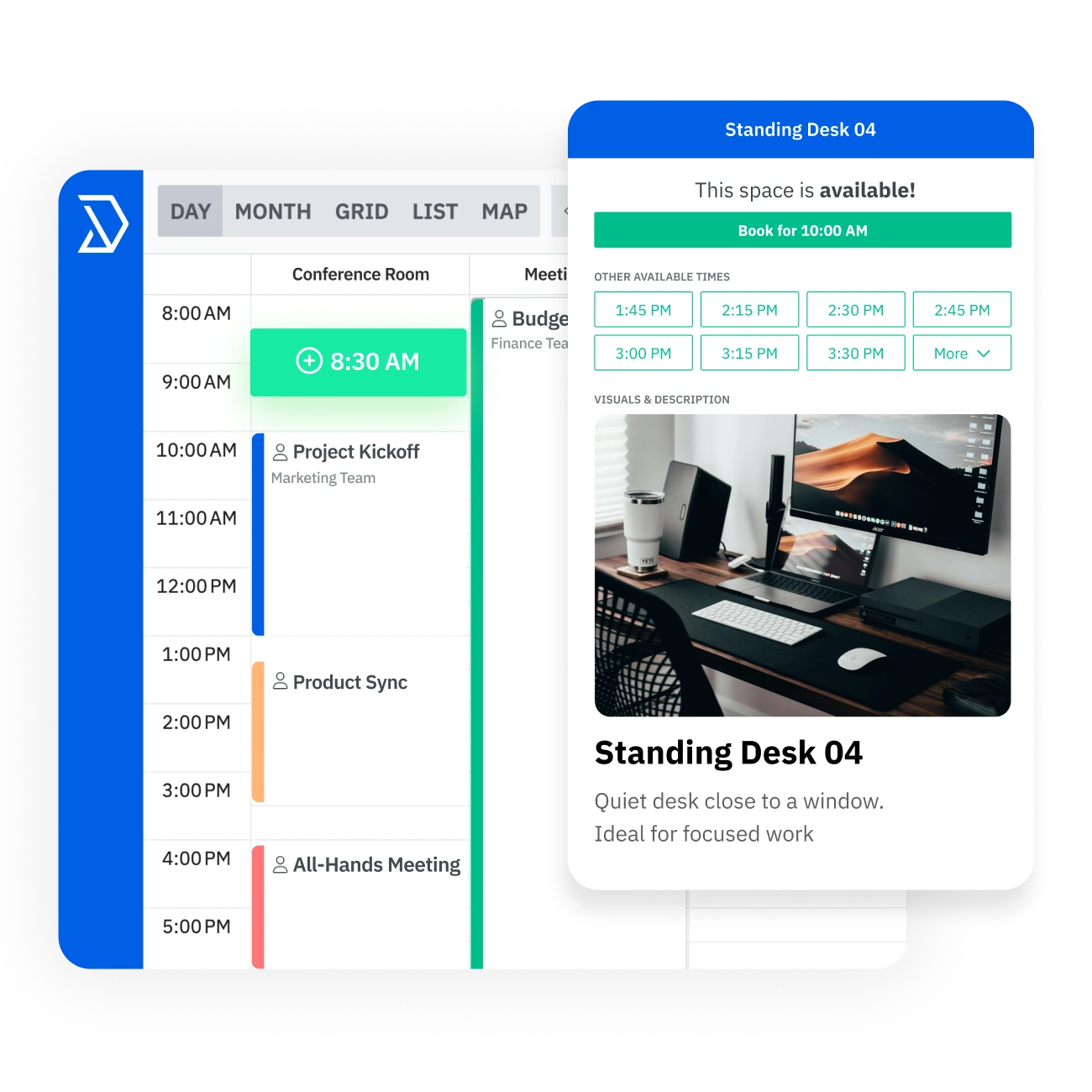
Encuentre los escritorios disponibles, reserve su espacio de trabajo en segundos, regístrese cuando llegue y realice un seguimiento del uso para optimizar su lugar de trabajo.desk booking software has everything teams need to find available desks, reserve workspace in seconds, check in on arrival, and track usage to optimize the workplace.

.svg)



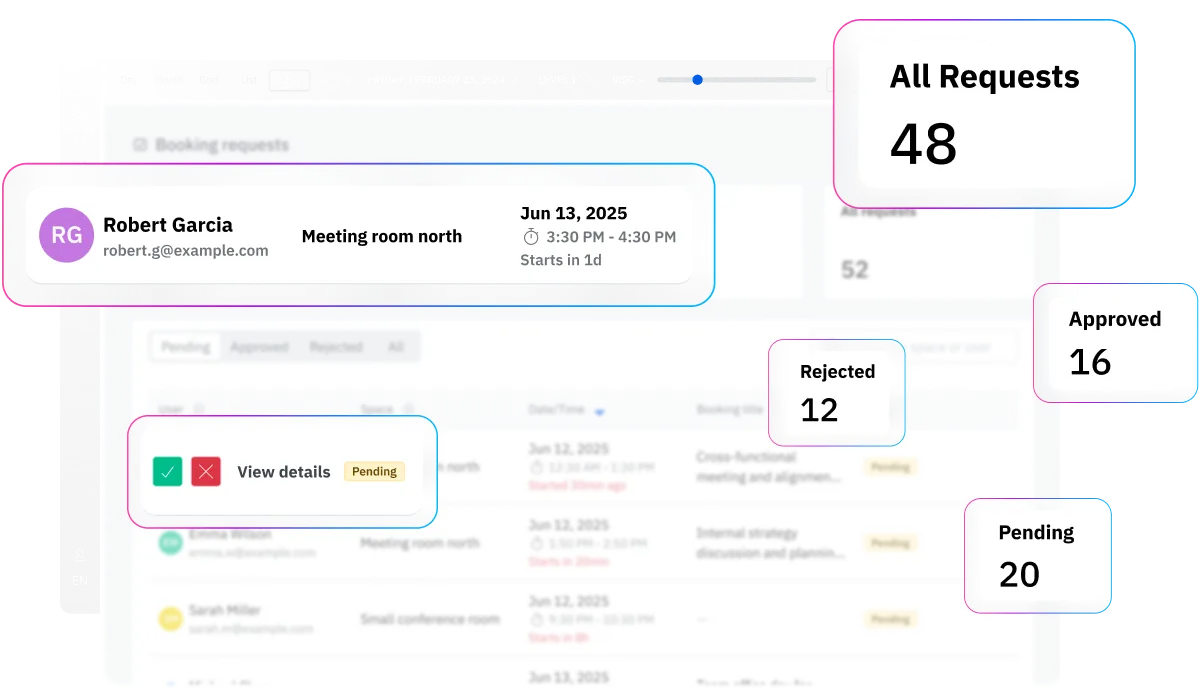
Sin reglas claras, los asientos de oficina se convierten en algo gratuito y los administradores se quedan atrapados en la resolución de conflictos. Skedda aplica automáticamente tus políticas de reserva con permisos, aprobaciones, límites, plazos de reserva, plazos de reserva y reglas de elegibilidad que mantienen el acceso justo y la disponibilidad bajo control.
La mayoría de las herramientas de reserva aisladas fallan porque los empleados las ignoran y recurren a los canales de Slack y al boca a boca. Skedda es rápido, intuitivo y se integra con tus sistemas actuales, por lo que el proceso correcto se mantiene y la inversión merece la pena.
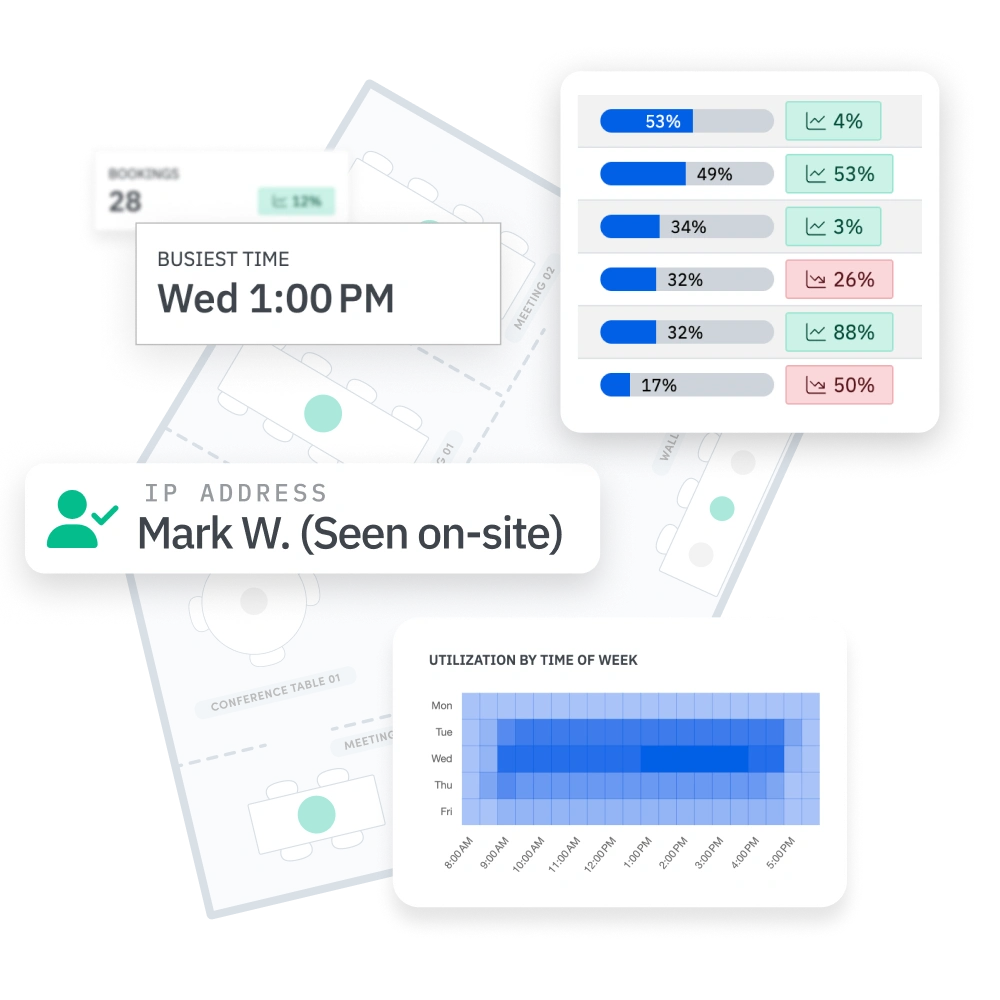
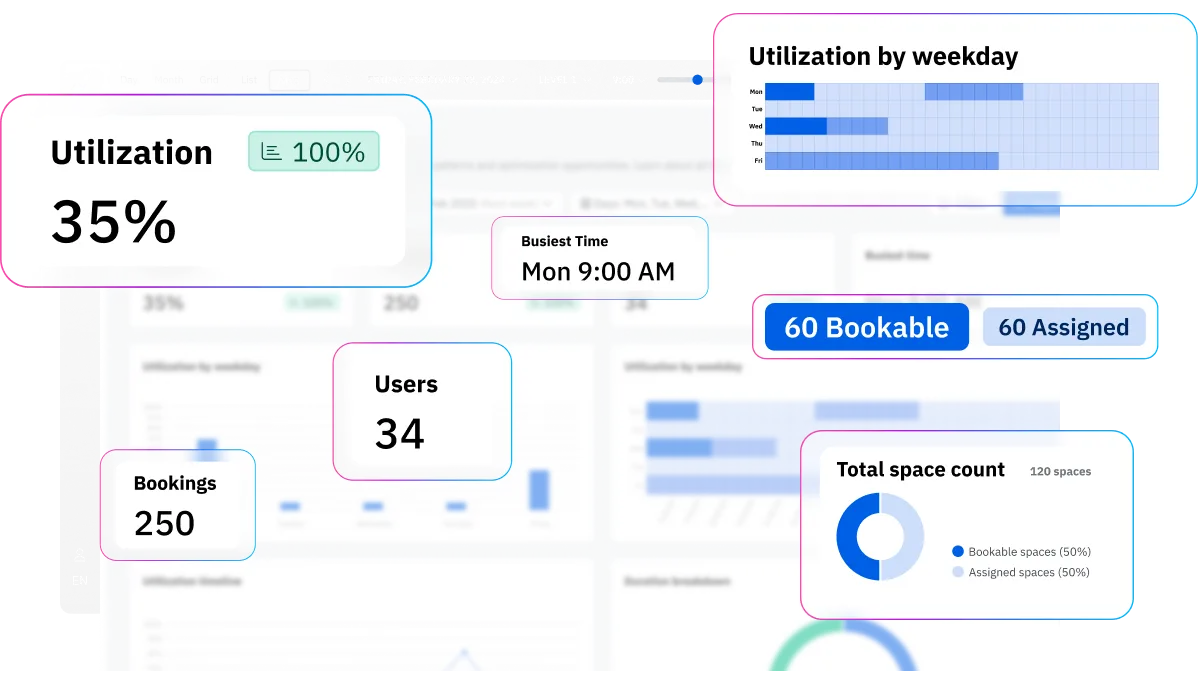
Sin datos confiables, las decisiones sobre el espacio y la planificación de la capacidad se basan en conjeturas. Skedda convierte la actividad de reservas en información fiable sobre el uso, que muestra lo que se utiliza, cuándo la demanda alcanza su punto máximo y dónde se producen los conflictos, para que pueda optimizar las políticas y planificar las mejoras de espacio con confianza.

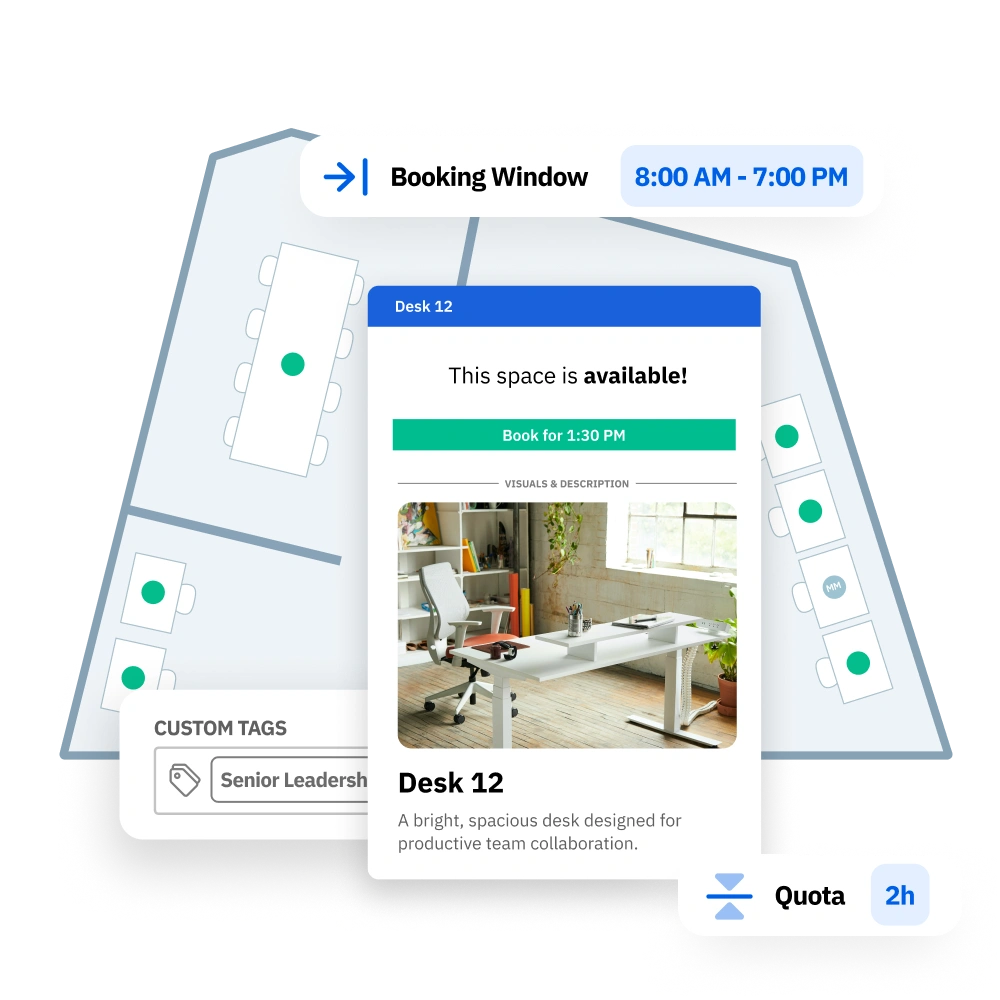
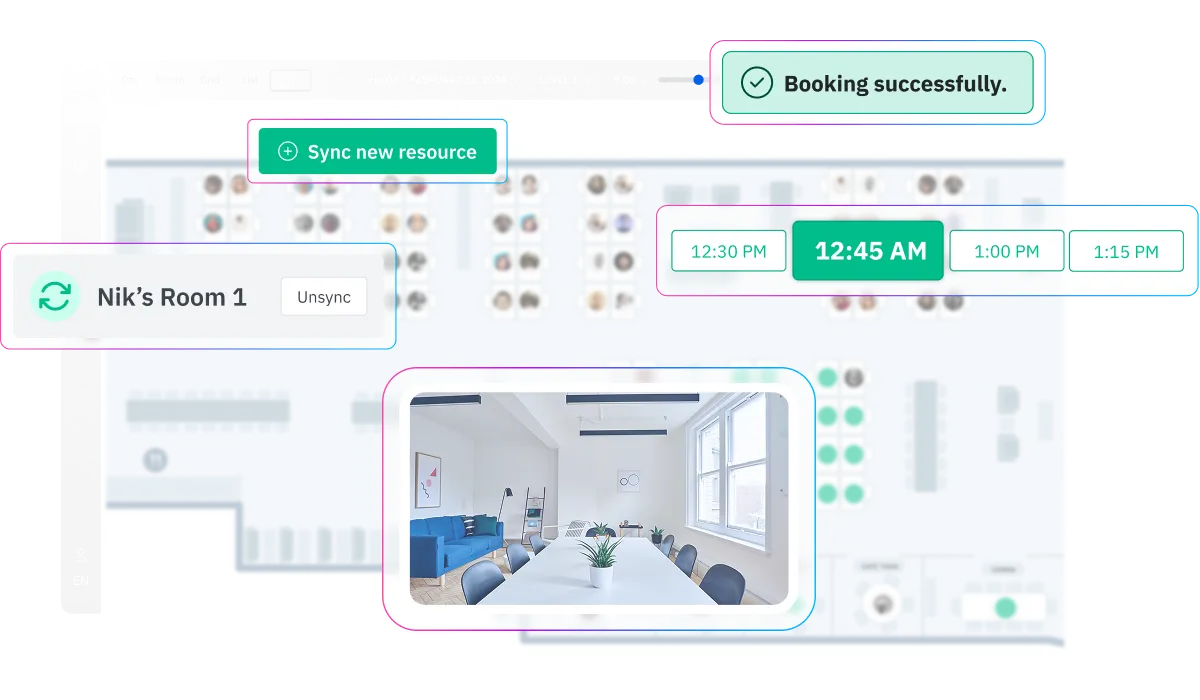
Facilite la entrada a la oficina con un mapa visual del diseño de su oficina. Consulta rápidamente qué escritorios están abiertos, reservados o restringidos y reserva el lugar perfecto para trabajar cerca de tus compañeros de equipo y de servicios específicos.


Agrupe los escritorios en barrios según su plano de planta para que los equipos puedan sentarse juntos los días que estén en la oficina. Asigna zonas por departamento, proyecto o función, y establece reglas para que las personas adecuadas reserven los espacios correctos.

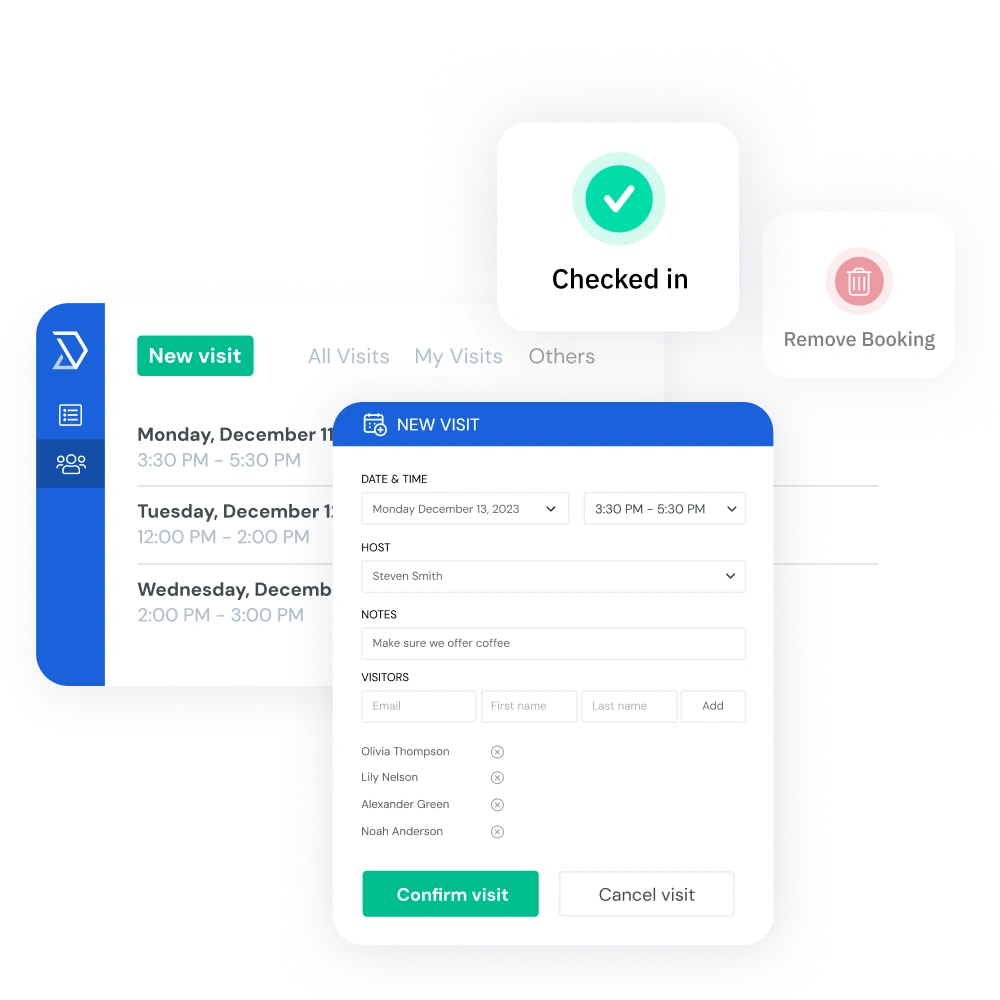
Proteja la disponibilidad de los escritorios y mantenga la ocupación precisa con reglas de registro flexibles para las reservas. Los empleados pueden registrarse mediante un código QR, una confirmación por correo electrónico o mediante la detección automática de Wi-Fi, y los escritorios no reclamados quedan automáticamente disponibles para que otros puedan reservarlos.

Consulta quién tiene previsto estar allí y verifica quién está realmente en el lugar con la detección de presencia basada en Wi-Fi. Skedda ayuda a los equipos a coordinar los días híbridos con la visibilidad de «quién está presente» y los informes de Slack o Microsoft Teams que permiten una colaboración más intencionada en la oficina.

Realice un seguimiento del uso del escritorio por usuario, equipo y tipo de espacio, con filtros por rango de fechas y hora del día. Consulta de un vistazo los días de mayor volumen de reservas, la utilización media y las tasas de ausencias. Después, exporta los informes para poder planificar el espacio y tomar decisiones inmobiliarias más inteligentes.

Ayude a los empleados a encontrar el escritorio perfecto para hacer su trabajo de la mejor manera. Clasifique los escritorios por tipo, añada fotos y descripciones y etiquete los servicios disponibles, como la configuración de dos monitores, la funcionalidad de pie y mucho más, para que los usuarios sepan exactamente qué esperar antes de ir a la oficina.
Skedda se conecta sin problemas a tu lugar de trabajo actual a través de más de 1000 integraciones.
Desde las sedes corporativas hasta los laboratorios del campus y las plantas de coworking, Skedda adapta la reserva de escritorios a la forma en que funciona realmente cada espacio de trabajo.




Skedda is a fantastic reporting tool for our space planning decisions.

Silence is data. The fact that we don't get phone calls and tickets proves how easy Skedda is for our team to use.
Skedda alleviated the stress of not knowing where you’ll sit – now you just click a button and reserve a desk.
Skedda is rated #1 for Space Management on G2 for the third consecutive year and is trusted by organizations including Toyota Connected EU, PVH Corp, Columbia University, Aon, and Pella Windows & Doors.
Hay una forma mejor de gestionar el escritorio que con simples hojas de cálculo. El sencillo sistema de reserva de escritorios de Skedda tiene la automatización, el control y la información que necesitas para gestionar un lugar de trabajo mejor.

El software de reservas de escritorio suele oscilar entre 5 y 8 dólares por usuario al mes, según las funciones. La diferencia entre Skedda es que nuestro sistema de reservas de escritorio cobra por escritorio y no por usuario, por lo que solo pagas por los escritorios físicos que administras, no por los empleados que rara vez vienen a la oficina. Skedda comienza con una tarifa base competitiva que incluye un número determinado de espacios, planos de planta interactivos, reglas de administración de escritorios y análisis de utilización. Los espacios adicionales se amplían de forma asequible a medida que creces, y hay precios empresariales disponibles para despliegues más grandes. También puedes empezar con una prueba Premium gratuita de 14 días sin necesidad de tarjeta de crédito. Para obtener más información, visita nuestra página de precios.
La mayoría de los equipos están en pleno funcionamiento en unos pocos días, según el tamaño de la oficina y las necesidades de configuración. Te registras, nos envías tu plano de planta para diseñar un mapa interactivo personalizado, invitas a tu equipo a través del SSO y nuestros especialistas en implementación te ayudan a configurar tus escritorios y políticas de reserva. No es necesaria la instalación de hardware, lo que convierte a Skedda en un sistema sencillo de reserva de escritorios para los equipos que desean moverse con rapidez. Es un software de escritorio diseñado para que sea fácil de implementar sin una pesada carga de TI.
Sí. El equipo de Skedda crea un plano de planta interactivo personalizado a partir de tu diseño actual sin coste adicional, incluso durante el período de prueba. El mapa refleja tus escritorios, habitaciones, barrios y servicios reales para que los empleados puedan ver exactamente dónde están haciendo la reserva. Esto convierte a Skedda en un práctico software de escritorio de oficina para las empresas que quieren que su sistema de reservas de escritorio se adapte al lugar de trabajo real.
Sí. Puede configurar los tipos de escritorios por planta o zona, con algunos escritorios asignados a empleados específicos y otros disponibles como escritorios compartidos o espacios de oficina para hoteles. Los tres modelos pueden funcionar dentro del mismo sistema de programación de escritorios utilizando diferentes reglas de reserva por área. Esto brinda a los equipos una administración flexible de los escritorios sin necesidad de herramientas independientes para las diferentes políticas de asientos.
Skedda está diseñado para equipos híbridos. Los empleados pueden ver quién llega a través de Slack o Microsoft Teams, reservar escritorios cerca de los compañeros de trabajo que utilizan los barrios y registrarse cuando llegan. Los líderes del lugar de trabajo pueden utilizar las cuotas, los plazos de reserva y los análisis de utilización para gestionar la asistencia y ajustar las políticas en función del comportamiento real. Como sistema de reservas de escritorio y solución de software de gestión de asientos, Skedda ayuda a que el trabajo híbrido parezca organizado en lugar de improvisado.
La función de registro de Skedda requiere que los empleados confirmen la llegada. Si no se registran dentro del período de gracia que hayas definido, el mostrador volverá automáticamente a la piscina disponible. Esto ayuda a prevenir las reservas fantasma y protege la disponibilidad para otros empleados. Para los equipos que buscan un software fiable de reserva de asientos o un software de reserva de asientos, esta es una de las formas más sencillas de utilizar el espacio de trabajo de forma precisa.
Skedda te permite establecer cuotas y plazos de reserva para que los empleados no puedan reservar más tiempo de oficina del que permite tu política. Por ejemplo, puedes limitar el número de días a la semana que alguien puede reservar o restringir las reservas a un período de 48 horas. Estas reglas se aplican automáticamente, lo que reduce el trabajo administrativo manual. Es una forma práctica de utilizar el software de asignación de asientos de oficina sin la intervención constante de los equipos de las instalaciones.
Los análisis de utilización de Skedda muestran el uso de los escritorios por día, planta y zona para que puedas entender cómo se utiliza realmente tu lugar de trabajo. Puedes hacer un seguimiento de los días pico, la ocupación media y las tasas de ausencias para ver si tienes un aprovisionamiento excesivo o insuficiente. Esto hace que Skedda sea útil no solo como software de escritorio, sino también como software de asignación de asientos para tomar decisiones de planificación más inteligentes.
Sí. Skedda se integra con Slack y Microsoft Teams para compartir informes sobre quién participa, de modo que los empleados puedan ver qué compañeros han reservado escritorios en un día determinado. Esto facilita la coordinación del tiempo de oficina en torno a la colaboración, las reuniones o los días de trabajo en equipo. En los lugares de trabajo híbridos, esa visibilidad convierte la aplicación de escritorio en algo que las personas realmente usan, no en otro sistema que evitan.
Sí. Skedda ofrece sincronización bidireccional con Microsoft 365, incluidos Outlook y Google Workspace. Las reservas de escritorio aparecen automáticamente en los calendarios de los empleados y los cambios se pueden volver a sincronizar con Skedda. Skedda también se integra con Microsoft Teams, Slack, Zoom y Webex, y admite el SSO y el SAML para un inicio de sesión seguro. Esto lo convierte en una opción ideal para los equipos que buscan un software de escritorio de oficina que funcione con sus herramientas actuales.
Para las oficinas pequeñas, los factores más importantes son la facilidad de configuración, el costo y la facilidad de uso. Skedda ofrece un nivel gratuito con funciones básicas de reserva, lo que lo convierte en una buena opción para los equipos que buscan un software de reservas de escritorio que no suponga un elevado coste inicial. Obtienes planos de planta interactivos, reglas de reserva y análisis de utilización en una sencilla aplicación de escritorio, sin necesidad de una implementación compleja. En el caso de los equipos más pequeños, puede funcionar como un sencillo sistema de reserva de escritorios que puede ampliarse a medida que crece el lugar de trabajo.desk booking software without heavy upfront cost. You get interactive floor plans, booking rules, and utilization analytics in one easy desk app, without needing a complex rollout. For larger teams, it can function as a powerful desk booking system that scales as your workplace grows.
La reserva de escritorios es la categoría más amplia de cualquier sistema que permita a los empleados reservar espacio de trabajo. Los escritorios compartidos generalmente se refieren a escritorios no asignados que se reservan de manera flexible, a menudo para el mismo día, mientras que la hotelería de oficinas generalmente se refiere a reservar escritorios con antelación, a veces durante varios días. Skedda admite los tres modelos en una sola plataforma, lo que brinda a los equipos un sistema de programación de escritorios para una variedad de políticas laborales. También puede satisfacer necesidades más amplias, como los flujos de trabajo del sistema de reserva de asientos de oficina y la gestión diaria de los escritorios.