
NEW
Booking data, wherever you need it:

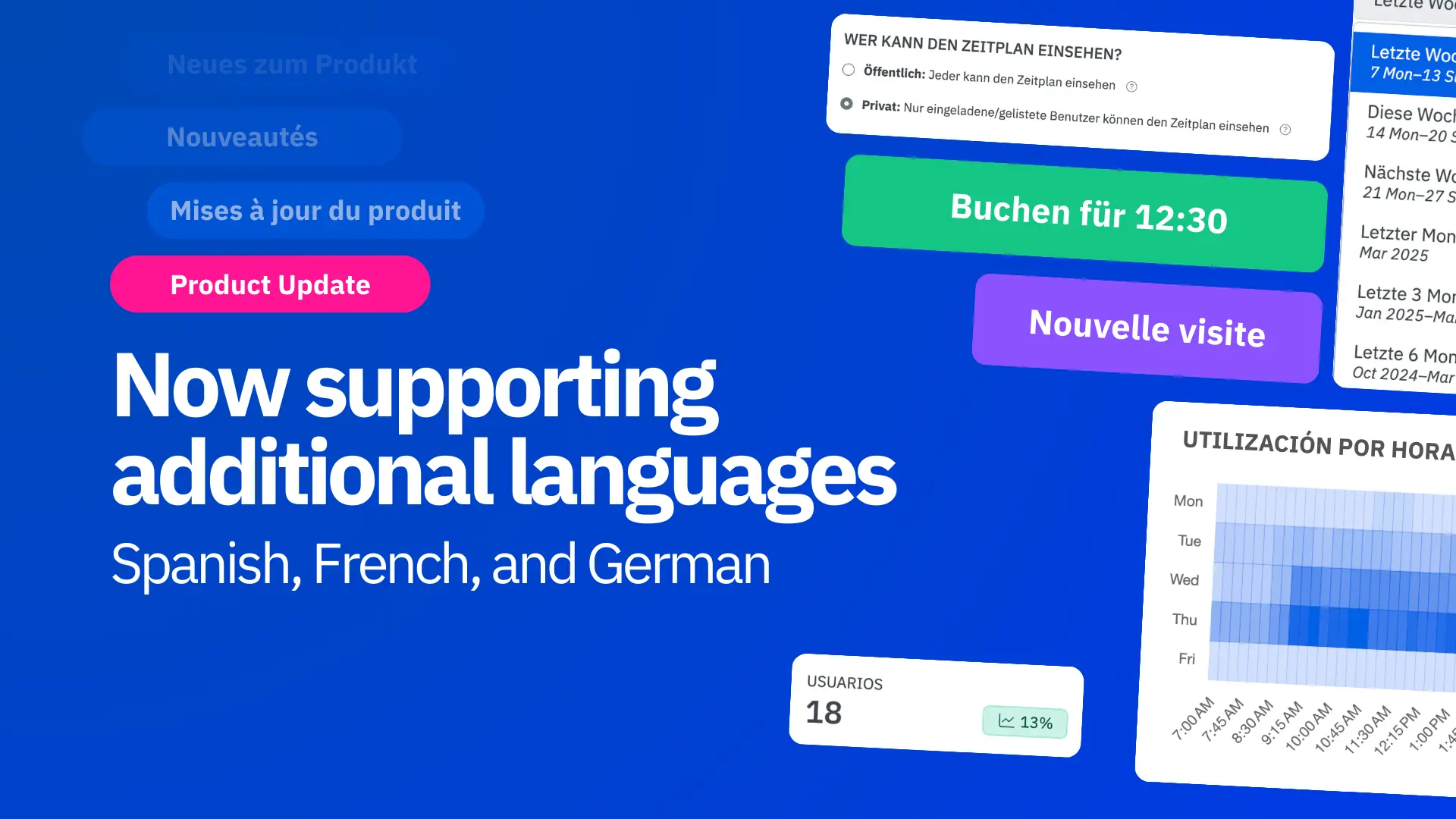
Skedda now supports translation options for three more languages, improving accessibility and reducing friction in the space booking process. Here is what’s included in this release:
Today’s workforce is more globally connected than ever. In keeping up with the nature of modern work, our development team has been hard at work expanding Skedda’s language support beyond good ol’ English.
Say hola, bonjour, and hallo to Spanish, French, and German – our newest language options. Now, users can book desks, meeting rooms, and shared spaces and resources in the language they’re most comfortable with, making the booking process more intuitive and empowering for everyone.
As an internationally distributed team ourselves, we at Skedda understand how important it is for workplace solutions to be readily accessible to all. Whether your organization operates a single multilingual office or spans continents, language preferences play a crucial role in making workspace management software more user-friendly, inclusive, and scalable.
Let’s take a closer look at how Skedda’s new language features can elevate your workplace and space management experience.
This one’s a no-brainer: when employees can interact with software in their preferred language, everything gets easier.
Booking a desk or meeting room should be one of the simplest parts of the workday and not a frustrating experience due to a language barrier. If users are forced to navigate a system in a language they’re not comfortable with, it can lead to confusion, failed check-ins, and low adoption. IT teams also end up fielding more support requests that could’ve been avoided.
With language configuration available to all users, those barriers are gone, keeping everyone aligned on who’s working where and when.
This is especially powerful for organizations with offices in multiple countries. A user in Berlin can now reserve a desk in German, even though his system administrator may speak English and work in Chicago. With per-user language settings, Skedda makes it easy to support a global workforce – improving efficiency and streamlining operations across borders.
Custom language options go beyond just making bookings easier; they are a key accessibility feature for modern workplaces.
Now native Spanish, French, and German speakers have equal access to essential resources like desks and meeting rooms in Skedda. This isn’t just important for global organizations with offices spanning international borders; even smaller businesses often employ a diverse and multilingual team depending on their area.
By allowing users to choose the language they’re most comfortable with, Skedda helps foster a more inclusive workplace where employees feel supported and empowered. Whether they speak English, Spanish, French, or German, everyone can book with confidence and ease.
Language support isn’t just about improving day-to-day workflows; it’s a strategic advantage as your organization grows.
With expanded language options, Skedda is ready to support your team as it expands internationally into new regions and markets. Whether you’re opening a new office in Madrid or onboarding a team in Paris, your employees and visitors can engage with Skedda in their preferred language from day one.
At Skedda, our goal is to work with you as a partner in growth. As your footprint expands, we’ll be right there with you, ensuring seamless, localized booking experiences wherever your business goes.
So, how do you actually update language preferences in Skedda? Well, it depends on your access level. Let’s dive right into the basics.
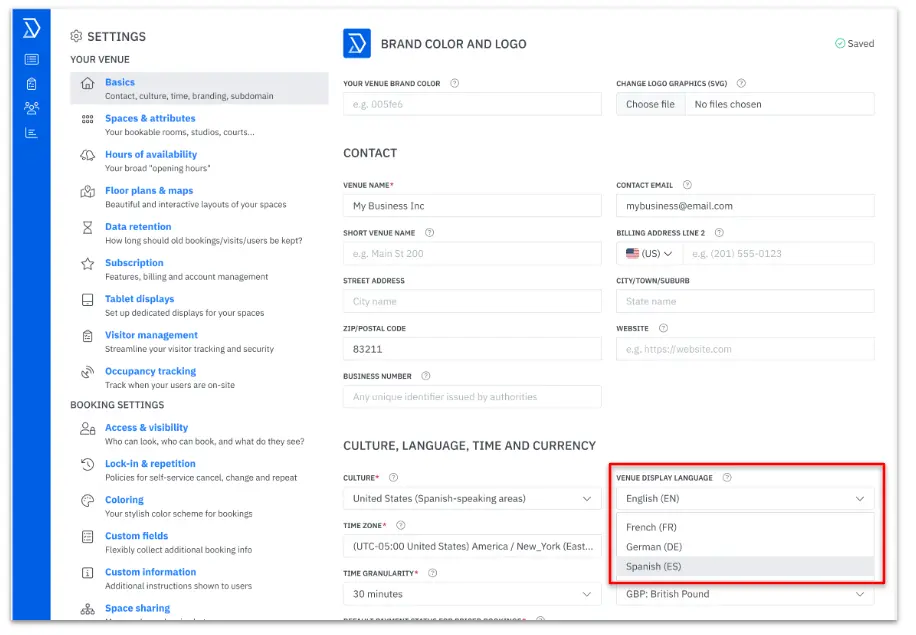
System administrators can access language selection by going to Settings → Basics → Venue display language. Here, they can select a default language for the entire venue. This language will appear for all users (who do not select a preferred language) and all visitors.
From the same menu, administrators can also choose date formatting and time zone settings for their venue. Configuring these settings helps create a consistent booking experience for all users.
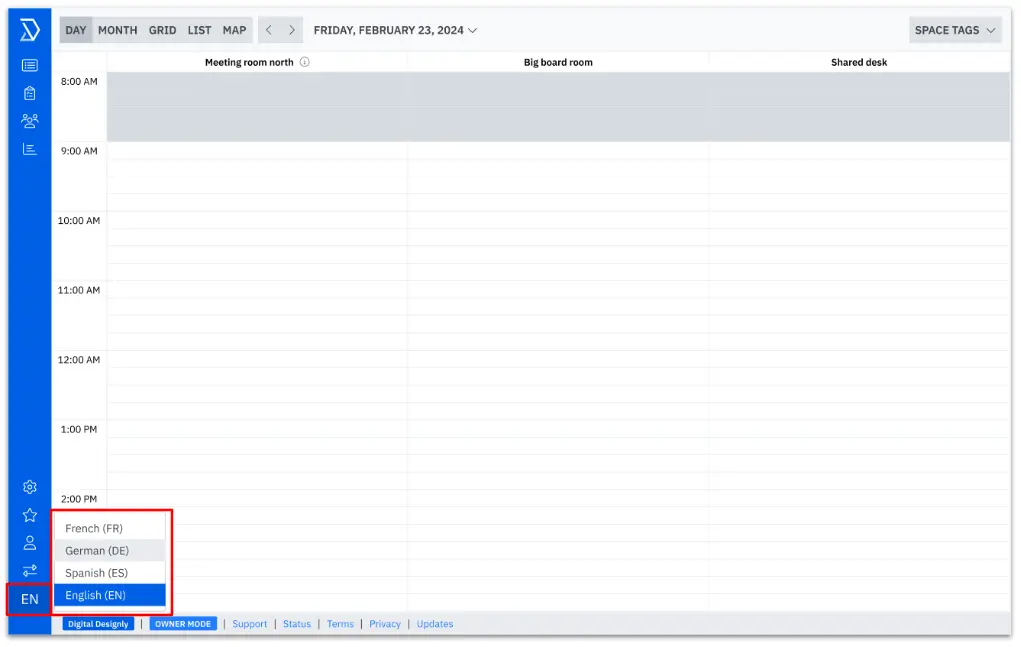
All Skedda users can set their own language preference, completely independent of the default language set by their system administrator. Once selected, this preference overrides the venue’s setting and applies across all venues the user has access to.
You’ll find the language settings at the bottom of the left-hand toolbar. In a simple click, you can switch between English, Spanish, French, and German any time.
Stay tuned – more configurations are on the way. Soon, users will be able to choose their own date and time preferences straight from the bookings menu as well.
Ready to customize your language preferences? Simply log in to your Skedda account and head to Settings → Basics → Venue display language.
And for non-admins? Simply toggle your language preference on the bottom left hand side of the screen.
Don’t have an account but want to see Skedda in action? Schedule a call with our team today and an expert will walk you through everything you need to know.
1. How does Skedda’s new multilingual feature make workspace booking easier for global teams?
Skedda now supports Spanish, French, German, and English, making it effortless for international teams to book desks, meeting rooms, or shared spaces in their preferred language. This update reduces friction, improves user adoption, and ensures a consistent experience for everyone—from Berlin to Chicago. By removing language barriers, Skedda creates a smoother, more inclusive workplace booking process for global organizations.
2. Can employees choose their own language settings in Skedda?
Absolutely! Each user can select a personal language preference that applies across all venues they access, overriding any default settings set by admins. Whether you manage multiple offices or share spaces across countries, users can interact with Skedda in the language they’re most comfortable with—boosting confidence and accessibility in every booking.
3. What’s the difference between the admin default language and user preferences?
Admins can define a default display language for a venue, ensuring consistency for visitors and teams who haven’t set their own preference. However, individual users can override this by choosing their own preferred language—a key feature for multilingual teams working across global offices. This flexibility ensures both administrators and employees have control over their experience.
4. Why is multilingual support important for hybrid and global workplaces?
Today’s workforce is increasingly distributed and multilingual. By offering localized booking in English, Spanish, French, and German, Skedda helps organizations improve accessibility, enhance productivity, and foster inclusion. It also supports scalability—helping companies expand seamlessly into new markets without disrupting workflows.
5. How do I enable or change my language in Skedda?
For admins, go to Settings → Basics → Venue display language to set the default language.
For individual users, scroll to the bottom-left toolbar of your Skedda interface to switch between supported languages instantly. It’s that simple to make workspace booking feel local, wherever you are.
Our team is ready and waiting to talk through your specific desk scheduling requirements and see how Skedda could work for you.

.svg)



